 Tapnod
The short answer
Real-time monitoring for autonomous agents means knowing, within seconds or minutes, when an agent needs you, fails, finishes or goes silent. It needs four things:
- Live status per agent: working, waiting, idle, error or silent.
- Heartbeats: regular check-ins so silence becomes visible.
- Streaming events: questions, approvals, results and errors sent as they happen, not batched.
- Alerts that reach people on their phones, routed to owners.
"Real time" doesn't mean every signal needs second-level latency. Approvals and errors do; cost trends don't.
"real-time monitoring autonomous ai agents" gets about 90 US searches a month at a keyword difficulty of 18 (Semrush, November 2026), one of the easier terms in this space, searched by teams moving agents from supervised sessions to unattended runs.
How fast is fast enough
| Signal | Target latency | Why |
|---|---|---|
| Approval needed | Seconds | Agent is blocked |
| Question from agent | Seconds | Agent is blocked or guessing |
| Error that stops a run | Seconds to a minute | Work stalls; may need action |
| Agent silent | A few minutes past expected interval | Catch crashes and sleep |
| Run finished | Minutes | Good to know, rarely urgent |
| Cost anomaly | Within an hour | Damage grows slowly |
| Quality trends | Daily | Needs aggregation |
Design each signal's path for its target, and don't page anyone for things that can wait. Matching latency to need also keeps costs down, since constant streaming of every metric is expensive and rarely read.
Live status
Every agent should have a current status that anyone on the team can see:
| Status | Meaning |
|---|---|
| Working | Actively running a task |
| Waiting on you | Blocked on a question or approval |
| Idle | Running but with nothing to do |
| Error | Last run failed and needs a decision |
| Silent | No contact past its expected interval |
Status comes from events: an agent that sends "task started" is working; one that sends an approval request is waiting; one whose last contact is too old is silent. Keep the list of statuses short, so everyone reads them the same way.
Heartbeats
Silence is the signal most monitoring misses. A crashed process sends no error. Heartbeats turn silence into data:
import time, requests

def heartbeat_loop(agent_id, interval=600):
    while True:
        requests.post("https://inbox.example.com/agents/heartbeat",
                      json={"agent": agent_id, "status": current_status()},
                      timeout=10)
        time.sleep(interval)
Any message an agent sends can count as contact. A dedicated heartbeat matters for agents that can go long periods without sending anything else. Set the alert at two or three missed intervals to avoid noise from brief network blips.
Streaming events
| Method | Latency | Notes |
|---|---|---|
| Push from agent (webhook, API call) | Seconds | Best for questions, approvals, errors |
| MCP tool call to an inbox | Seconds | Natural for MCP-capable agents |
| Polling from a monitor | Interval-bound | Simple; fine for status |
| Hooks in coding agents | Seconds | Claude Code and Codex can run commands on events |
| Log or trace pipelines | Seconds to minutes | Good for analysis, slower for alerting |
For coding agents, hooks are the practical route: Claude Code's Notification and Stop hooks, or Codex's notify command, can send events the moment they happen. See Claude Code notifications.
Alerts that reach people
Real-time data is wasted if the alert sits in a channel nobody reads. Rules:
- Route to an owner, with a backup after a delay.
- Push to phones for blocking events.
- Include the decision in the alert, so it can be answered from the notification.
- Group bursts: five errors from one agent in a minute is one alert.
- Quiet hours with an exception for truly urgent events.
Noise control
Real-time systems fail by being too loud as often as by being too slow. Keep the push channel for events that need a decision now. Send results to the inbox without a push, batch repeated errors, and review which alerts people dismiss without acting. If more than a few pushes a day are ignored, tighten the rules before people mute the channel entirely.
A live board
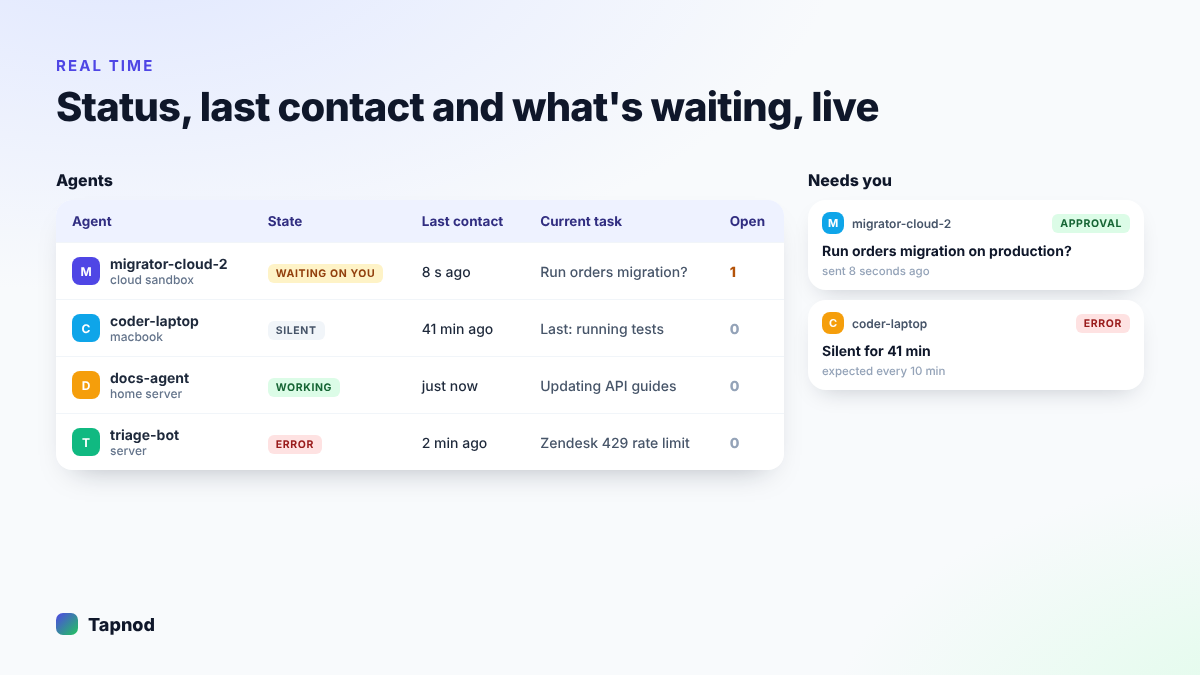
A good real-time board shows, for each agent: name, where it runs, status, last contact, current task and number of pending decisions. Sorted with "waiting on you" and "silent" at the top, it answers the morning question, "what needs me?", in one glance. It should work on a phone, since that's where people check it most.
Real time across many machines
Agents run on laptops, servers, CI runners and cloud sandboxes. A central place that every agent reports to, regardless of where it runs, is the only way to get one live view. Each agent needs one outbound connection to that place: MCP, a webhook or polling.
Designing the event payload
Every event an agent sends should carry enough to act on without opening anything else:
{
  "agent": "migrator-cloud-2",
  "type": "approval",
  "title": "Run orders migration on production?",
  "context": ["Adds 2 columns", "Reversible", "Est. 40s"],
  "options": ["approve", "reject"],
  "sent_at": "2026-11-26T14:02:11Z"
}
Agent name, type, a one-line title, a few facts and the options. Anything longer can sit behind a link.
Testing your real-time path
Measure end-to-end latency, not only the agent's send time. Trigger a test approval and time how long until it appears on a phone, and how long until the answer reaches the agent. Do it on mobile data, not only office wifi. Repeat after any change to notifications, and test silence detection by stopping an agent on purpose.
What real time can't fix
- Poor requests: an approval that arrives instantly but lacks context still waits.
- No owner: real-time alerts to nobody are noise.
- Missing permissions: agents that ask for everything flood the board.
Fix these alongside latency.
A worked example
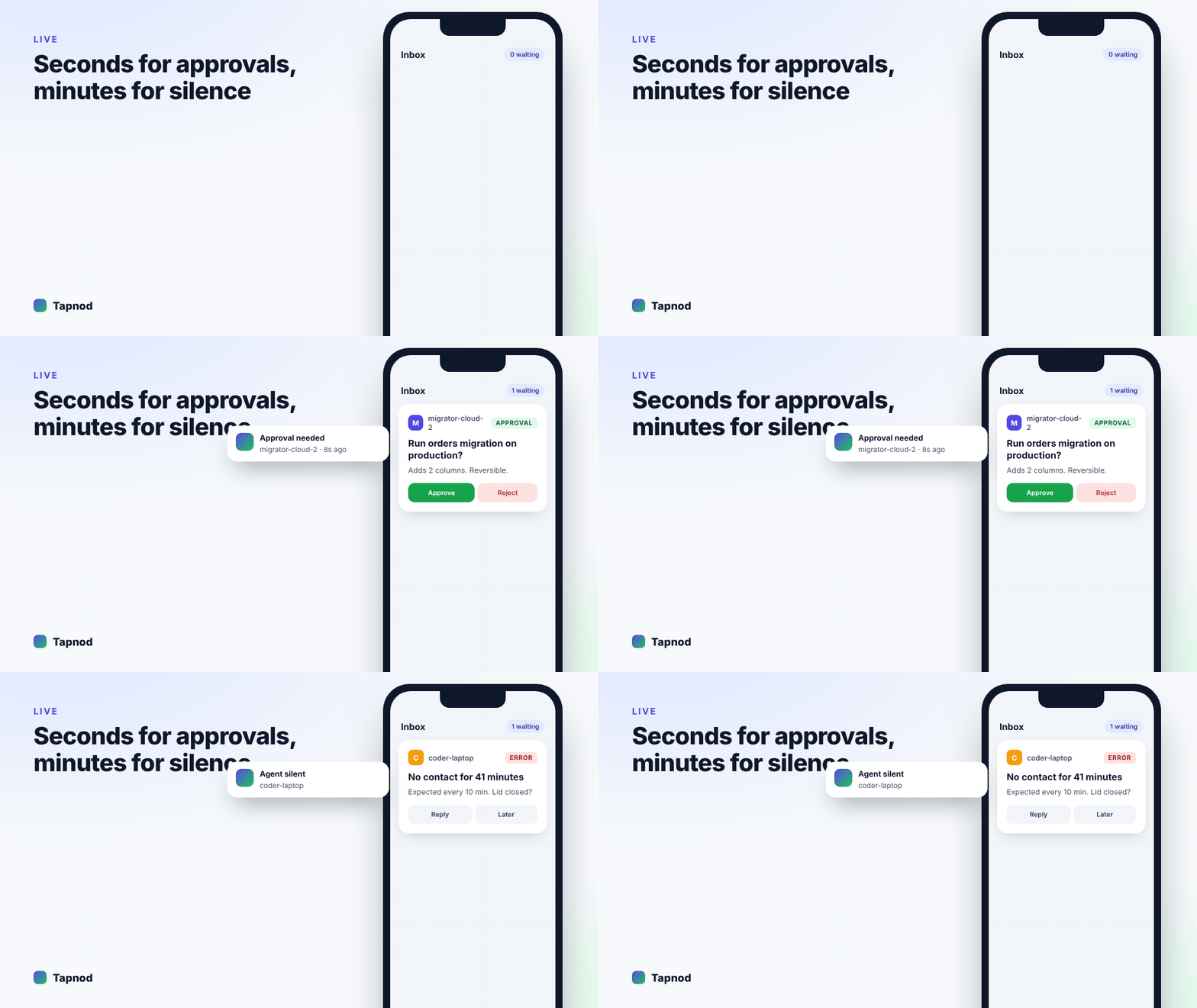
Picture an engineer with five agents across a laptop, a home server and two cloud sandboxes. Each reports to one inbox: questions and approvals as they happen, a heartbeat every ten minutes, results when tasks finish. At 2pm, in a meeting, she gets a push: a cloud agent needs approval to run a migration. She approves from the notification. At 2:40, another push: her laptop agent went silent, because the lid closed. She knows before the meeting ends, instead of finding out at 6pm.
Key takeaways
- Real-time monitoring means fast enough per signal, not instant for everything.
- Track live status and last contact; heartbeats make silence visible.
- Stream questions, approvals and errors as they happen, and push them to phones.
- One central place for agents on every machine gives one live view.
FAQ
What is real-time monitoring for AI agents?
Seeing agents' status and events as they happen, including questions, approvals, errors and silence, with alerts that reach the right person quickly.
How do I know immediately when an agent fails?
Have the agent, or a hook around it, send an error event on failure, and use heartbeats so crashes that send nothing still raise an alert.
Which agent signals need real-time alerts?
Approvals, questions and run-stopping errors. Silence needs alerts within minutes; cost and quality can be checked hourly or daily.
Can I monitor coding agents in real time?
Yes, through hooks or notify commands that send events on permission prompts, completion and errors, plus a monitor that tracks last contact.
Where Tapnod fits
Tapnod is a live view of every agent: last contact, active agents and waiting decisions, with notifications on your phone. Start free.