 Tapnod
The short answer
An AI agent management platform gives people one place to see, direct and control their agents, whichever framework or tool runs them. The core features:
| Feature | What it answers |
|---|---|
| Agent registry | What agents do we have, and who owns them? |
| Monitoring | Which are working, waiting, failing or silent? |
| Human loop | What needs a decision, and can I answer it from my phone? |
| Tasks | What's assigned to which agent or person, and what's done? |
| Permissions and policy | What may each agent do? |
| Teams | Who sees and answers what? |
| Records | Who decided what, and when? |
Different products emphasize different parts. Decide which questions hurt most today and choose for those. For most teams running agents from several tools, the daily pain is the human loop and monitoring, not policy engines.
"ai agent management platform" gets about 170 US searches a month at a keyword difficulty of 27 (Semrush, November 2026), a buying query with less competition than the broader orchestration terms.
Types of products called "agent management"
| Type | Focus | Fits |
|---|---|---|
| Enterprise governance suites | Inventory, policy, security across a large organization | Big companies with many vendor agents |
| API and gateway vendors | Securing and metering agent traffic to tools | Platform teams with many internal APIs |
| Agent builders with management views | Agents built on their platform | Teams standardized on one builder |
| Agent inboxes with monitoring | Questions, approvals, results and status across agents | Teams running agents from many tools |
The right type depends on whether your pain is security, building, or the daily work of supervising agents.
Feature checklist
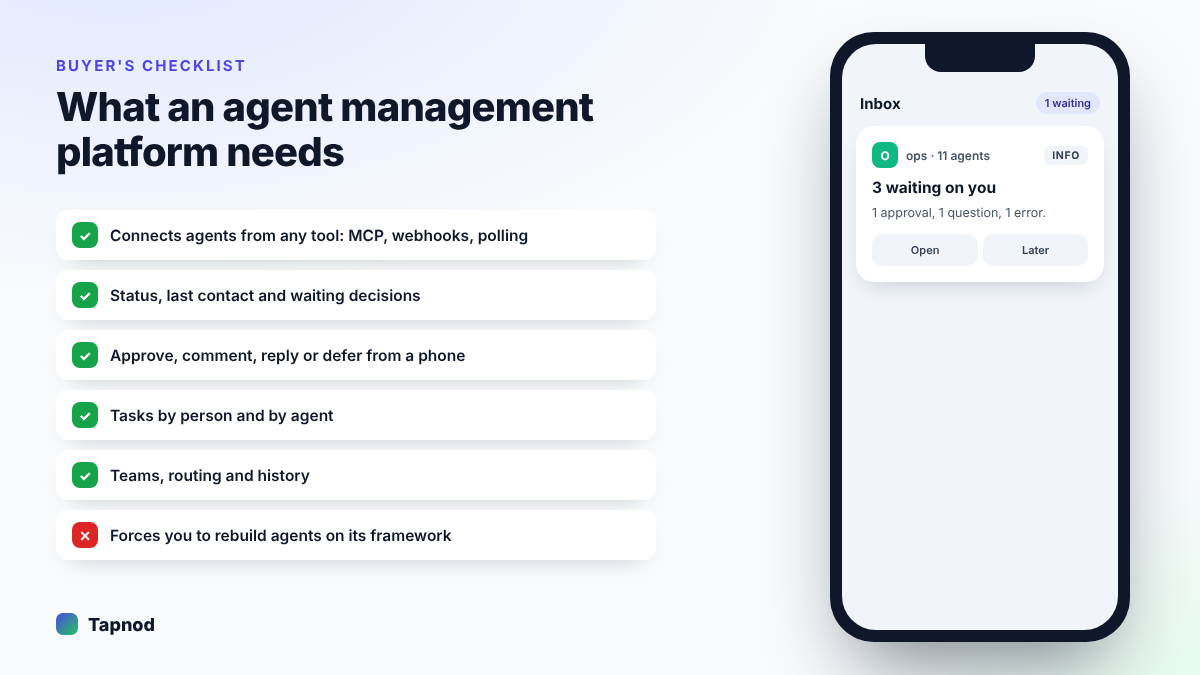
Registry      [ ] agents from any framework    [ ] owner + backup    [ ] where it runs
Connection    [ ] MCP                          [ ] webhooks (signed) [ ] polling  [ ] one-prompt setup
Monitoring    [ ] status                       [ ] last contact      [ ] waiting decisions  [ ] errors
Human loop    [ ] approve / reject             [ ] comment / reply   [ ] defer (Later)  [ ] timeouts
Mobile        [ ] push notifications           [ ] answer from phone [ ] works offline-ish
Tasks         [ ] per-agent and per-person views [ ] done history
Teams         [ ] shared workspaces            [ ] routing           [ ] roles
Records       [ ] decision history             [ ] export
Sharing       [ ] dashboards or reports for stakeholders
Pricing       [ ] free tier to trial           [ ] predictable at 10x agents
What to ask vendors
- Coverage: which agents can connect, and how long it takes to connect Claude Code, Codex, a LangGraph service and an n8n flow.
- Return path: how answers get back to agents, whether by webhook, polling or MCP.
- Silence: what the platform shows when an agent stops reporting.
- Mobile: whether reviewers can answer from a phone with enough context to decide.
- Teams: how agents are shared and requests routed to owners.
- Pricing: the pricing unit, and the cost at ten times today's agent count.
- Data: where it's stored, for how long, and how to export it.
Ask for answers in writing and test the first four yourself during the trial.
A two-week trial plan
| Day | Step |
|---|---|
| 1 | Connect two real agents from different tools |
| 2 to 3 | Route their questions, approvals, results and errors to the platform |
| 4 to 7 | Answer everything from the platform only, mostly from your phone |
| 8 | Add a teammate; share one agent |
| 9 to 13 | Track time to answer, missed requests and silent agents caught |
| 14 | Decide with numbers |
Features by team size
| Team | Must-haves | Nice to have |
|---|---|---|
| Solo developer | Connection to your agents, mobile answers, last contact | Tasks view |
| Small team (2 to 10) | Shared workspace, routing to owners, history | Shared dashboards |
| Department | Registry with owners, roles, export | Policy views, reports |
| Enterprise | Governance, SSO, audit export, vendor agents | Custom integrations |
Buy for the next stage, not three stages ahead. Enterprise suites slow small teams down; tools for solo developers strain at department scale.
Everyday workflow
The test of a management platform is the daily routine. In the morning, open one view and see what finished overnight, what failed and what's waiting. During the day, answer approvals and questions from notifications. At the end of the week, look at what each agent produced and what it asked. If a platform makes that routine shorter, it's doing its job; if people still open terminals and dashboards to find out what happened, it isn't.
What separates good platforms
- Connection in minutes, not a project per agent.
- Requests that decide on their own: title, context, options, without opening a terminal.
- Silence detection, not only error reporting.
- A phone experience people actually use.
- No forced framework: agents stay where they are.
Who should own the platform
Usually the person or team that feels the pain of scattered agents: an engineering lead, a platform team or an operations lead. They set up connections, define routing and keep the registry current. Agent owners do the daily answering. A platform without an owner fills with stale agents and unrouted requests within a few months.
Red flags
- Agents must be rebuilt on the vendor's framework.
- No mobile answers, or notifications only by email.
- No way to see agents that stopped reporting.
- Pricing that jumps sharply with agent count.
- No export of decisions and history.
Migration from scattered tools
Most teams arrive with agents already wired to terminals, Slack, email and dashboards. Move gradually: connect one agent at a time, keep its old channel for a week as a fallback, then switch it off. Start with the agent that asks the most questions, because that's where people feel the difference first.
Build vs buy
Building a basic version is possible: a database of requests, a webhook endpoint, a small web UI. The costs come later: push notifications, a mobile experience, team routing, silence detection, history and maintenance. Teams with one or two agents can build. Teams with many agents across tools usually buy, and spend their engineering time on the agents themselves.
A worked example
Picture a startup with 11 agents: four Claude Code agents on laptops, two Codex cloud tasks, three LangGraph services and two n8n flows. They trial two platforms for two weeks. One requires rebuilding agents on its framework, which rules it out. The other connects all 11 in an afternoon through MCP, webhooks and polling. Median time to answer approvals drops from 2 hours to 7 minutes, and it catches three silent agents in the first week.
Key takeaways
- Agent management platforms vary: governance suites, gateways, builders and agent inboxes.
- Core features: registry, monitoring, human loop, tasks, permissions, teams and records.
- Trial with real agents from different tools, answering from your phone.
- Avoid platforms that force a framework or hide silent agents.
FAQ
What is an AI agent management platform?
Software that gives people one place to see, direct and control AI agents: registry, monitoring, approvals and questions, tasks, permissions, teams and records.
Do I need an agent management platform?
Once you run more than a few agents, or agents across several tools, a single place for status and decisions saves time and catches problems.
Does an agent management platform replace my agent framework?
It shouldn't. Good platforms connect to agents where they run, through MCP, webhooks or polling.
How do I evaluate agent management platforms?
Connect real agents from different tools, route all their requests to the platform for two weeks, and measure time to answer and missed or silent agents.
Where Tapnod fits
Tapnod connects agents through one prompt, MCP, signed webhooks or polling, with monitoring, Tasks views, teams and an Android PWA. Free for 2 active agents. Start free.