 Tapnod
The short answer
A mobile app for AI agents should let you do five things from your phone: get notified when an agent needs you, understand the request without opening a laptop, answer it (approve, reject, reply, defer), see status across agents, and review results. You don't need to write code on a phone; you need to keep agents unblocked.
Options in 2026 fall into two groups:
| Option | Covers |
|---|---|
| Vendor apps (Claude app for Claude Code, ChatGPT app for Codex, Cursor's web and mobile access) | That vendor's agents, often in depth |
| Cross-agent inbox apps | Questions, approvals, results and errors from many agents in one place |
If you use one vendor's agents, start with its app. If you run several, a cross-agent inbox saves checking several apps.
"ai agent mobile app" gets about 20 US searches a month (Semrush, November 2026). The phrasing is rare, but the need behind it, "my agent is waiting and I'm not at my desk", comes up for everyone running agents.
What to expect from vendor apps
| Agent | Mobile route | Notes |
|---|---|---|
| Claude Code | Claude app with Remote Control, or cloud sessions | Continue a local session from your phone, including approvals, with a claude.ai plan |
| Codex | ChatGPT mobile app | OpenAI added Codex access from ChatGPT mobile in 2026 |
| Cursor | Web and mobile access to Cloud Agents | Start and check cloud agents away from the IDE |
These are strongest for their own agents. See Claude Code on mobile and Codex mobile for setup.
What to expect from a cross-agent inbox
- Every agent in one list, whatever runs it.
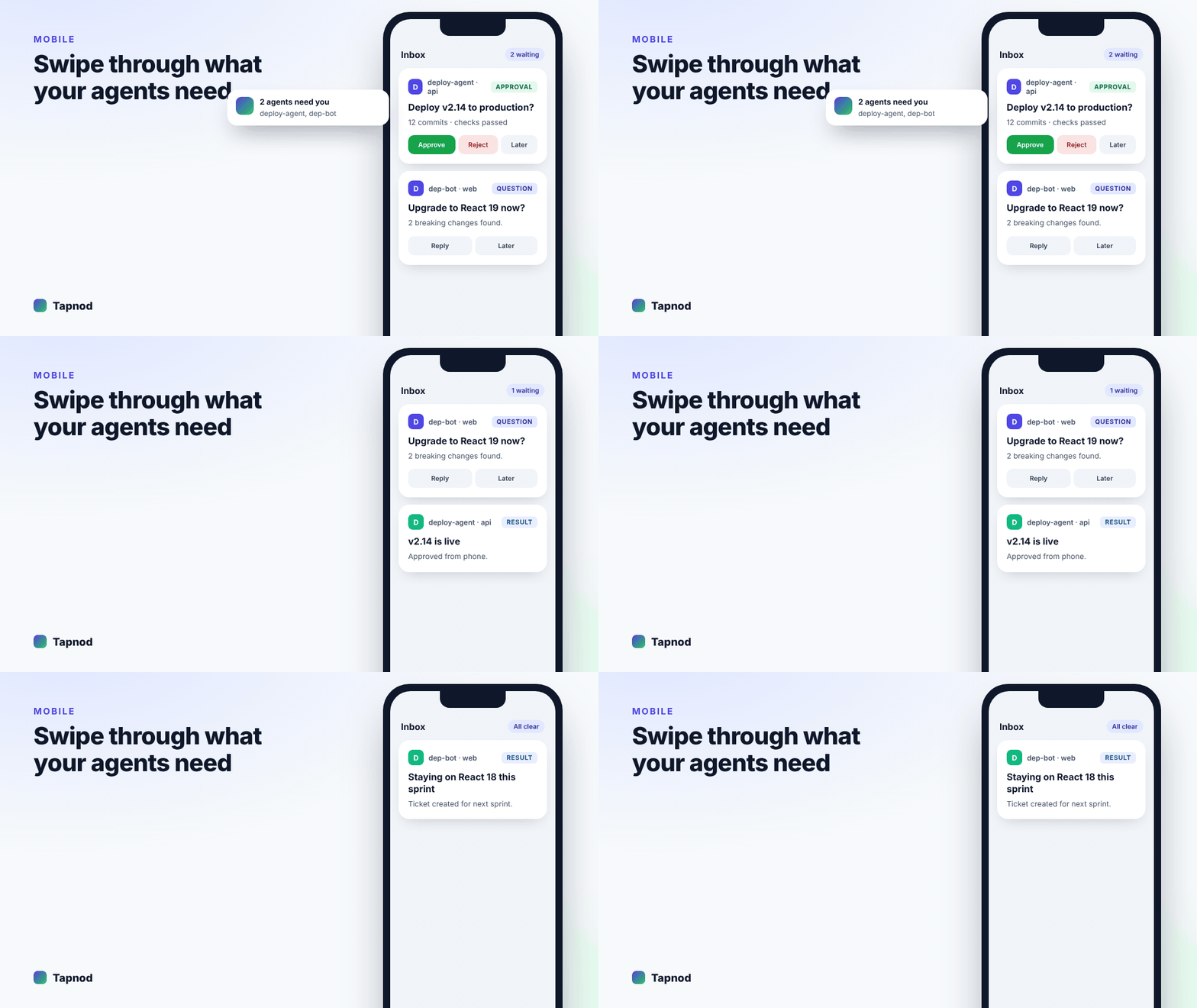
- Message types: question, plan, approval, result, error.
- One-tap answers, plus comments and replies.
- Defer with a reminder when you can't decide yet.
- Status: last contact, active agents, waiting decisions.
- Notifications tuned so blocking requests push and results don't.
Requests that work on a small screen
The phone experience depends on what agents send. A good mobile request:
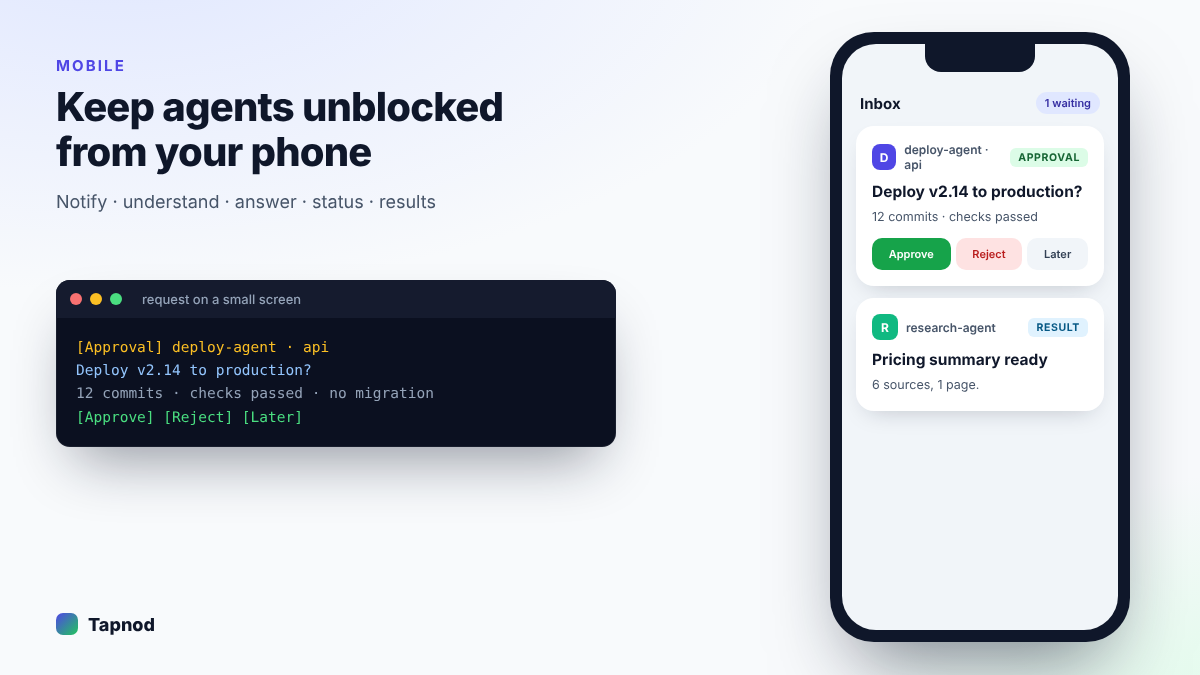
[Approval] deploy-agent · api
Deploy v2.14 to production?
12 commits · checks passed · no migration
[Approve] [Reject] [Later]
Title first, three facts, buttons. Anything longer belongs behind a link. Ask your agents to write requests this way; it's a prompt change, not an app change.
Notifications that actually arrive
| Platform | Check |
|---|---|
| Android | Notifications allowed for the app; battery set to unrestricted; background data on |
| iPhone | Notifications allowed; Focus modes let the app through if you want urgent alerts |
| Both | Separate urgent (approvals, errors) from quiet (results) |
Install the app or the web app to your home screen; browser tabs alone are unreliable for push. See Claude Code Android for a detailed checklist.
Answering well from a phone
A few habits make phone answers safer. Read the facts line, not only the title. Use comments to give the agent direction when you approve with conditions. Reject with a short reason, so the agent changes course instead of asking again. And when a request lacks the context to decide, reply asking for it rather than guessing; then fix the agent's request format so it doesn't happen again.
Security on the phone
- Lock screen previews: decide whether request details should show when the phone is locked.
- Sign-in: use your organization's sign-in where possible.
- Sensitive actions: keep two-person approval for the riskiest ones, even on mobile.
- Lost phone: know how to sign out remotely.
A day with agents on your phone
| Time | What happens |
|---|---|
| 8:10 | Review overnight results and one error over coffee |
| 10:30 | Approve a dependency install between meetings |
| 13:15 | Answer a question about API naming from a lunch queue |
| 15:40 | Defer a plan you need to think about until 17:00 |
| 17:00 | Approve the plan with a comment |
| 21:00 | Silent-agent alert: laptop slept; you'll restart in the morning |
What you shouldn't do from a phone
Some work belongs at a desk. Reviewing a large diff, debugging a failing run from traces, or changing an agent's permissions are hard to do well on a small screen. A good mobile setup lets you defer those with a reminder, or reply "I'll look at my desk", so the agent can move to other work instead of waiting silently.
Offline and poor connections
Phones drop signal in lifts, trains and basements. Check that answers given offline are queued and sent when the connection returns, or that the app clearly shows they weren't sent. A tap that looks successful but never reaches the agent is worse than no answer, because nobody follows up.
Teams on mobile
When several people answer requests from phones, two need to know who answered. Look for apps that show "approved by" on each request and that remove answered requests from everyone's queue, so two people don't answer the same request differently.
Mistakes to avoid
- Every event as a push. You'll mute the app within a week.
- Long requests. If you have to scroll, the agent should summarize better.
- No defer option. Without it, hard decisions get ignored instead of scheduled.
- One app per agent. Five apps means five places to miss something.
Results on a phone
Results deserve a phone-friendly shape too: one line on what was done, a link to the full output, and a clear marker if anything needs follow-up. Long reports can be shared as a dashboard or page you open later on a bigger screen. The goal is to know, at a glance, whether you need to do anything.
Choosing
- List your agents and where they run.
- If one vendor covers them, use that vendor's app.
- If several, try a cross-agent inbox with two real agents for a week.
- Measure time from request to answer, and how often you opened a laptop to understand a request.
A worked example
Picture a freelance developer running Claude Code for one client, Codex for another and an n8n workflow for her own invoicing. She tried three apps for a week and missed two approvals. She connects all three to one inbox: Claude Code over MCP, Codex through its notify command, n8n by webhook. Approvals now arrive as pushes with three facts and two buttons. Median time to answer drops from 90 minutes to 6.
Key takeaways
- A mobile agent app should notify, explain, let you answer, show status and show results.
- Vendor apps are best for their own agents; cross-agent inboxes cover the rest.
- Short, structured requests make phone answers fast.
- Tune notifications so only blocking requests push.
FAQ
Is there a mobile app for AI agents?
Yes. Vendors offer mobile access for their own agents, such as the Claude app for Claude Code and ChatGPT for Codex, and cross-agent inbox apps collect requests from many agents.
Can I approve Claude Code actions from my phone?
Yes, through Remote Control in the Claude app, or by sending permission prompts to a mobile inbox through hooks or MCP.
How do I get reliable agent notifications on Android?
Allow notifications, set battery usage to unrestricted, allow background data, and install the app or web app to your home screen.
Do I need a separate app for each agent?
No. A cross-agent inbox can collect questions, approvals, results and errors from all of them.
Where Tapnod fits
Tapnod works on the web and as an Android PWA with notifications: swipe through requests, approve, comment, reply or choose Later. Start free.