 Tapnod
The short answer
Agent ops is the operational work of keeping AI agents useful, safe and affordable once they're running. In most teams it isn't a job title yet; it's a set of duties shared by engineers, team leads and platform staff. Those duties:
| Duty | What it means |
|---|---|
| Inventory | Know every agent, its owner and where it runs |
| Triage | Clear questions, approvals and errors every day |
| Health | Catch silent, looping or failing agents |
| Cost | Keep spend per successful task in check |
| Change | Roll out prompt, tool and permission changes safely |
| Incidents | Contain, assess actions taken, repair and learn |
| Improvement | Turn reviews into durable changes |
This page covers who does agent ops, a routine that fits in a few minutes a day, and runbooks for common failures. For the AgentOps observability product, see AgentOps review.
"agent ops" gets about 110 US searches a month at a keyword difficulty of 45, plus "ai agent ops" at 50 (Semrush, November 2026). The searchers are usually the people who've become the de facto operator of their team's agents.
Who does agent ops
| Team size | Who |
|---|---|
| Solo | You, in a few minutes a day |
| Small team | Each agent's owner, plus one person who keeps the inventory and weekly review |
| Larger team | A platform or ops group owns tooling, policy and reviews; owners handle their agents |
The common thread: every agent has an owner, and someone owns the system as a whole. When those two roles are clear, the rest of agent ops is routine.
The daily routine
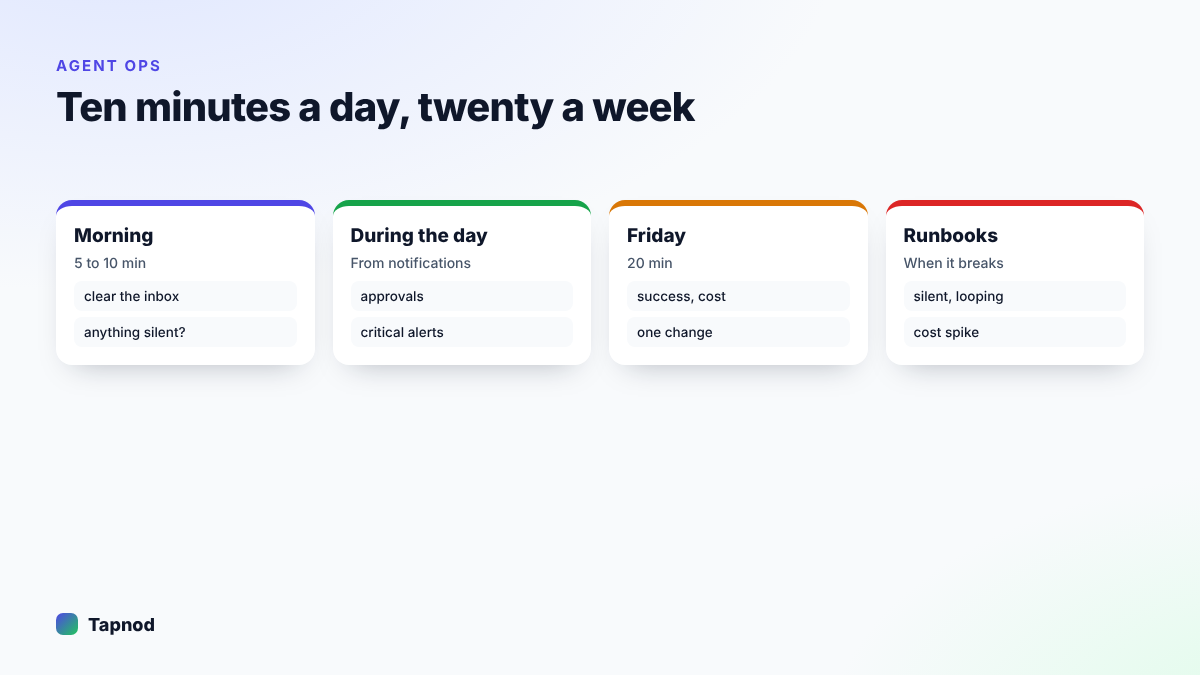
Morning (5-10 min)
  - Clear the inbox: approvals, questions, errors from overnight
  - Check fleet status: anything silent or in error?
  - Glance at yesterday's spend by agent

During the day
  - Answer approvals and questions from notifications
  - Acknowledge critical alerts within 15 minutes

End of day (2 min)
  - Defer anything you can't decide, with a reminder
  - Check long-running tasks before leaving
The weekly routine
| Item | Time |
|---|---|
| Success rate and cost per successful task by agent | 5 min |
| Top three failures, read the traces | 5 min |
| Rejected actions and repeated questions | 5 min |
| Permissions: anything to allow, ask or deny differently | 3 min |
| One durable change to make this week | 2 min |
Runbooks
Agent silent
- Check where it runs: machine asleep, container evicted, process crashed.
- Check credentials: expired tokens often end loops without errors.
- Restart, and confirm it checks in.
- If it recurs, add a heartbeat or move it somewhere more stable.
Agent looping
- Pause it.
- Read the trace from the first repeated step.
- Common causes: a tool returning an error the agent misreads, an impossible done-condition, missing permission.
- Fix the cause; add or lower a step cap.
Cost spike
- Find the agent and task type responsible.
- Check steps and tokens per run against the median.
- Look for context bloat, loops or a model change.
- Set or lower the budget cap.
Wrong action taken
- Pause the agent or revoke its token.
- List every action since the problem began.
- Repair what can be repaired; tell affected people.
- Fix the cause and add a checkpoint or rule so it can't repeat silently.
Approvals piling up
- Check delivery: confirm notifications reach the owner's phone.
- Check ownership: confirm the right person is assigned, with a backup.
- Check volume: allow routine actions automatically if they're always approved unchanged.
Tools for agent ops
| Need | Typical tool |
|---|---|
| Inventory | A registry file or sheet with owners |
| Triage | An inbox for questions, approvals and errors |
| Health | Last-contact monitoring and alerts |
| Debugging | A trace platform |
| Cost | Provider consoles, OpenTelemetry metrics, dashboards |
| Incidents | Pause controls, credential revocation, audit trail |
Keep the number of places to check small. Agent ops gets harder with every extra dashboard someone has to remember.
Skills that help
Good agent operators combine some engineering (reading traces, editing permissions), some management (writing clear tasks, giving feedback) and some operations instinct (noticing when something has gone quiet). Nobody starts with all three. Pairing an engineer with a team lead for the weekly review covers most gaps.
Rolling out changes
Most agent incidents follow a change. Treat prompt, model, tool and permission changes like deploys, with the same care you give code:
- Version them and record the version on every run.
- Roll out to one agent or a share of tasks first.
- Compare success rate and cost for a few days.
- Keep the previous version ready.
Starting agent ops from scratch
If nobody has done this yet, the first week looks like this:
- Day 1: list every agent you can find, with owner and location.
- Day 2: point every agent's questions, approvals and errors to one place.
- Day 3: add last-contact tracking and a silence alert per agent.
- Day 4: set a budget cap on the most expensive agent.
- Day 5: hold the first weekly review and pick one change.
From then on, the daily routine keeps things moving and the weekly review keeps them improving.
Reporting
A monthly one-pager for stakeholders:
| Section | Content |
|---|---|
| Fleet | Agents added, retired, by owner |
| Outcomes | Tasks completed, success rate by agent |
| Cost | Spend, cost per successful task, trend |
| Human load | Approvals and questions answered, median time to answer |
| Incidents | What happened, what changed |
| Next month | Planned changes |
Agent ops vs DevOps vs MLOps
| DevOps | MLOps | Agent ops | |
|---|---|---|---|
| Runs | Services | Models in production | Agents that act |
| Main risks | Outages, regressions | Drift, bias | Wrong actions, loops, silence, cost |
| People in the loop | Before deploy | In labeling and review | During runs: approvals and questions |
| Key signals | Latency, errors | Accuracy, drift | Success, last contact, waiting decisions, cost per success |
A worked example
Picture a developer who became her team's agent operator by default. She sets up one inbox for every agent's questions, approvals and errors, with last-contact monitoring. Her morning check takes eight minutes. In week two, the silent-agent runbook catches a dependency agent stuck on an expired token. In week four, the weekly review shows a docs agent costing three times the others; a trace reveals it re-reads the whole repository each run, and a narrower tool cuts its cost by two thirds.
Key takeaways
- Agent ops covers inventory, triage, health, cost, change, incidents and improvement.
- Every agent needs an owner; someone owns the system.
- A five-to-ten-minute daily routine and a twenty-minute weekly review cover most needs.
- Write runbooks for silence, loops, cost spikes, wrong actions and approval backlogs.
FAQ
What is agent ops?
The operational work of running AI agents in production: tracking them, handling their questions and errors, watching health and cost, managing changes and responding to incidents.
Is agent ops the same as AgentOps?
AgentOps is also the name of an observability product. Agent ops as a practice is broader and uses several tools.
Who should do agent ops?
Each agent's owner handles day-to-day requests; one person or team owns the inventory, tooling and weekly review.
How much time does agent ops take?
For a handful of agents, about ten minutes a day and twenty minutes a week, if requests and alerts arrive in one place.
Where Tapnod fits
Tapnod is the morning check in one screen: approvals, questions, results, errors, last contact and active agents, on your phone. Start free.