 Tapnod
The short answer
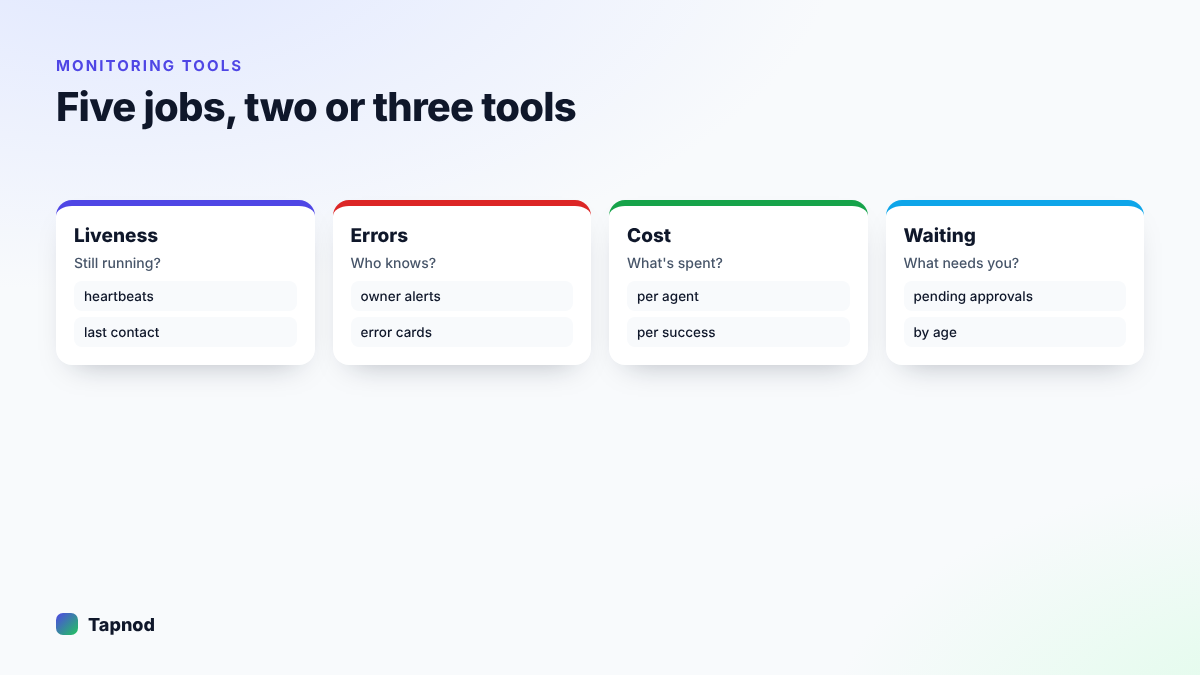
No single tool covers all of AI agent monitoring. Sort tools by the job they do:
| Job | Question | Tool types |
|---|---|---|
| Liveness | Is each agent still running? | Heartbeat monitors, agent inboxes with last contact |
| Errors and alerts | Did something fail, and who knows? | Error trackers, alerting, agent inboxes |
| Cost and usage | What are agents spending? | Provider consoles, OpenTelemetry metrics, LLM platforms |
| Traces | What happened inside a run? | Langfuse, LangSmith, Phoenix, AgentOps |
| Waiting decisions | What's blocked on a person? | Agent inboxes, approval tools |
A small team can cover all five with two or three tools.
"ai agent monitoring tools" gets about 70 US searches a month at a keyword difficulty of 37, with one of the highest CPCs in this space at around $30 (Semrush, November 2026). Buyers are active; most comparisons online focus only on traces.
Liveness
Start here, because it is the gap most teams discover last.
The most common silent failure is an agent that stopped: a laptop slept, a container was evicted, a token expired and the loop exited. Nothing errors; it disappears.
| Option | How it works |
|---|---|
| Heartbeat monitors (cron-style) | The agent pings a URL on schedule; missing pings alert |
| Agent inbox with last contact | Every message or check-in updates last contact; staleness is visible |
| Custom check on traces | A job looks for each agent's latest span |
Set the expected interval per agent. A polling agent that checks in every 10 minutes is stale at 30; a nightly job is stale at 25 hours. Coding agents on laptops need special care, since closed lids and sleep stop them without any error at all.
Errors and alerts
| Option | Good for |
|---|---|
| Error trackers like Sentry | Exceptions in your own agent code |
| Alerting tools like PagerDuty | Paging on-call for critical agents |
| Chat alerts | Team awareness, low urgency |
| Agent inbox error cards | Errors with context, answered by the owner |
The best error alert says what failed, what the agent tried, and what decision is needed: retry, change course or stop. Alerts that only say "run failed" send people digging through logs before they can act.
Cost and usage
| Option | Covers |
|---|---|
| Model provider consoles | Spend by API key or project |
| Claude Code OpenTelemetry metrics | Cost, tokens, sessions, lines changed per user |
| LLM platforms (Langfuse, LangSmith) | Cost per trace and per agent |
| Grafana or Datadog dashboards | Combined views with budgets and alerts |
Attribute cost per agent, not only per key. Separate keys per agent make provider consoles far more useful.
Traces
Traces explain a single run: model calls, tool calls, errors and timing. Langfuse, LangSmith, Arize Phoenix, AgentOps, Braintrust and Datadog LLM Observability all do this, many via OpenTelemetry. See AI agent observability tools.
Waiting decisions
The least monitored signal is time blocked on people. An agent waiting six hours for an approval looks healthy in most dashboards. Track pending requests by age, and alert when one passes its timeout. Agent inboxes show this natively, because the requests live there.
Ownership of alerts
Every alert rule needs a named owner. Route alerts to the agent's owner first, with a backup after a delay, and review noisy rules every two weeks. An alert that fires often and is ignored trains people to ignore the important ones too.
Starter stacks
| Team | Stack |
|---|---|
| Solo developer, coding agents | Agent inbox for liveness, questions and errors; provider console for cost |
| Small team, framework agents | Agent inbox + one trace platform (Langfuse or LangSmith) |
| Team with existing on-call | Agent inbox + traces into Datadog or Grafana + PagerDuty for critical agents |
| Regulated environment | Self-hosted traces + audit log + agent inbox for approvals |
What to alert on
liveness:  agent silent > 3x expected interval           -> owner
errors:    run failed, or tool error rate > 20% in 1h    -> owner
cost:      daily spend > 2x 7-day average                -> budget owner
loops:     steps per run > 3x median                     -> owner
waiting:   approval pending > its timeout                -> assignee, then backup
Start with these five rules. Tune thresholds after two weeks of real data, and write down why each threshold was chosen.
Monitoring coding agents
Claude Code, Codex and similar tools need a different approach, since you don't control their code. Use what they expose:
- Hooks and notify commands to report permission prompts, completion and errors.
- OpenTelemetry exports for cost and usage.
- MCP connections to an inbox that tracks last contact and questions.
See Claude Code monitor and Codex notifications.
Signals by agent type
Different agents fail differently, so weight the five jobs by what you run:
| Agent type | Most important signals |
|---|---|
| Coding agents on laptops | Liveness (sleep, closed lids), permission prompts waiting, cost |
| Framework agents on servers | Errors, traces, tool error rates, loops |
| Scheduled agents and jobs | Liveness against schedule, run outcome |
| Customer-facing agents | Errors, outcome quality, escalations to people |
| Multi-agent pipelines | Handoff failures, cost per stage, end-to-end time |
Dashboards worth having
Keep it to three. A fleet view with every agent's status, last contact and pending decisions, checked daily. A cost view by agent and model, checked weekly. A trace explorer for debugging when something goes wrong. Teams that build a dashboard per metric end up looking at none of them.
Evaluating monitoring tools
- Coverage: which of the five jobs does it do?
- Setup per agent: minutes or days?
- Alert routing: to the right person, on their phone?
- Silence detection: does it notice agents that stop sending data?
- Cost model: per seat, per event or per agent?
Common mistakes
- Only monitoring what emits data. Dead agents emit nothing.
- Alerting a channel instead of a person. Everyone assumes someone else saw it.
- One threshold for all agents. A nightly job and a polling agent need different silence limits.
- Ignoring human wait time. Blocked agents look healthy.
- Too many tools. Each extra tool is another place nobody checks.
A worked example
Picture a two-person agency running six agents for clients. They had traces in LangSmith but still missed problems: an agent stopped after a laptop update, and a client's approval sat unanswered over a weekend. They add an agent inbox where every agent checks in, with last-contact alerts and approvals on their phones. Traces stay in LangSmith for debugging. Missed issues drop to zero in the first month, and weekend approvals take minutes instead of days.
Key takeaways
- Monitoring has five jobs: liveness, errors, cost, traces and waiting decisions.
- Traces alone miss silent agents and blocked approvals.
- Start with five alert rules and tune them on real data.
- Two or three tools cover most teams.
FAQ
What are AI agent monitoring tools?
Tools that tell you whether agents are running, failing, spending or waiting, and what happened in their runs, through heartbeats, alerts, cost dashboards, traces and request queues.
What is the difference between monitoring and observability tools?
Monitoring tools focus on known signals and alerts; observability tools let you explore traces to understand new problems. Most teams use both.
How do I know if an AI agent stopped running?
Track its last contact time and alert when it exceeds the expected interval, using heartbeats or check-ins.
Which tool monitors Claude Code agents?
Use Claude Code's hooks and OpenTelemetry exports, plus an inbox or monitor that tracks last contact and pending questions.
Where Tapnod fits
Tapnod covers liveness, errors and waiting decisions in one place: last contact, active agents and pending questions, with alerts on your phone. Try it free.