 Tapnod
The short answer
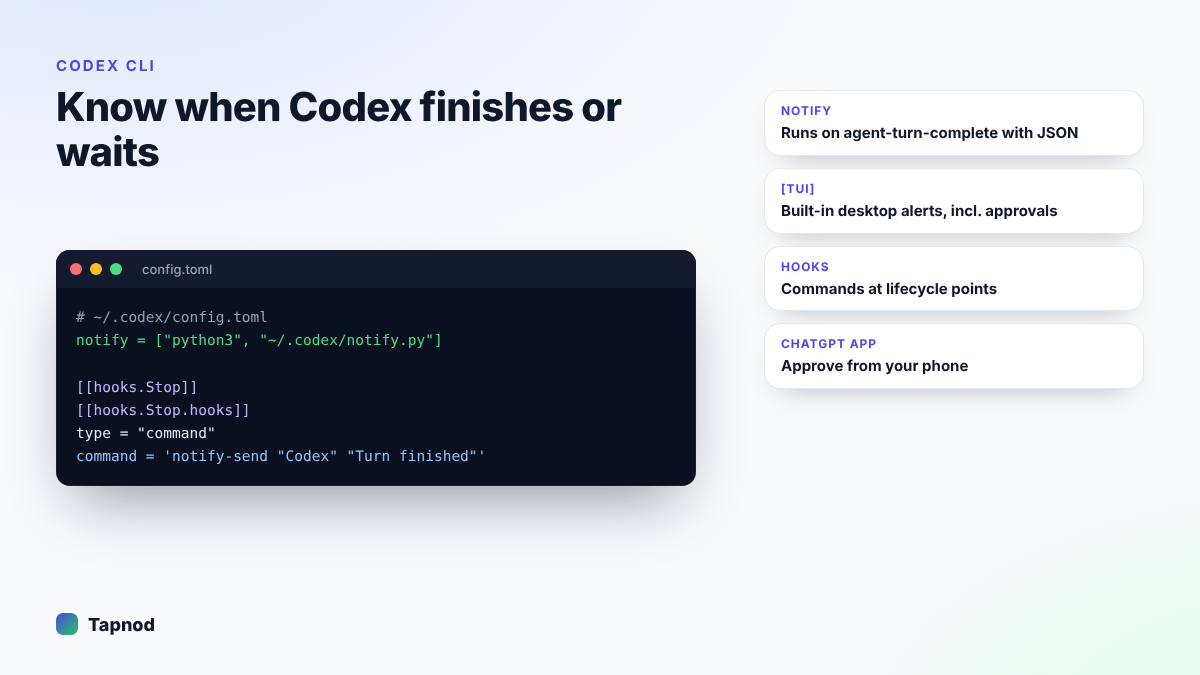
The Codex CLI has three ways to notify you:
notifyin~/.codex/config.toml: an external program Codex runs on supported events, documented foragent-turn-complete. It receives a JSON payload, so it can send a desktop alert, a phone push or a webhook.- Built-in TUI notifications in the
[tui]section of recent versions, for desktop alerts from the terminal interface, including when Codex stops to ask for approval. - Hooks, now generally available, which run commands at points in the Codex lifecycle, such as the end of a turn.
For phone alerts with approve buttons, Codex in the ChatGPT mobile app is the first-party option.
"codex notifications" and "codex cli notifications" each get about 30 US searches a month (Semrush, November 2026). Small numbers, but a common pain: the OpenAI community forum has had threads asking for exactly this since Codex CLI launched.
Option 1: notify
notify takes an argv array, the program and its arguments. Codex calls it with a JSON payload describing the event. Keep it in your user-level config: Codex ignores notification and telemetry keys in project-level .codex/config.toml files and warns at startup.
# ~/.codex/config.toml
notify = ["python3", "/Users/me/.codex/notify.py"]
A small handler that sends a desktop alert on macOS and a phone push when configured:
#!/usr/bin/env python3
import json, os, subprocess, sys, urllib.request

event = json.loads(sys.argv[1])
if event.get("type") != "agent-turn-complete":
    sys.exit(0)

title = f"Codex · {os.path.basename(os.getcwd())}"
msg = (event.get("last-assistant-message") or "Turn complete")[:180]

if sys.platform == "darwin":
    subprocess.run(["terminal-notifier", "-title", title, "-message", msg])

topic = os.environ.get("NTFY_TOPIC")
if topic:
    req = urllib.request.Request(f"https://ntfy.sh/{topic}", data=msg.encode(), headers={"Title": title})
    urllib.request.urlopen(req, timeout=5)
Two notes. OpenAI's own macOS example uses terminal-notifier, which you install first with Homebrew. And payload field names can change between versions, so print the raw payload once to a file and check it before you depend on a specific key.
Option 2: TUI notifications
Recent Codex CLI versions include built-in notifications in the terminal UI, configured under [tui]. Community reports and third-party terminal docs describe them firing when Codex needs your attention, including when it stops to ask for approval. That's the alert most people actually want, because a waiting approval is a stalled session.
Check the current config reference for the exact keys your version supports, since this area has changed several times.
Option 3: hooks
Codex hooks are now generally available and can scan prompts, run validators, log conversations or customize behavior per repository. A Stop hook is the natural place for a "done" alert:
# ~/.codex/config.toml
[[hooks.Stop]]
[[hooks.Stop.hooks]]
type = "command"
command = 'notify-send "Codex" "Turn finished"'
Older versions needed a feature flag for hooks; if this doesn't fire, check whether your version requires enabling them.
Which option for which alert
| You want | Use |
|---|---|
| A ping when a turn finishes | notify with agent-turn-complete, or a Stop hook |
| A ping when Codex waits for approval | TUI notifications |
| Alerts on your phone | notify or a hook calling a push service, or the ChatGPT app |
| To approve from your phone | Codex in the ChatGPT app |
| Alerts from Codex and other agents together | A hook or notify script posting to one inbox |
Linux, Windows and remote machines
On Linux desktops, notify-send works if a notification daemon is running. On servers, containers and SSH sessions there's no desktop to show an alert, so send the event somewhere else: a push service, a chat webhook or an agent inbox. On Windows, use a PowerShell toast or sound command from your script. The same principle holds everywhere: the alert runs where Codex runs, so route it to where you are.
Separate "done" from "waiting"
The single most useful change to any agent notification setup is treating these two events differently. A finished turn can wait until you're ready; a waiting approval means the work has stopped. In Codex terms, notify and a Stop hook cover the first, and TUI notifications or the ChatGPT app cover the second.
| Event | Urgency | Good destination |
|---|---|---|
| Turn complete | Low | A quiet push or a digest |
| Waiting for approval | High | A loud push, or the ChatGPT app with approve buttons |
| Error or crash | Medium | A push with the error line |
If your script handles both, give them different titles and sounds. People learn quickly that "Codex · waiting" means drop what you're doing and "Codex · done" means later is fine. Mixing them trains people to ignore both, and then an approval sits for an hour.
Running Codex in several repositories
If you run Codex in more than one project, add the repository name and branch to every alert. A short helper in your script that reads git rev-parse --abbrev-ref HEAD turns "Turn complete" into "Turn complete · api · feat/invoices", which is enough to decide whether to look now. For machines without a desktop, the same payload can go to a webhook that collects alerts from all your agents in one place.
Make alerts worth reading
- Put the project in the title. You likely run Codex in more than one repo.
- Include the first line of Codex's last message, trimmed. You can often decide from the alert alone.
- Separate "done" from "waiting". Use a louder sound or a different channel for approval requests.
- Skip trivial turns. If a turn took under a minute, you were probably watching it.
- Test with a fake payload before relying on it.
A worked example
Picture someone running Codex in two repositories on a Linux workstation. Their notify script posts every completed turn to a private push topic with the repo name in the title. TUI notifications handle approval prompts on the desktop. When they're away, they also have the ChatGPT app linked, so approval requests can be answered from the phone. The result: "done" pings come from the script, "needs you" pings come from the app, and nothing waits for long without them knowing.
A note on project versus user config
It's tempting to commit a notification setup to the repository so the whole team gets it. Codex deliberately ignores notification and telemetry keys in project-level config and shows a warning, so a cloned repo can't make your machine run arbitrary notify commands. Share your notify script in the repo if you like, but each person adds the notify line to their own ~/.codex/config.toml.
Key takeaways
notifyruns a program onagent-turn-completewith a JSON payload.- Keep notification keys in user config; project config ignores them.
- TUI notifications and hooks add approval and end-of-turn alerts.
- For approving from a phone, link Codex to the ChatGPT app.
FAQ
How do I get notified when Codex finishes?
Set notify in ~/.codex/config.toml to a program that handles agent-turn-complete, or add a Stop hook that runs a notification command.
Can Codex notify me when it needs approval?
Recent Codex CLI versions include TUI notifications that can alert you when Codex stops to ask for approval. The ChatGPT app also surfaces approval requests on your phone.
Why doesn't my notify setting work?
It may be in a project-level config, which Codex ignores for notification keys. Move it to ~/.codex/config.toml and test your script with a sample payload.
Can I send Codex notifications to my phone?
Yes. Have your notify script or hook call a push service or webhook, or link Codex to the ChatGPT app. See Codex on mobile.
Where Tapnod fits
Point Codex and your other agents at one inbox and their "done", "needs approval" and "failed" moments land on your phone together. Try it free.