 Tapnod
The short answer
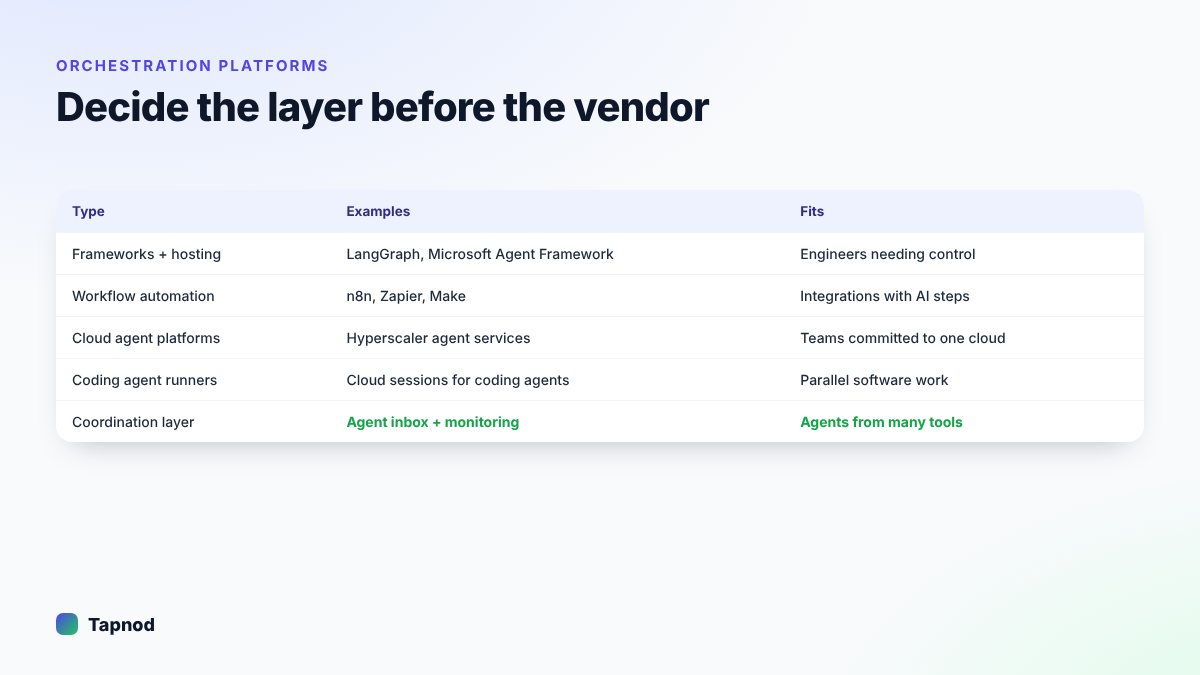
An AI agent orchestration platform coordinates agents, tools and people to run tasks reliably. The term covers different products, so start by deciding which layer you need:
| Type | Examples | Gives you |
|---|---|---|
| Code frameworks with hosting | LangGraph with LangSmith Deployment, Microsoft Agent Framework | Graphs, state, checkpoints, deployment |
| Workflow automation | n8n, Zapier, Make | Visual flows with AI steps and human steps |
| Cloud agent platforms | Hyperscaler agent services | Managed runtime, identity, integration with that cloud |
| Coding agent runners | Cloud sessions for Claude Code, Codex, Cursor | Parallel coding agents in sandboxes |
| Coordination layer | Agent inboxes with monitoring | Visibility and human loop across all of the above |
Most teams end up with more than one: a framework or workflow tool for each system, plus a coordination layer that spans them and keeps people in the picture.
"ai agent orchestration platform" gets about 260 US searches a month at a keyword difficulty of 43 (Semrush, November 2026). It's a buying query; vendor pages dominate the results, so a neutral checklist helps.
What an orchestration platform should do
| Capability | Why it matters |
|---|---|
| Define flows | Sequential, parallel, supervisor, handoff, graph |
| Manage state | Long tasks survive restarts |
| Checkpoint and resume | Pause for people or failures, continue later |
| Human steps | Approvals, questions, edits as first-class steps |
| Tool integration | Native tools, MCP, APIs |
| Observability | Traces across agents, cost, errors |
| Deployment | Run, scale and version agents |
| Access control | Scoped credentials and permissions per agent |
Types in more detail
Code frameworks with hosting
LangGraph defines agents as graphs with explicit state and interrupts; LangSmith adds deployment, tracing and Studio. Microsoft Agent Framework, the successor to AutoGen and Semantic Kernel, offers graph workflows with checkpointing and human-in-the-loop in Python and .NET. Choose these when engineers own the agents and need fine control.
Workflow automation
n8n, Zapier and Make let you build flows visually with AI steps, tools and human approvals. Choose these when workflows are mostly integrations with some AI, and non-engineers maintain them.
Cloud agent platforms
Major clouds offer managed agent services tied to their identity, data and model offerings. Choose these when you're committed to that cloud and want managed infrastructure.
Coding agent runners
Cloud sessions for coding agents let you run many coding tasks in parallel sandboxes. Choose these for software work at scale.
Coordination layer
None of the above sees agents in the others. A coordination layer gives people one view of every agent's status, questions, approvals, results and errors, whatever runs them.
Feature checklist
Flows        [ ] patterns you need  [ ] loops with caps  [ ] sub-flows
State        [ ] persistent         [ ] versioned        [ ] resumable after deploys
People       [ ] approvals          [ ] questions        [ ] edits  [ ] timeouts
Tools        [ ] MCP                [ ] custom tools     [ ] scoped credentials
Ops          [ ] traces             [ ] cost per run     [ ] alerts [ ] last contact
Deploy       [ ] versions           [ ] gradual rollout  [ ] rollback
Portability  [ ] export flows       [ ] OpenTelemetry    [ ] no proprietary lock on prompts
Human steps deserve a close look
Platforms differ most in how they treat people. Some offer approval steps that pause a flow and email someone; others offer interrupts that you wire to your own UI. Check four things: whether a flow can wait for days without losing state, whether reviewers can edit as well as approve, whether requests reach phones, and what happens on timeout. These decide whether human checkpoints help or quietly become bottlenecks.
Cost models
| Type | Typical cost drivers |
|---|---|
| Frameworks with hosting | Seats, traces, deployment runtime |
| Workflow automation | Executions or tasks per month, premium steps |
| Cloud agent platforms | Compute, model usage, storage |
| Coding agent runners | Session time, model usage, plan tier |
| Coordination layer | Agents or seats, events |
Model usage usually dominates. Compare platforms on the cost of the same workflow, not on list prices.
Avoiding lock-in
- Keep prompts and tool definitions in your repository, not only in a platform UI.
- Instrument with OpenTelemetry so traces can move.
- Use MCP for tools where possible, so tools work across agents.
- Keep the human loop outside any one framework, so people's workflow doesn't change when you switch.
Where platforms overlap
Lines blur: workflow tools now host AI agents, frameworks add visual builders, and cloud platforms bundle both. Don't choose by category label. Choose by the workflow you need to run in the next six months, who will maintain it, and how much control your engineers need over state and failure handling.
Questions to settle before choosing
| Question | Points toward |
|---|---|
| Who builds and maintains agents? | Engineers: frameworks. Ops or business teams: workflow tools |
| How long do tasks run? | Minutes to days: strong state and checkpointing |
| How much human involvement? | Frequent: first-class human steps and mobile delivery |
| Which cloud are you on? | Committed: consider its agent service |
| How many agent sources? | Several: add a coordination layer |
Security and access
Orchestration platforms hold credentials for many systems, which makes them attractive targets. Check whether each agent can have its own scoped credentials, whether secrets are stored in a proper vault, whether access is logged, and whether you can revoke one agent's access without touching the others. Shared service accounts for every agent are the most common weak spot.
Signs you've outgrown your setup
- Approvals are scattered across email, chat and dashboards.
- Nobody can list every running agent.
- Long tasks are lost on restarts.
- Debugging a failure means reading logs on three systems.
- Each new agent takes weeks to wire into monitoring.
Any two of these suggest it's time to add a platform layer or a coordination layer.
Running a pilot
- Pick one real workflow with a human checkpoint.
- Build it on two candidate platforms.
- Run each for two weeks.
- Compare: build time, failures and recovery, cost, how people experienced the checkpoints.
- Estimate exit cost: what it would take to move prompts, flows, state and traces elsewhere.
A worked example
Picture a 40-person company. Engineering builds customer-facing agents in LangGraph with LangSmith for deployment and traces. Operations runs n8n workflows with AI steps. Developers use Claude Code and Codex, some in cloud sessions. They tried to force everything onto one platform and gave up after a month. Instead, each team keeps its tool, and every agent reports questions, approvals, results and errors to one shared inbox with monitoring. Leads see the whole picture; teams keep their speed.
Key takeaways
- "Orchestration platform" covers frameworks, workflow tools, cloud services, coding runners and coordination layers.
- Pick per system by who builds it, how long tasks run and how much human involvement there is.
- Avoid lock-in with prompts in your repo, OpenTelemetry and MCP.
- Add a coordination layer when agents come from several sources.
FAQ
What is an AI agent orchestration platform?
Software that coordinates agents, tools and people to run tasks, handling flows, state, human steps, tools, observability and deployment.
Which orchestration platform is best?
It depends on who builds agents and where they run. Engineers often choose LangGraph or Microsoft Agent Framework; operations teams often choose n8n or Zapier.
Can one platform orchestrate all my agents?
Rarely, because agents come from different tools. Most teams combine platforms with a shared coordination layer for visibility and approvals.
What's the difference between orchestration and a control plane?
Orchestration coordinates how agents complete a task. A control plane manages agents across tasks: inventory, policy, identity and oversight.
Where Tapnod fits
Tapnod is the coordination layer for people: every agent's questions, plans, results and errors in one inbox, with monitoring. Try it free.