 Tapnod
The short answer
Agentic AI plans and acts over many steps, so human in the loop has to work differently than a single review screen. A good design does five things:
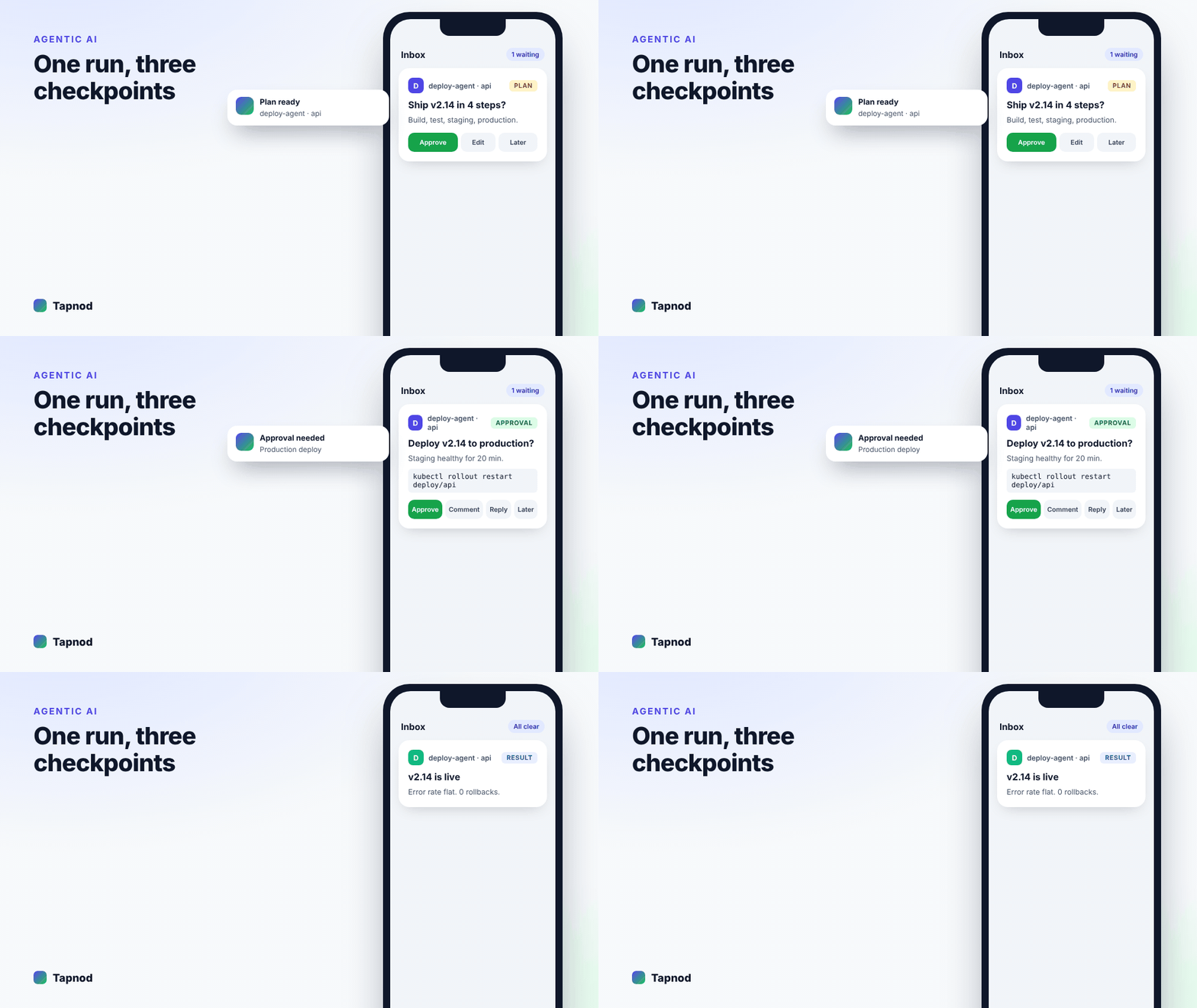
- Places checkpoints by risk: plans, irreversible actions, external communication and spending.
- Uses a small set of message types: question, plan, approval, result and error.
- Delivers requests where people are: usually a phone or a shared inbox, not the agent's terminal.
- Survives waiting: the agent saves state and can resume hours later.
- Defines silence: what happens when nobody answers.
"human-in-the-loop agentic ai" gets about 50 US searches a month at a keyword difficulty of 40 (Semrush, November 2026). It's a term used mostly by people designing agent systems, not casual readers.
Why agents need a different approach
A classic HITL system reviews one prediction at a time. An agent might run for an hour, make fifty tool calls, edit thirty files and send three messages. Reviewing every step is impossible; reviewing none is reckless. The design task is to pick the few moments in a long run that deserve a person.
Where to put checkpoints
| Moment | Checkpoint? | Reason |
|---|---|---|
| Task start, for long or vague tasks | Plan approval | Catch a wrong direction before an hour of work |
| Reading, searching, analysis | No | No side effects |
| Reversible edits on a branch or draft | Usually no | Reviewed later as a whole |
| Installing software, changing config | Yes | Security and stability risk |
| Messages to people outside the team | Yes | Public mistakes are costly |
| Production changes, deletions, payments | Yes | Hard or impossible to undo |
| Errors the agent can't resolve | Escalate | A person chooses the next step |
| Task complete | Result notice | So people know without checking |
Five message types
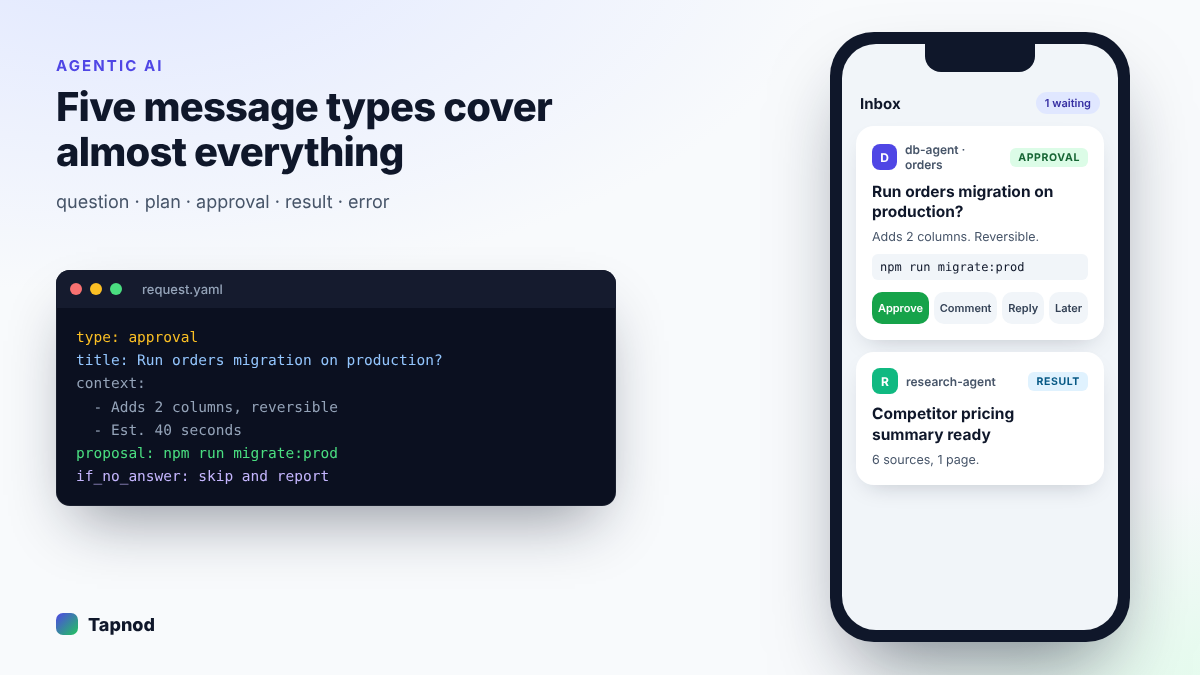
Agents that talk to people in a consistent way are easier to supervise. Five types cover almost everything:
| Type | What the agent sends | What the person does |
|---|---|---|
| Question | "Which region should staging use?" | Answers |
| Plan | Steps it intends to take | Approves, edits or rejects |
| Approval | One specific risky action | Approves or rejects |
| Result | What it finished, with links | Reviews, or ignores |
| Error | What failed and what it tried | Decides: retry, change course, stop |
Questions and approvals block the agent. Plans block it at the start. Results and errors are notices, though errors often need an answer.
Making requests answerable in seconds
The person reading a request is often on a phone between meetings. Write for that:
- Title: one line with the decision. "Run the orders migration on production?"
- Context: the two or three facts that matter. "Adds 2 columns. Reversible. Est. 40 seconds."
- Proposal: the exact command, diff summary or message text.
- Options: buttons, not free text, where possible.
- Default: what happens if nobody answers.
Agents can be prompted to write requests this way. Put the format in the system prompt or the tool description of whatever tool they use to ask.
Teaching the agent to ask well
Put the request format in the agent's instructions, so every request arrives in the same shape:
When you need a human, send exactly one request with:
- type: question | plan | approval | result | error
- title: one line, the decision needed, under 80 characters
- context: at most three facts that affect the decision
- proposal: the exact command, diff summary or message text
- options: the choices, with your recommendation first
- if_no_answer: what you will do after the timeout
Never ask about reads, searches or edits on your own branch.
Consistent requests are faster to answer and easier to audit later.
Delivery
Where requests appear decides whether HITL works:
| Channel | Strength | Weakness |
|---|---|---|
| Agent's terminal or IDE | Zero setup | Only works if you're watching |
| Chat apps | Teams already there | Requests get buried in busy channels |
| Universal | Slow | |
| Mobile push to an inbox | Reaches people anywhere, fast | One more app |
For agents that run while you're away, push notifications to a phone are the difference between a five-minute wait and a five-hour one.
Waiting without losing work
An agent that blocks a process while waiting can't survive restarts and ties up resources. Better patterns:
- Save and resume: frameworks like LangGraph, the OpenAI Agents SDK and AutoGen can save run state and continue later.
- Poll: the agent checks for an answer on a schedule and works on other things meanwhile.
- Webhook: the answer arrives by callback and wakes the agent.
Defining silence
Every request needs a timeout policy:
| Request | Sensible default |
|---|---|
| Question about preference | Proceed with the agent's recommendation and note it |
| Approval for a risky action | Don't do it; report that it was skipped |
| Plan approval | Wait, then remind, then escalate |
| Error | Stop and keep state for later |
Teams and many agents
When a team runs many agents, add:
- Routing: requests go to the person who owns that area.
- Shared visibility: anyone can see what's waiting and who's handling it.
- Monitoring: last contact time per agent, so silent failures stand out.
- Records: who approved what, kept with the run. See AI agent audit trail.
Starting small
You don't need the full design on day one. A practical first week:
- Pick one agent and one risky action, such as deploys or outbound emails.
- Gate that action with an approval and a timeout.
- Send results and errors as notices.
- Route everything to one place you check on your phone.
- After a week, review what you approved and adjust.
Measuring whether it works
Track time to answer, approval rate, how often people edit or reject, and incidents that slipped past checkpoints. Approvals answered in seconds and almost always unchanged suggest a checkpoint can be relaxed. Long waits suggest delivery is failing.
A worked example
Picture a developer running four agents overnight: two coding agents on separate repos, a data agent refreshing reports, and a support agent drafting replies. Coding agents send a plan at the start and ask before installing packages. The data agent only reports results and errors. The support agent asks approval for any refund mention. At 7am, the developer's inbox holds two results, one approval and one error. She clears all four in three minutes from her phone before standup.
Key takeaways
- Place checkpoints at plans, irreversible actions, external messages and spending.
- Use five message types: question, plan, approval, result and error.
- Deliver requests to phones or a shared inbox when agents run unattended.
- Save state while waiting, and define what silence means.
FAQ
What is human in the loop in agentic AI?
A design where autonomous agents pause at defined points, such as risky actions or unclear requirements, so a person can approve, answer or redirect before the agent continues.
How many approvals should an agent ask for?
As few as protect what matters. Most teams gate irreversible actions, external messages and spending, and let reads and reversible edits run freely.
How do I approve agent actions when I'm away from my computer?
Route requests to a mobile inbox with push notifications, and have the agent resume when the answer arrives by webhook or polling.
What happens if nobody answers an agent's request?
Set a timeout policy per request type: proceed with a safe default, skip the risky action, remind, or escalate.
Where Tapnod fits
In Tapnod, agents send questions, plans, results and errors to one inbox, and you approve, comment or reply from your phone. Connect an agent free.