 Tapnod
The short answer
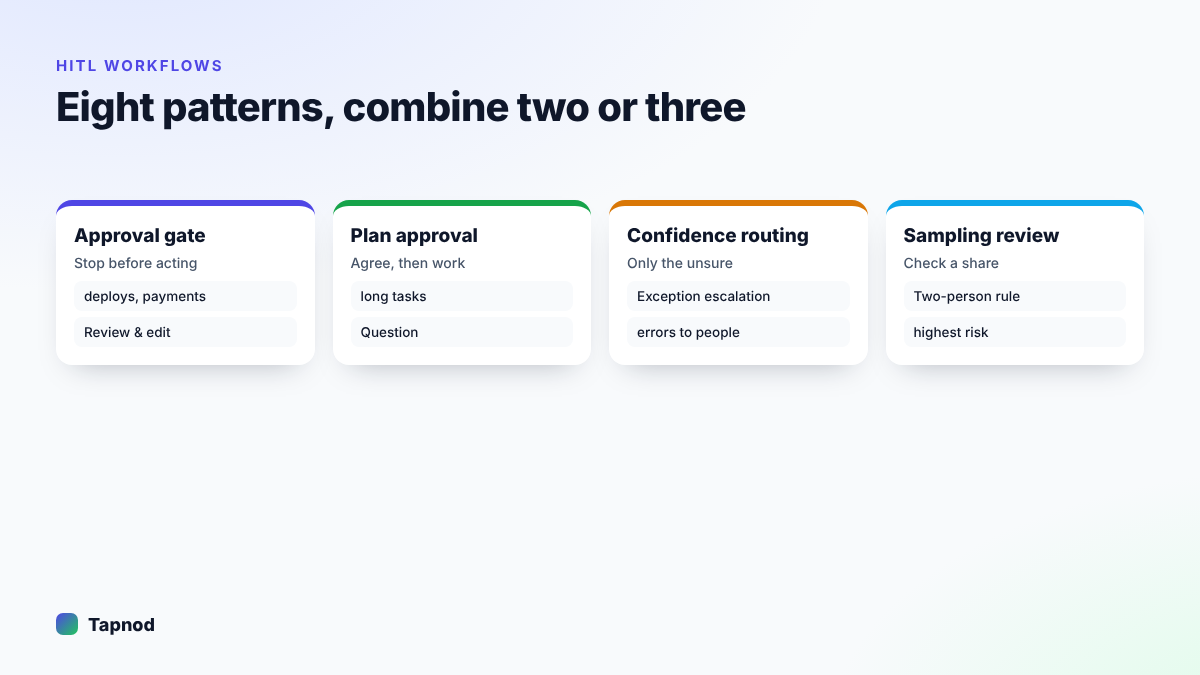
Most human-in-the-loop workflows are built from eight patterns:
- Approval gate: stop before an action until someone approves.
- Review and edit: a person can change the output before it's used.
- Plan approval: approve the plan up front, then let the agent work.
- Question: the agent asks for missing information.
- Confidence routing: only uncertain cases go to a person.
- Exception escalation: failures and edge cases go to a person.
- Sampling review: a person checks a share of finished work.
- Two-person rule: high-risk actions need two approvals.
Real workflows combine two or three. The skill is choosing which, and where.
"human-in-the-loop workflows" gets about 50 US searches a month at a keyword difficulty of 56 (Semrush, November 2026). Low volume, high difficulty: big vendors compete for it because it signals buying intent.
Pattern 1: Approval gate
Flow: agent proposes action → pause → person approves or rejects → action runs or is skipped.
Use it for irreversible or public actions: deployments, payments, deletions, outbound emails.
Fails when every action is gated and approvals become automatic. Keep gates rare.
Pattern 2: Review and edit
Flow: AI produces content → person edits → edited version is used.
Use it for drafts where small fixes are common: customer replies, social posts, summaries.
Fails when the workflow uses the original output instead of the edited one. Always map the edited version forward.
Pattern 3: Plan approval
Flow: agent drafts a plan → person approves, edits or rejects → agent executes without further checks unless something changes.
Use it for long tasks where direction matters more than each step: refactors, migrations, research.
Fails when the agent drifts from the approved plan. Ask agents to re-request approval if they need to deviate.
Pattern 4: Question
Flow: agent hits ambiguity → asks a specific question with options → person answers → agent continues.
Use it for preferences and facts the agent can't find: naming, priorities, which customer account.
Fails when questions are vague. "What should I do?" wastes the person's time; "Use v2 or v3 of the API? v3 needs a migration" doesn't.
Pattern 5: Confidence routing
Flow: model scores its confidence → high confidence proceeds → low confidence goes to a person.
Use it for high-volume decisions like classification, document extraction and triage.
Fails when thresholds are never revisited, or the model's confidence doesn't match its real accuracy. Check calibration.
Pattern 6: Exception escalation
Flow: automation fails or meets a case outside its rules → person decides → workflow resumes or ends.
Use it for every automation. Something always breaks eventually.
Fails when errors go to logs nobody reads. Send them where people look, with what failed and what was tried.
Pattern 7: Sampling review
Flow: work completes automatically → a random share is reviewed afterwards → findings tune the system.
Use it for quality control on mature workflows where per-item review is too expensive.
Fails when findings don't lead to changes. Track what reviewers find and act on patterns.
Pattern 8: Two-person rule
Flow: action proposed → first approver → second approver from a different role → action runs.
Use it for the highest-risk actions: large payments, permission changes, production data deletion.
Fails when used too often, or when the same person can approve twice. Enforce distinct approvers.
Choosing patterns
| Situation | Patterns |
|---|---|
| Coding agent on a big refactor | Plan approval + approval gate for installs + exception escalation |
| AI support replies | Confidence routing + review and edit + sampling review |
| Finance automation | Approval gate + two-person rule above a threshold + exception escalation |
| Research agent | Question + result review |
| Content pipeline | Review and edit + approval gate before publishing |
Shared building blocks
Every pattern relies on the same pieces:
- Saved state, so the workflow can wait without losing work.
- Notifications that reach people where they are.
- Structured responses: approve, reject, edit, answer.
- Timeouts with a defined default.
- A record of who decided what and when.
request:
  id: req_4471
  pattern: approval_gate
  title: "Pay invoice INV-2291 to Northwind ($12,400)?"
  context: ["Matches PO-883", "Due in 3 days", "Over $10k: second approval required"]
  approvers_required: 2
  approvals: [{by: "finance-lead", at: "09:14"}]
  timeout: 24h
  on_timeout: hold_and_notify
The same request shape works for every pattern; only the fields used change.
Combining patterns without overload
Stacking patterns can multiply requests. A coding agent with plan approval, an approval gate for installs and exception escalation could send a dozen requests in a day. Keep the total manageable:
- Let plan approval cover the plan. Once a plan is approved, gate only actions outside it or above a risk line.
- Merge notices. Results and minor errors can arrive as one summary per run.
- Cap questions. Ask the agent to bundle questions into one request when it can.
- Review the count weekly. If one agent sends far more requests than others, tune its instructions or permissions.
The goal is a daily volume a person can clear in a few minutes without skimming.
Common anti-patterns
- The rubber stamp: so many approvals that nobody reads them.
- The black hole: requests sent to a channel nobody owns.
- The silent timeout: workflows that wait forever with no reminder.
- The lost edit: reviewer changes that never reach the final output.
- The single point of failure: one approver who's often unavailable.
Documenting your patterns
Write each workflow's patterns down in one place: which pattern sits at which step, who answers, the timeout and the default. A short table per workflow is enough. New team members learn the rules faster, auditors get a clear answer, and you can spot steps that drifted from the design.
Picking the first pattern
If you're adding human steps for the first time, start with exception escalation. Every workflow needs it, it adds no friction to the happy path, and it shows you where things actually break. Add an approval gate next, on the single action you'd least like to see go wrong.
Measuring workflows
Track per pattern: volume, time to decision, unchanged approval rate, edit rate and incidents that got past the check. A pattern earns its place when it catches real problems at a cost people accept.
A worked example
Picture a SaaS company's billing operations. Invoices are generated automatically. Confidence routing sends unusual invoices, such as large discounts or new pricing, to review and edit. Refunds use an approval gate, and refunds over $5,000 use the two-person rule. Failed charges trigger exception escalation to the account owner. Each month, sampling review checks 20 random invoices. The team handles thousands of invoices with a few minutes of human time a day.
Key takeaways
- Eight patterns cover most human-in-the-loop workflows.
- Combine two or three per workflow, chosen by risk and volume.
- Every pattern needs saved state, notifications, timeouts and records.
- Watch for rubber stamps, black holes and lost edits.
FAQ
What is a human-in-the-loop workflow?
A workflow where automation does most of the work, but defined steps require a person to approve, edit, answer or decide before it continues.
What is the most common HITL pattern?
The approval gate: pausing before an action until someone approves it.
When should I use a two-person rule?
For the few actions where one mistake is very expensive or irreversible, such as large payments or deleting production data.
How do I know a human step is working?
It catches real problems, decisions arrive quickly, and approvals aren't almost always unchanged.
Where Tapnod fits
Tapnod supports these patterns from one inbox: agents send plans, questions, results and errors, and your team approves or replies from any phone. Try it free.