 Tapnod
The short answer
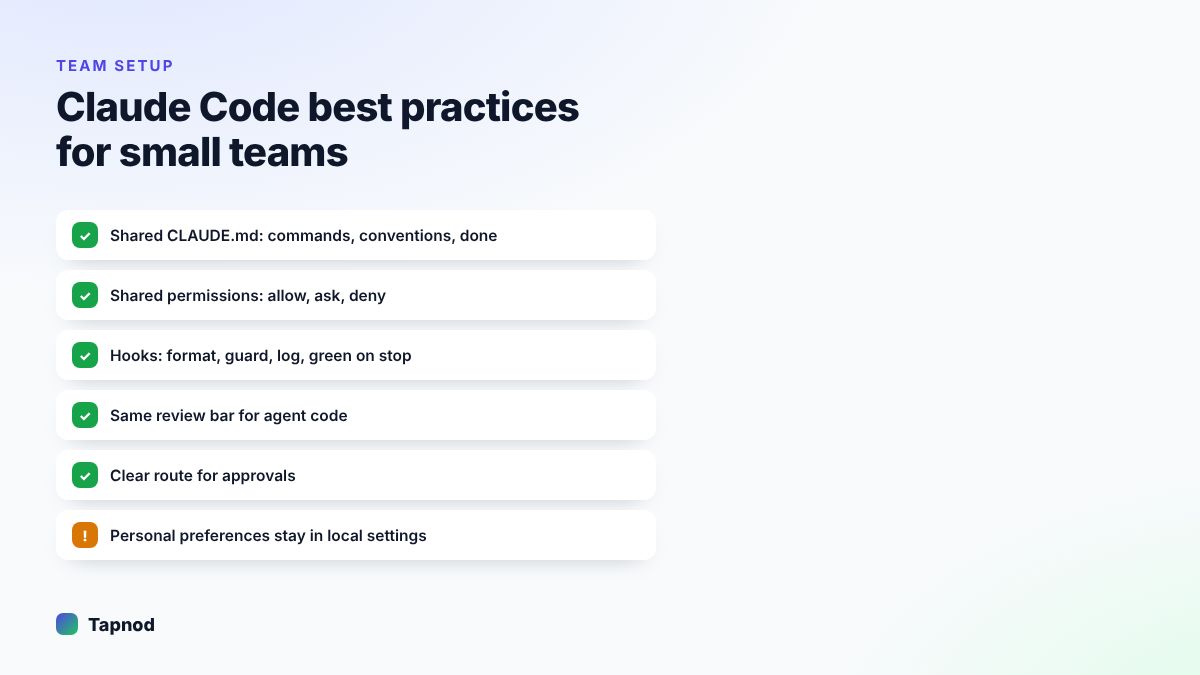
For a small team, Claude Code works best when the setup lives in the repository rather than in each person's head:
- A shared
CLAUDE.mdwith project conventions and commands. - Shared permission rules in
.claude/settings.json: allow the routine, ask for the risky, deny the forbidden. - Hooks as guardrails, so rules like "format every edit" and "never touch migrations" are enforced, not hoped for.
- One review habit for agent-written code, the same as for human code.
- A clear route for approvals, so a prompt waiting on one person doesn't stall the team.
Personal preferences stay in each developer's own settings.
"claude code best practices" gets about 1,900 US searches a month at a keyword difficulty of 49 (Semrush, November 2026). Most guides cover solo use. This one is about the moment a second and third person start using Claude Code on the same codebase.
1. Write a CLAUDE.md that earns its tokens
CLAUDE.md is read into context at the start of sessions, so every line costs something. Keep it to what Claude can't infer from the code:
- Commands: how to install, test, lint, run locally.
- Conventions: package manager, test style, naming rules.
- Boundaries: folders to avoid, generated files not to edit.
- Definitions of done: "tests pass and types check" is better than "make it good".
Leave out what's obvious from the codebase. Review the file like code, in pull requests, because a wrong line here misleads every session.
2. Share permission rules
Check a baseline into .claude/settings.json so everyone gets the same guardrails:
{
  "permissions": {
    "allow": ["Bash(npm run test *)", "Bash(npm run lint *)", "Bash(npm run typecheck)", "Bash(git diff *)", "Bash(git log *)"],
    "ask": ["Bash(git push *)", "Bash(npm install *)", "Bash(npx prisma migrate *)"],
    "deny": ["Read(./.env*)", "Read(./secrets/**)", "Edit(./prisma/migrations/**)"]
  }
}
Developers add personal rules in ~/.claude/settings.json or .claude/settings.local.json, which isn't committed. Project settings can't set bypassPermissions or auto as the default mode, so the shared file can't loosen things too far.
3. Use hooks as guardrails, not decorations
Hooks turn team rules into behavior:
| Rule | Hook |
|---|---|
| Code is always formatted | PostToolUse on Edit|Write runs the formatter |
| Migrations are never hand-edited | PreToolUse blocks edits under the migrations folder |
| We know what ran | PreToolUse on Bash logs commands |
| Finished means green | Stop runs type check and tests, blocks on failure |
| Nobody misses a waiting prompt | Notification with permission_prompt alerts the session owner |
Reference scripts with $CLAUDE_PROJECT_DIR and keep them executable. Copyable versions are in Claude Code hooks examples.
4. Review agent code like any code
Agent-written code fails differently from human code: it's confident, often larger than needed, and sometimes changes tests to make them pass. A few team norms help:
- Small, scoped tasks produce reviewable diffs. "Add CSV export to the reports page" beats "improve reports".
- Ask for a plan first on anything non-trivial; plan mode is good for this.
- Require regression tests for bug fixes, written to fail before the fix.
- Name the author. Mention in the PR that Claude wrote it, so reviewers read with the right eyes.
- Same bar as humans. No "the agent wrote it, so it's fine".
5. Decide where approvals go
On a team, a permission prompt in someone's terminal is invisible to everyone else. Decide upfront:
- Who approves what. Usually the person who started the session; for production-adjacent actions, a second person.
- How prompts reach them. Remote Control push, a
Notificationhook to their phone, or a shared inbox. - What happens if nobody answers. For risky actions, nothing; the session waits or the step is skipped.
A shared inbox helps when work is handed off: if one person goes offline, a teammate can see and answer the waiting request.
6. Parallel work without collisions
When several people, or several sessions, work at once:
- One branch or worktree per session.
- Short-lived branches merged often, so agents work from fresh code.
- Clear ownership of shared files like lockfiles and schemas; ask rules for commands that change them.
- Agent view (
claude agents) for each developer's background sessions; running agents in parallel covers worktrees in detail.
7. Keep cost visible
Put context and cost in the statusline so long sessions are noticed early, and use /usage or /cost to check spend. When a session's context gets large, ask Claude to summarize progress to a notes file before compaction, so nothing important is lost.
8. Prompt like a good ticket
Most disappointing sessions start with a vague request. The team habit that helps most is writing prompts the way you'd write a good ticket for a new colleague:
| Part | Example |
|---|---|
| Goal | Add CSV export to the monthly report page |
| Context | Exports already exist for invoices in src/exports/ |
| Constraints | Use the existing export helper; no new dependencies |
| Done when | Export downloads, matches on-screen totals, tests pass |
| Ask if | The report needs data the API doesn't return yet |
Share a few good prompts in your team docs. People copy what works, and the quality of agent output across the team rises faster than any setting change.
9. Retire rules that don't earn their place
Every few weeks, look at the prompts people approve without changes and the hooks nobody remembers adding. Loosen what's pure friction and delete what no longer applies. A lean setup that everyone understands beats a sprawling one nobody trusts.
Onboarding a new teammate
Day one with this setup is short: clone the repo, run claude, accept workspace trust, and the shared CLAUDE.md, permissions and hooks are already in place. Point them to two things: the team's review norms, and how their permission prompts reach them.
A worked example
Picture a three-person startup. Their repo has a 40-line CLAUDE.md, shared permissions like the example above, a formatter hook, a migrations guard, a command logger and a Stop hook that runs type checks. Each developer has a personal Notification hook sending prompts to their phone. When one founder is on a flight, a teammate sees their session's waiting "npm install" request in the shared inbox, checks the package, and approves it. Nobody had to ask "is your agent stuck?" in chat.
Key takeaways
- Put team setup in the repo:
CLAUDE.md, permissions and hooks. - Allow the routine, ask for the risky, deny the forbidden.
- Review agent code with the same bar as human code, in small scoped tasks.
- Decide upfront who approves what and how prompts reach them.
FAQ
What should go in CLAUDE.md?
Commands, conventions, boundaries and your definition of done. Leave out what Claude can infer from the code.
Should a team share Claude Code permissions?
Yes. Commit a baseline in .claude/settings.json and let individuals add personal rules in their own settings files.
How do teams stop agents from editing sensitive files?
Combine deny rules in shared settings with a PreToolUse hook that blocks edits to those paths and explains why.
How do teammates see each other's waiting prompts?
Route permission prompts from hooks or apps to a shared place, such as a team inbox, instead of only the local terminal.
Where Tapnod fits
Tapnod gives a team one shared inbox for Claude Code and other agents, so waiting approvals and questions are visible to whoever can answer them. See the Team plan.