 Tapnod
The short answer
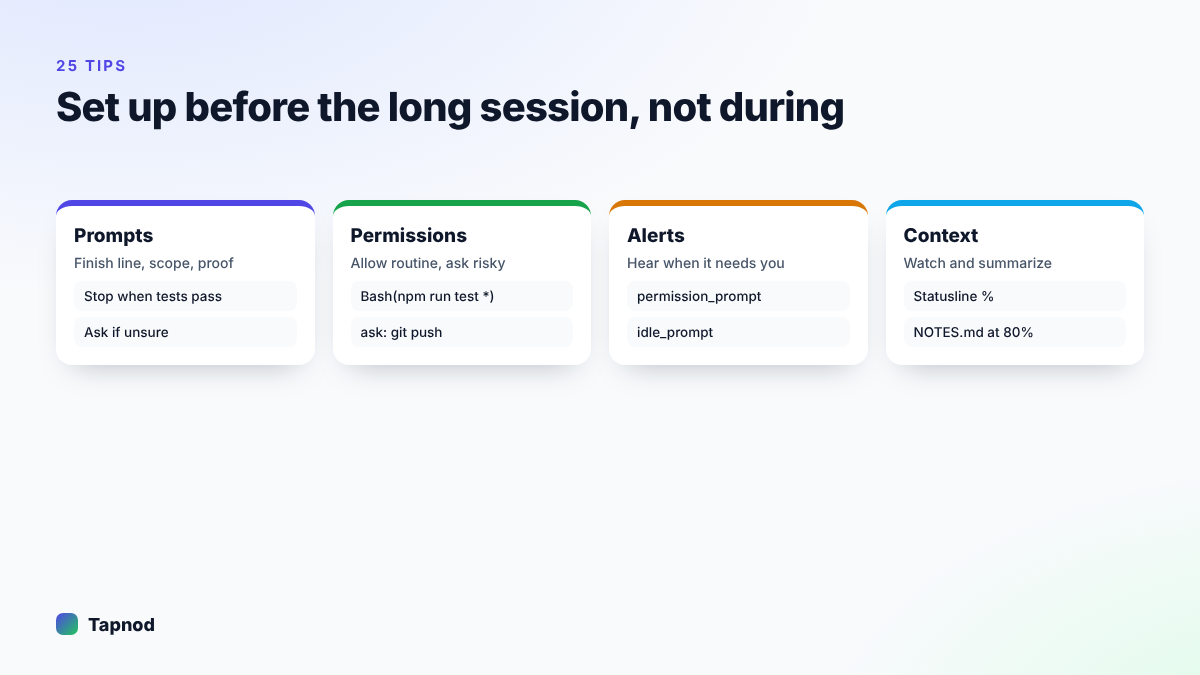
Long Claude Code sessions go well when three things are set up before you start: a prompt with a clear finish line, permission rules that let routine work run, and a way to hear when Claude needs you. The 25 tips below are grouped by those themes, plus context management, parallel work and review.
"claude code tips" gets about 720 US searches a month at a keyword difficulty of 45 (Semrush, November 2026). These tips lean toward one use case: sessions that run for an hour or more while you do something else.
Prompts that finish
- State the finish line. "Stop when
npm testpasses and write a summary" beats "fix the tests". - Set the scope. Name the folders Claude may change, and the ones it mustn't.
- Ask for proof. For bug fixes, ask for a test that fails before the fix and passes after.
- Say what to do when unsure. "If a change would alter behavior, ask me instead of guessing."
- Ask for a plan first on big tasks. Use plan mode, approve the plan, then let it run.
Permissions that don't nag
- Allow your routine commands, such as
Bash(npm run test *)andBash(git diff *). - Use
acceptEditson feature branches so file edits don't prompt every session. - Keep ask rules for the risky few:
git push, installs, migrations, deploys. - Deny credential reads like
Read(./.env*)in every project. - Check
/permissionswhen something prompts unexpectedly; it shows each rule and its source file.
Hear when it needs you
- Add a
permission_promptnotification hook. It fires after a prompt has waited about six seconds. - Add
idle_promptfor "done". It fires about a minute after Claude stops and you haven't typed. - Use Remote Control push on claude.ai plans: turn on "Push when actions required" in
/config. - Put the project name in every alert, so you know which session is asking.
- Send everything to one place. Desktop for one session, phone or an inbox for several.
Here's a compact notification hook to start with:
{
  "hooks": {
    "Notification": [
      { "matcher": "permission_prompt", "hooks": [ { "type": "command", "command": "~/.claude/hooks/notify.sh urgent" } ] },
      { "matcher": "idle_prompt", "hooks": [ { "type": "command", "command": "~/.claude/hooks/notify.sh soft" } ] }
    ]
  }
}
The script itself is in the Notification hook guide.
Keep context healthy
- Show context use in the statusline.
/statusline show context percentage with a barsets it up. - Summarize before compaction. Above roughly 80%, ask Claude to write progress to
NOTES.md. - Re-inject key rules after compaction with a
SessionStarthook on thecompactmatcher. - Delegate searches to subagents so file-hunting noise stays out of the main context.
- Keep
CLAUDE.mdshort and current. Every line is read into context.
Run work in parallel safely
- One worktree per session to avoid conflicting edits.
- Use agent view (
claude agents) to see which background sessions need you. - Cap concurrency at what you can review in a day, usually two to four.
Review like it matters
- Read tests first, then code. Tests show what Claude thinks the behavior is.
- Log commands with a
PreToolUsehook so you can see exactly what ran while you were away.
Mistakes that waste long sessions
Knowing what not to do saves as much time as the tips themselves:
- Starting without a finish line. Sessions without one drift into "while I'm here" changes nobody asked for.
- Approving from muscle memory. If you click yes without reading, the prompt is noise; turn it into an allow rule or stop seeing it.
- Ignoring the context meter. Compaction in the middle of a delicate refactor can drop details; summarize first.
- Running too many sessions. Parallel work that you can't review in a day turns into stale branches.
- Leaving a session waiting unseen. A permission prompt that sat for two hours is two hours of lost work; that's what alerts are for.
- Skipping the plan on big tasks. Ten seconds approving a plan beats an hour of work in the wrong direction.
The setup behind the tips
| Theme | Where it lives |
|---|---|
| Prompts | Your task message, plus CLAUDE.md for standing rules |
| Permissions | .claude/settings.json for the team, ~/.claude/settings.json for you |
| Alerts | Hooks in user settings, Remote Control push in /config |
| Context | Statusline, SessionStart hook, subagents |
| Parallel work | Git worktrees, agent view |
| Review | Your normal PR process, plus a command log |
Most of this is set once and then forgotten. The payoff is every long session after that.
Tips that matter most if you only do three
If you're short on time, do these first:
- Allow routine commands (tip 6). It removes most interruptions.
- Add a
permission_promptalert (tip 11). It prevents silent stalls. - Write a finish line into every prompt (tip 1). It prevents sessions that wander.
Together they turn "I'll check on it every ten minutes" into "it'll tell me when it needs me".
A worked example
Picture a developer starting a two-hour refactor of an authentication module. The prompt names the folder, asks for tests that prove behavior is unchanged, and says to stop and ask before changing any public function signature. Routine test commands are allowed and pushes ask. A permission_prompt hook sends alerts to their phone, and the statusline shows context at 34%. An hour later, Claude asks whether to rename a public function; they say no. Context passes 80%, so they ask for a progress note in NOTES.md. At the two-hour mark, the refactor is done, tests prove behavior is unchanged, and the command log shows nothing unexpected.
Revisit your setup monthly
Tips go stale as Claude Code changes and your project grows. Once a month, check which prompts you always approve, which hooks still matter, whether CLAUDE.md matches reality, and whether your alerts still reach you quickly. Small adjustments keep long sessions smooth without a big overhaul.
Key takeaways
- Set up prompts, permissions and alerts before long sessions, not during.
- Allow the routine, ask for the risky, deny the dangerous.
- Watch context and summarize before compaction.
- Review tests first and keep a command log.
Related guides
- Claude Code best practices for small teams: shared settings, hooks and review norms.
- 12 Claude Code hooks examples: copy-paste hooks for alerts, guards and logs.
- Claude Code statusline: context and cost at a glance.
- Run Claude Code agents in parallel: worktrees and agent view without collisions.
FAQ
What are the most useful Claude Code tips?
Allow routine commands, add a notification hook for permission prompts, and give every prompt a clear finish line. Those three prevent most wasted time in long sessions.
How do I keep long Claude Code sessions on track?
Use plan mode for big tasks, show context in the statusline, summarize progress before compaction, and delegate searches to subagents.
How do I know when Claude Code needs me?
Add Notification hooks with the permission_prompt and idle_prompt matchers, or turn on Remote Control push notifications.
Where should team-wide Claude Code settings go?
In .claude/settings.json in the repository, with personal preferences in ~/.claude/settings.json. See Claude Code best practices for small teams.
Where Tapnod fits
Tips 13 to 15 get easier with an inbox: Tapnod collects Claude Code's prompts and results, and your other agents', on your phone. Try it free.