 Tapnod
The short answer
There are four ways to enable bypass permissions in Claude Code:
- Start with
claude --dangerously-skip-permissions. - Start with
claude --permission-mode bypassPermissions. - Start with
claude --allow-dangerously-skip-permissionsso bypass becomes available in the Shift+Tab mode cycle without starting in it. - Set
permissions.defaultModeto"bypassPermissions"in your user settings.
In bypass mode Claude stops asking before it edits files or runs commands. Deny rules still apply. Use it in an isolated container or VM, not on a laptop full of credentials.
"how to enable bypass permissions in claude code" gets about 320 US searches a month at a keyword difficulty of 28, and "bypass permissions claude code" adds 260 (Semrush, November 2026). The people searching usually tried Shift+Tab, didn't see the option, and want to know why.
Method 1: the flag
cd ~/projects/acme-api
claude --dangerously-skip-permissions
Claude Code shows a warning before the session starts. Accept it and every tool call runs without a prompt, apart from anything your deny rules block. The flag works the same in headless runs:
claude --dangerously-skip-permissions -p "Run the test suite and fix failures in billing/ only"
Method 2: the permission-mode flag
claude --permission-mode bypassPermissions is the same mode with a more descriptive name. Use whichever you'd rather see in your shell history. Scripts are easier to read with the explicit --permission-mode form, because the same flag also takes default, acceptEdits, plan, auto and dontAsk.
Method 3: make it available, start somewhere safer
This is the option most people miss. --allow-dangerously-skip-permissions makes bypass mode available for the session without starting in it. You start in a normal mode and switch into bypass with Shift+Tab only when you decide the next stretch of work is safe, such as a long test-and-fix loop inside a container.
That's why bypass doesn't appear in the Shift+Tab cycle by default. If you didn't start with one of the bypass flags or settings, the mode isn't available for that session.
Method 4: make it your default
To start every session in bypass, set it in your user settings file at ~/.claude/settings.json:
{
  "permissions": {
    "defaultMode": "bypassPermissions"
  }
}
This only works in user settings, settings passed with --settings, or managed settings. A project's checked-in .claude/settings.json can't set bypassPermissions or auto as the default mode, so a repository you clone can't silently put you in bypass.
We'd avoid this method on a daily-driver machine. A default is easy to forget, and the one time you open a project from an unknown source, it applies there too.
Why bypass won't turn on
| Symptom | Likely cause | Fix |
|---|---|---|
| Error about root or sudo | Claude Code refuses bypass as root on Linux and macOS outside a recognized sandbox | Run as a normal user inside the container |
| Mode missing from Shift+Tab | Session wasn't started with a bypass flag or setting | Restart with --allow-dangerously-skip-permissions |
defaultMode ignored |
It's in a project settings file | Move it to user settings |
| Disabled by policy | An admin set permissions.disableBypassPermissionsMode |
Ask your admin, or use auto mode |
| Prompts still appear for some actions | Deny or ask rules, or actions no mode auto-approves | Check /permissions |
The last row matters. A matching ask rule still prompts, and some removals of critical paths, like your home directory, can't be approved by any rule or hook. Run /permissions to see every active rule and which settings file it comes from.
Before you flip the switch
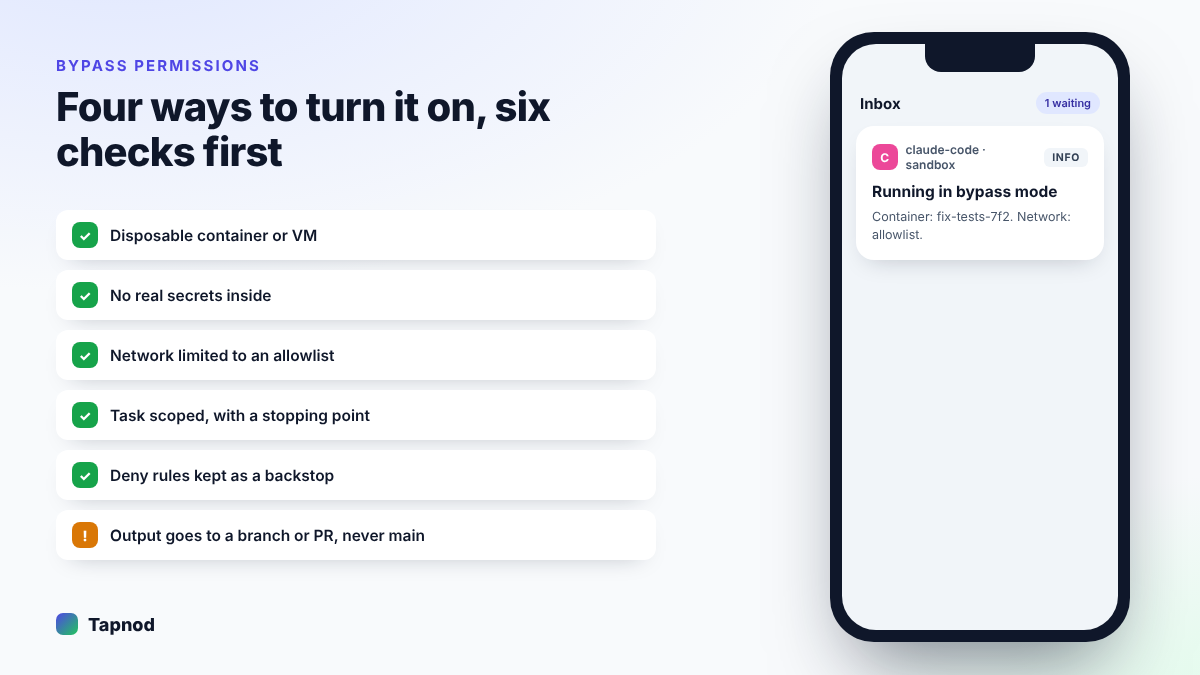
Bypass is a trade: no friction in exchange for no safety net. Make the trade on purpose. This checklist takes two minutes:
- Isolate. Use a container, a VM or a fresh cloud machine. Anthropic's guidance is a sandbox without internet access, or with strict outbound rules.
- Strip secrets. No
.envwith production keys, no~/.aws, no SSH agent forwarding. Use short-lived tokens scoped to the task. - Add deny rules anyway. They still apply in bypass. Deny
Bash(git push *)and reads of credential files as a backstop. - Scope the task. "Make the failing tests in
billing/pass and stop" is safer than "clean up the repo". - Log commands. A
PreToolUsehook onBashthat appends each command to a file costs nothing and saves you during cleanup. - Review before anything leaves. Have Claude open a PR, not push to main.
Here's a deny block worth keeping in user settings even when you never use bypass:
{
  "permissions": {
    "deny": [
      "Read(./.env*)",
      "Read(~/.ssh/**)",
      "Read(~/.aws/**)",
      "Bash(git push *)"
    ]
  }
}
Keep in mind that a Bash deny rule matches the command as written. A rule against curl doesn't stop /usr/bin/curl or sh -c 'curl ...', which is why the docs pair network deny rules with sandbox network limits when the restriction has to hold.
A worked example: an overnight test-fix loop
Here's a setup where bypass makes sense. You have 140 failing tests after a framework upgrade, and you want Claude to grind through them overnight.
You start a fresh container from your project's devcontainer image, mount only the repository, and give it a GitHub token that can push to one branch and nothing else. The network allows the package registry, GitHub and the Anthropic API. Inside, you run Claude headless with a tight prompt: fix the failing tests, never edit the test files themselves, commit to fix/upgrade-tests, and write a summary to NOTES.md.
In the morning you read the summary and the diff, then decide what to merge. Nothing outside that container was reachable, and nothing reached main without you. That's bypass used well: unattended, scoped and contained.
When you want fewer prompts, not zero
If what you really want is "stop asking me about every test run", bypass is the wrong tool. Better options:
- Allow rules for commands you trust, such as
Bash(npm run test *). acceptEditsmode so file edits stop prompting.automode, where a classifier blocks risky actions like force pushes and production deploys instead of asking about everything.- Answering prompts from your phone with Claude Code Remote Control or a notification hook.
We compare these in how to make Claude Code stop asking for permission. For the risk side in depth, see --dangerously-skip-permissions: risks and alternatives.
Key takeaways
- Bypass mode is enabled with
--dangerously-skip-permissions,--permission-mode bypassPermissions,--allow-dangerously-skip-permissions, or a user-leveldefaultMode. - Project settings can't turn it on, and Claude Code refuses it as root outside a recognized sandbox.
- Deny rules still apply, so keep them for credentials and pushes.
- Use it in disposable containers with scoped tokens, and review output before it ships.
FAQ
How do I enable bypass permissions in Claude Code?
Start Claude Code with --dangerously-skip-permissions or --permission-mode bypassPermissions, or start with --allow-dangerously-skip-permissions and switch to bypass with Shift+Tab later. You can also set defaultMode to bypassPermissions in user settings.
Why isn't bypass mode in my Shift+Tab options?
Bypass only appears if the session started with a bypass flag or a setting that makes it available. Restart with --allow-dangerously-skip-permissions.
Can a project force bypass mode on me?
No. Project settings files can't set bypassPermissions or auto as the default mode.
Do deny rules work in bypass mode?
Yes. Deny rules apply in every permission mode, so keep them for credential files and destructive commands.
Where Tapnod fits
If you'd rather keep approvals and stop babysitting the terminal, Tapnod sends Claude Code's questions to your phone as cards you approve in a tap. Try it free.