 Tapnod
The short answer
When Claude Code Remote Control isn't working, it's almost always one of these: you're not signed in with a claude.ai subscription, an API key or long-lived token is overriding your login, your organization hasn't enabled it, cached account details are stale, your setup routes through a gateway or a cloud provider, or the machine went to sleep. The error message usually names the cause, and claude doctor shows which eligibility check failed.
Start with fix 1 and work down. Most problems are solved by the first four.
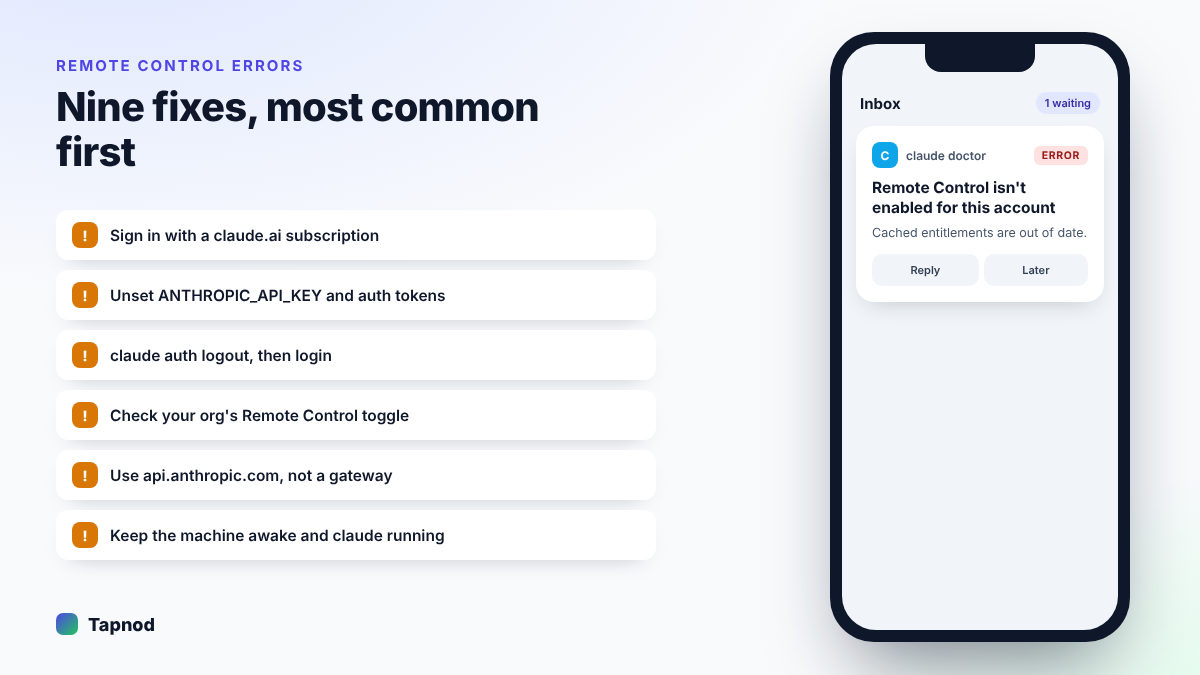
"claude code remote control not working" gets about 90 US searches a month at a keyword difficulty of 27 (Semrush, November 2026). The feature is popular, at about 3,600 monthly searches for "claude code remote control", and still a research preview, so error searches follow.
Fix 1: sign in with a claude.ai subscription
Message: "Remote Control requires a claude.ai subscription."
Remote Control works on Pro, Max, Team and Enterprise plans, and only with claude.ai login. Run claude, then /login, and sign in through claude.ai. Run /status afterward to check which plan and organization the session uses.
Fix 2: remove the API key or token that's taking over
Message: "Remote Control requires claude.ai subscription auth," followed by the credential in use.
If ANTHROPIC_API_KEY, ANTHROPIC_AUTH_TOKEN or an apiKeyHelper setting is active, Claude Code uses it instead of your subscription login. Unset it for the session:
env -u ANTHROPIC_API_KEY -u ANTHROPIC_AUTH_TOKEN claude --remote-control
Message: "Remote Control requires a full-scope login token." You're using a long-lived token from claude setup-token or CLAUDE_CODE_OAUTH_TOKEN. Those can only make model requests. Run claude auth login for a full-scope session.
Fix 3: refresh stale account details
Messages: "Remote Control isn't enabled for this account," or "Unable to determine your organization for Remote Control eligibility."
Cached entitlements often go stale after a plan change. Run claude auth logout then claude auth login, and update Claude Code if it's old. claude doctor tells you which eligibility check failed.
Fix 4: check your organization's policy
Message: "Remote Control is disabled by your organization's policy."
Work through the causes in order:
| Clue | Cause | Fix |
|---|---|---|
Message mentions disableRemoteControl |
IT disabled it on this device via managed settings | Ask IT |
| You're on Pro or Max | Still signed in under an old Team or Enterprise org | Log out and back in under your current plan |
/status shows HIPAA |
HIPAA configuration turns it off | It can't be enabled; ask an Owner |
| Works for colleagues, not you | Custom roles missing a permission | Roles need cloud sessions and Claude Code remote control |
| None of the above | Owner hasn't enabled it | Owner turns on the toggle in Claude Code admin settings |
Remote Control is off by default on Team and Enterprise until an Owner switches it on.
Fix 5: talk to the Anthropic API directly
Message: "Remote Control is only available when using Claude via api.anthropic.com."
Remote Control isn't available on Amazon Bedrock, Google Cloud's Agent Platform or Microsoft Foundry, or when ANTHROPIC_BASE_URL points somewhere other than api.anthropic.com, such as an LLM gateway or proxy. Unset the base URL for the Remote Control session, or use another way to reach your session.
Fix 6: let feature-flag checks run
Message: "Remote Control requires feature-flag evaluation."
Some environment variables turn off feature-flag fetching, and the message names the one it found. DISABLE_TELEMETRY and DO_NOT_TRACK are allowed on recent versions unless your organization requires Trusted Devices. Update Claude Code, or unset the variable the message names.
Fix 7: fix network and proxy problems
Messages: "Couldn't verify Remote Control eligibility," or "Remote credentials fetch failed."
Claude Code couldn't reach Anthropic's services. Remote Control needs outbound HTTPS on port 443 and never opens inbound ports. Check your proxy or firewall, then run with --verbose to see the underlying error:
claude remote-control --verbose
Fix 8: reconnect after a disconnect
Messages: "Remote Control disconnected," "Can't reach," "Couldn't reconnect," or "Previous session is unavailable."
- If Claude Code is still running with no failure shown, an interactive session reconnects by itself once the machine is awake and online.
- In server mode, a network outage of roughly ten minutes makes
claude remote-controlexit. Start it again; on recent versionsclaude remote-control --continuebrings back the last session from that directory. - For "Couldn't reconnect" or "Previous session is unavailable", run
/remote-controlto start a new remote session; your local session keeps running. - "Unexpected server response" means your version can't read the reply. Run
claude update, then/remote-control.
Fix 9: keep the machine awake and the process running
Remote Control is a window into a session on your computer. If the laptop sleeps, the lid closes, or the claude process exits, there's nothing to connect to. Use your OS's keep-awake setting, run on a desktop or server that stays on, or use a cloud session for work that shouldn't depend on your laptop.
Quick diagnostic sequence
claude --versionandclaude update/statusto confirm plan, organization and auth methodenv | grep -E 'ANTHROPIC|CLAUDE_CODE_OAUTH'to spot overriding credentialsclaude doctorto see which check failsclaude remote-control --verboseto read the real error
A worked example
Picture someone who upgraded from a Team seat at their old job to a personal Max plan, and now gets "disabled by your organization's policy". /status shows the old organization. They run claude auth logout and claude auth login, sign in under the Max plan, and Remote Control starts normally. The cause wasn't the feature at all; the login was cached under an organization they'd left.
When Remote Control isn't the right tool
If your setup needs an API key, a gateway or a cloud provider, Remote Control won't work there by design. Hooks that forward permission prompts and results to your phone work with any login, and Channels work with a Console API key. Compare all the options in Claude Code remote: every way to work away from your desk.
Key takeaways
- Most failures come from login type: API keys, auth tokens and long-lived tokens block Remote Control.
claude auth logoutandclaude auth loginfix stale eligibility after plan changes.- Team and Enterprise need an Owner to turn the feature on.
- Gateways, Bedrock, Google Cloud and Microsoft Foundry can't use it by design.
FAQ
Why does Claude Code say Remote Control requires a claude.ai subscription?
You're signed out, or an API key, auth token or long-lived OAuth token is being used instead of your subscription login. Sign in with /login and unset the overriding credential.
Does Remote Control work with Bedrock or Vertex?
No. It needs a direct connection to api.anthropic.com, so Bedrock, Google Cloud's Agent Platform, Microsoft Foundry and custom gateways don't support it.
Why did my Remote Control session stop in server mode?
A network outage of roughly ten minutes makes claude remote-control exit. Start it again, using --continue to resume the last session on recent versions.
How do I see which Remote Control check failed?
Run claude doctor. For connection errors, run claude remote-control --verbose.
Where Tapnod fits
When Remote Control can't run in your setup, Tapnod still collects approvals and questions from Claude Code and your other agents on your phone. Try it free.