 Tapnod
The short answer
A remote MCP server runs on someone else's infrastructure and talks to Claude Code over HTTP, instead of running as a local process. You add one with claude mcp add --transport http <name> <url>, choose a scope (just you, this project, or all your projects), authenticate through /mcp if it uses OAuth, and then control which of its tools may run with mcp__<server>__<tool> permission rules.
Remote servers are how most SaaS tools expose themselves to agents now: issue trackers, docs, databases, monitoring, and human-in-the-loop services that let an agent ask a person something.
"claude code remote mcp" gets about 50 US searches a month at a keyword difficulty of 37 (Semrush, November 2026), alongside much larger interest in MCP generally. The searchers have usually got a local server working and want to connect a hosted one.
Local vs remote MCP servers
| Local (stdio) server | Remote (HTTP) server | |
|---|---|---|
| Runs | As a process on your machine | On the provider's infrastructure |
| Setup | Install a package or binary | Add a URL |
| Auth | Environment variables, local files | OAuth or headers |
| Updates | You update it | The provider does |
| Reaches your local files | Can, if designed to | No, only what you send it |
| Typical use | Filesystem, local databases, dev tools | SaaS products, shared services |
Add a remote server
# add for yourself in this project (local scope, the default)
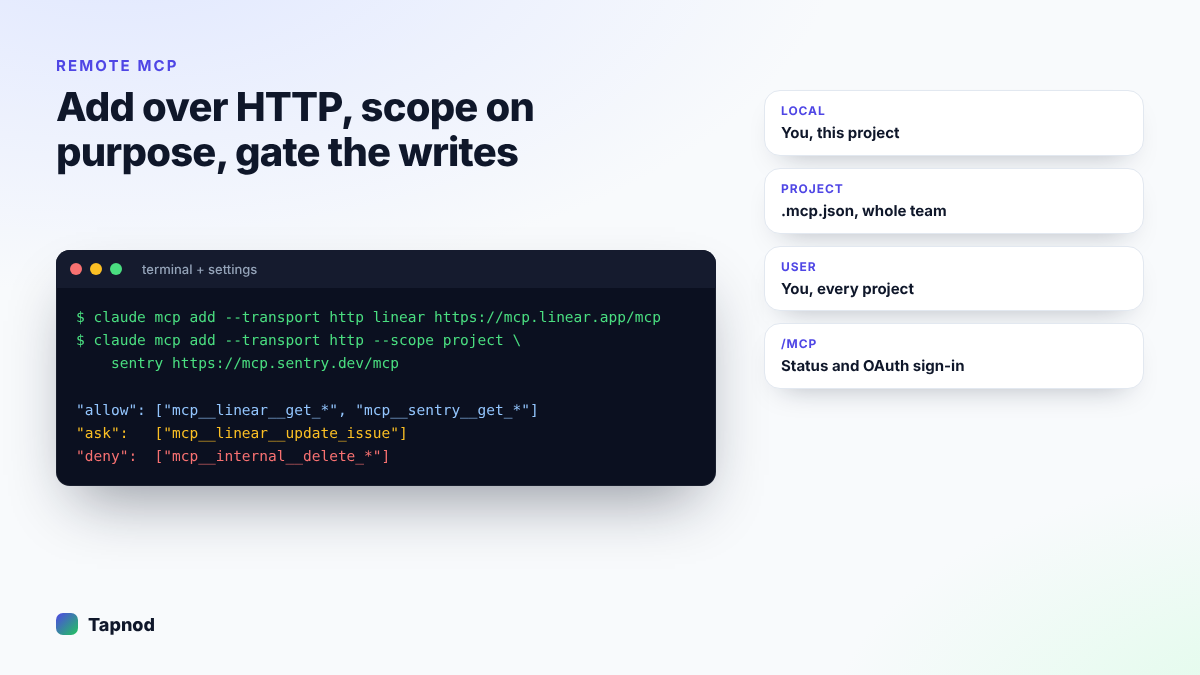
claude mcp add --transport http linear https://mcp.linear.app/mcp

# share with the team through .mcp.json in the repo
claude mcp add --transport http --scope project sentry https://mcp.sentry.dev/mcp

# available in all your projects
claude mcp add --transport http --scope user docs https://docs.example.com/mcp

# static header auth, when a server uses tokens instead of OAuth
claude mcp add --transport http --header "Authorization: Bearer $API_TOKEN" internal https://mcp.internal.example.com/mcp
The server names and URLs above are examples; use the URL each provider documents. Then run /mcp inside Claude Code to see connection status and complete OAuth sign-in for servers that need it.
Choose the scope on purpose
| Scope | Stored in | Who gets it |
|---|---|---|
| local | Your project-specific user settings | You, in this project |
| project | .mcp.json at the repo root |
Everyone who opens the repo |
| user | Your user config | You, in every project |
Project scope is great for team-wide tools like your error tracker. Claude Code asks for approval before using project-scoped servers from .mcp.json, which protects you from a cloned repository quietly connecting to something you didn't choose.
Control what remote tools can do
Remote tools appear as regular tools named mcp__<server>__<tool>, so the permission rules you already use apply:
{
  "permissions": {
    "allow": ["mcp__linear__get_*", "mcp__linear__list_*", "mcp__sentry__get_*"],
    "ask": ["mcp__linear__create_issue", "mcp__linear__update_issue"],
    "deny": ["mcp__internal__delete_*"]
  }
}
Allow globs work only after a specific server prefix, so mcp__linear__get_* is valid while mcp__* as an allow rule is ignored. Deny rules can use broader globs. Read tools are usually safe to allow; anything that writes, sends or deletes should ask.
Remote MCP and Remote Control
When you drive a session from your phone with Remote Control, the session still runs on your machine, so all its MCP servers, local and remote, stay available. If a claude.ai connector needs re-authorization while you're away, the /mcp panel isn't available from mobile or web; the docs explain how to get the authorization link from a terminal on the machine and open it on your device.
Servers that ask a person
Some remote MCP servers exist to bring a human into the loop: the agent calls a tool to send a question or approval request, and another tool returns the answer when someone responds. This is useful when the agent runs where no one is watching the terminal, such as a server, a background session or CI. MCP's elicitation feature covers the case where the user is at the client; a remote human-input server covers the case where they aren't. See MCP elicitation and human in the loop for MCP.
Security checklist for remote servers
- Prefer the provider's official URL and check it against their docs.
- Use OAuth where offered, so you can revoke access centrally.
- Keep tokens in environment variables, never in a committed
.mcp.json. - Start read-only. Allow
get_andlist_tools; ask for the rest. - Remember tool output is untrusted input. A remote tool can return text that tries to instruct the agent, so keep write actions behind approval.
- Review project-scoped servers in pull requests like any other dependency.
Picking remote servers worth adding
Every server you add puts more tool descriptions in front of the model, which costs context and can make tool choice noisier. Add servers for systems you touch weekly, such as your issue tracker, error tracker and docs, and leave the rest out until a task needs them. You can always add a server for one project at local scope and remove it afterwards with claude mcp remove.
Troubleshooting
- Server shows as failed in
/mcp: check the URL and your network, then use reconnect. - Needs authentication: complete the OAuth flow from
/mcpat the terminal. - Tools missing: the server may expose different tools to different accounts; check your plan with that provider.
- Every call prompts: add allow rules for the read tools you trust.
A worked example
Picture a team that adds three remote servers at project scope: their issue tracker, their error tracker and their docs search. Read tools are allowed; creating or updating issues asks. A developer asks Claude Code to "fix the top error from yesterday". Claude pulls the error from the error tracker, finds the matching issue, reads the relevant docs, and fixes the bug. When it wants to update the issue's status, the prompt reaches the developer's phone; they approve, and the issue updates itself.
Removing and updating servers
List what's configured with claude mcp list, inspect one with claude mcp get <name>, and remove one you no longer use with claude mcp remove <name>. For project-scoped servers, remove them through a pull request that edits .mcp.json, so the change is reviewed like any dependency change.
Key takeaways
- Add remote servers with
claude mcp add --transport http <name> <url>. - Pick local, project or user scope deliberately; project scope lives in
.mcp.json. - Control remote tools with
mcp__server__toolallow, ask and deny rules. - Keep write tools behind approval and tokens out of committed files.
Related guides
- MCP elicitation: how MCP servers ask the user for input.
- Best MCP servers for agent oversight: servers worth adding first.
- Claude Code permissions: rules for MCP tools and everything else.
FAQ
How do I add a remote MCP server to Claude Code?
Run claude mcp add --transport http <name> <url>, then use /mcp to check the connection and complete any OAuth sign-in.
Can my team share remote MCP servers?
Yes. Add them with --scope project, which writes to .mcp.json in the repository. Claude Code asks each person to approve project servers before use.
How do I stop a remote MCP tool from running without approval?
Add an ask or deny rule for its mcp__<server>__<tool> name, and allow only the read tools you trust.
Do remote MCP servers work with Remote Control?
Yes. The session runs on your machine, so its MCP servers remain available when you steer it from your phone.
Where Tapnod fits
Tapnod connects to agents over MCP so they can send questions and approvals to your phone when nobody is at the terminal. Connect an agent free.