 Tapnod
The short answer
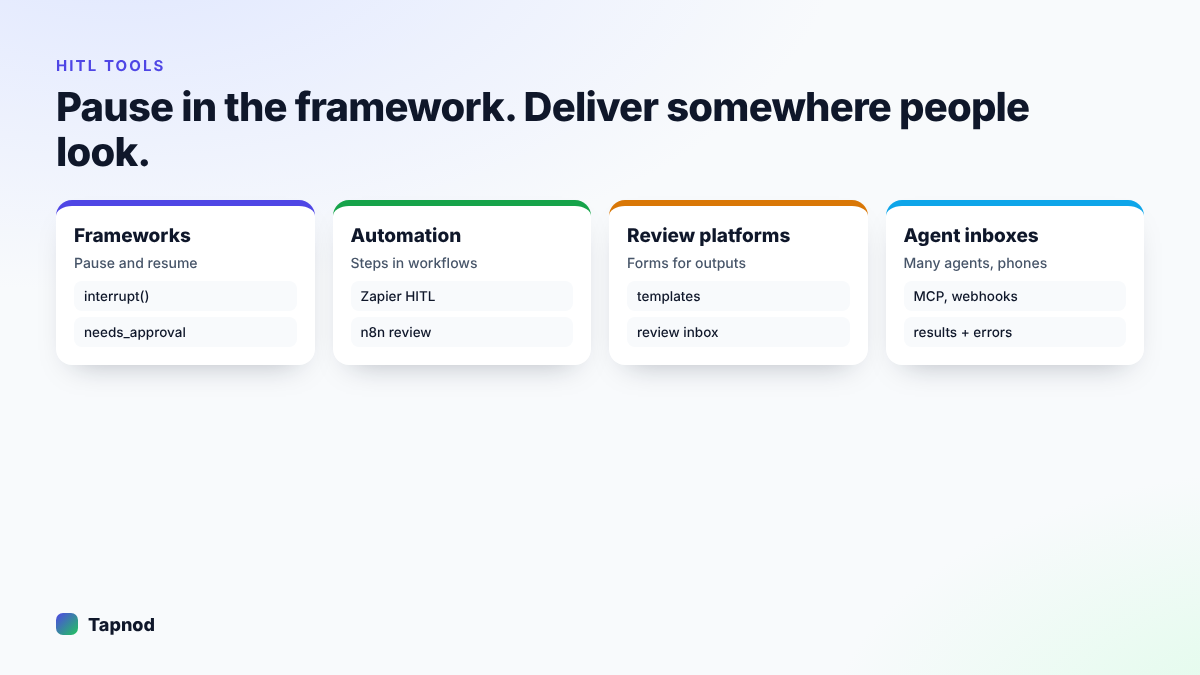
Human in the loop tools fall into four groups:
- Built into agent frameworks: LangGraph interrupts, LangChain middleware, OpenAI Agents SDK approvals, Google ADK tool confirmation, CrewAI feedback.
- Built into automation platforms: Zapier Human in the Loop, n8n human review, Power Automate approvals.
- Dedicated review platforms: tools like gotoHuman that give AI workflows a review inbox with forms.
- Agent inboxes: tools that collect questions, plans, approvals and errors from many agents, often with mobile apps.
Framework features handle the pause. The other groups handle getting the request to a person and back.
"human in the loop tools" gets about 30 US searches a month, with "human in the loop platform" and "human in the loop software" at about 10 each (Semrush, November 2026). Small numbers, but these are buyers comparing options.
Group 1: framework features
| Framework | Feature | What you still build |
|---|---|---|
| LangGraph | interrupt() and Command(resume) |
Delivery and UI, or Agent Inbox |
| LangChain | HumanInTheLoopMiddleware |
Delivery and UI |
| OpenAI Agents SDK | needs_approval, RunState |
Delivery, storage of state |
| Google ADK | require_confirmation |
Delivery, remote answers |
| CrewAI | @human_feedback, webhook HITL |
Webhook relay and UI |
| AutoGen / Agent Framework | Handoffs, termination, workflow HITL | Delivery and state storage |
These are free and close to your code. They don't notify anyone; they pause and wait for your code to resume them.
Group 2: automation platforms
| Platform | Feature | Best for |
|---|---|---|
| Zapier | Request Approval, Collect Data | Teams already on Zapier |
| n8n | Human review for tool calls, wait and form nodes | Self-hosted workflows |
| Power Automate | Approvals | Microsoft 365 organizations |
| UiPath | Action Center | RPA exception handling |
Great when the workflow already lives there. Reviewers usually need access to the platform.
Group 3: dedicated review platforms
gotoHuman describes itself as a web app for approving AI agent actions and reviewing AI-generated content. You define review templates with fields, send reviews through an SDK, API or MCP server, and reviewers work in an inbox; responses go back to your workflow by webhook. It suits teams that review structured outputs, like drafted posts or extracted data, and want custom forms.
HumanLayer started as an SDK with require_approval and human_as_tool for routing approvals to Slack and email. Its focus has since moved to an IDE and platform for orchestrating coding agents, so check the status of the classic SDK before adopting it. See HumanLayer alternatives.
Group 4: agent inboxes
Agent inboxes treat human in the loop as a communication problem across many agents: coding agents, framework agents and automations all send messages to one place, and people answer from desktop or phone. Typical features:
- Message types for questions, plans, approvals, results and errors.
- Mobile notifications.
- Connection methods like MCP, webhooks and polling.
- Monitoring of agent activity and waiting decisions.
- Team views and routing.
LangChain's open-source Agent Inbox fits here for LangGraph-only stacks. Cross-framework inboxes cover the rest.
What each group costs you
The price tag is only part of the cost. Framework features are free, but you build delivery, a mobile experience, storage for pending state and a way to see what's waiting. Automation platforms bundle delivery, but your reviewers need seats on the platform and your agents need to run through it. Review platforms give you forms and an inbox, but you define a template for each kind of review. Agent inboxes need each agent connected once, then cover new agents with little extra work.
For a single agent in one framework, building on framework features is usually cheapest. Past three or four agents across tools, the time spent maintaining your own delivery and mobile layer tends to exceed the cost of a dedicated tool.
What to ask vendors
- The round trip: how agents send a request, and how the answer comes back.
- Silence: what happens to a request nobody answers, and whether reminders exist.
- Answer types: whether reviewers can edit or reply, or only approve and reject.
- Mobile: whether notifications reach phones and people can answer there.
- Visibility: whether you can see which agents are waiting, working or silent.
- Data: where requests are stored, for how long, and who can see them.
Run a one-week trial with two real agents before deciding. Pick one that asks often and one that rarely does, and count how long answers take from your phone.
How to choose
| If you... | Start with |
|---|---|
| Build one agent in one framework, reviewed at a desk | The framework's feature |
| Run workflows in Zapier or n8n | The platform's human step |
| Review structured AI outputs with custom forms | A review platform |
| Run several agents across tools and want phone approvals | An agent inbox |
| Use coding agents like Claude Code or Codex | Their permission settings plus an inbox for remote answers |
Evaluation checklist
- Connection: how do agents send requests? SDK, API, MCP, webhooks, polling?
- Answer types: approve, reject, edit, free-text reply, choices?
- Delivery: push notifications, mobile app, chat, email?
- Waiting: can agents wait hours? How do answers get back?
- Teams: assignment, shared queues, roles?
- Records: history of who decided what?
- Monitoring: can you see agents that went quiet?
- Price: free tier, per-seat or usage-based?
A sample decision
Team: 4 engineers, 9 agents
Agents: Claude Code (3), Codex (2), LangGraph support bot, n8n ops flows (3)
Needs: approvals from phones, see who's waiting, one place to look

Framework features only     -> 4 different places to check
Zapier / n8n human steps    -> covers n8n flows only
Review platform             -> good forms, but coding agents need custom wiring
Agent inbox (MCP + webhook) -> all 9 agents in one queue, phone push
Decision: keep each tool's local permissions; route requests to one agent inbox
Mixing groups
Most teams end up with more than one group. A common setup keeps each framework's native pause, uses the automation platform's human step for workflows that already live there, and points everything else at one inbox. The rule that keeps it sane: people should have one primary place to check, even if requests start in several systems.
Mistakes when choosing
- Picking by framework alone. Your agent mix will grow beyond one framework.
- Ignoring mobile. Approvals wait hours when they only reach a desk.
- Skipping the timeout story. Ask every vendor what happens when nobody answers.
- Forgetting results and errors. Approvals are half the picture; people also need to know when work finished or failed.
Key takeaways
- Framework features pause agents; other tools deliver requests and collect answers.
- Automation platforms suit workflows already built there.
- Review platforms suit structured outputs with custom forms.
- Agent inboxes suit many agents across tools, with phone approvals.
FAQ
What are human in the loop tools?
Software that lets AI agents or automations pause for a person, deliver the request, collect the answer and resume.
Do I need a separate HITL tool if my framework supports interrupts?
Not always. Interrupts pause the agent, but you still need a way to notify people and resume with their answer. For one agent at a desk, a simple UI may be enough.
Is HumanLayer still a human in the loop tool?
The company has shifted toward a coding-agent IDE and platform. Check the status of its original approval SDK before relying on it.
Which tool works with Claude Code and Codex?
Their own permission settings handle local approvals. For remote answers across agents, use a tool that connects over MCP or hooks.
Where Tapnod fits
Tapnod is an agent inbox: questions, plans, results and errors from every agent in one place, with approvals from your phone. Free for 2 active agents. Start free.