 Tapnod
The short answer
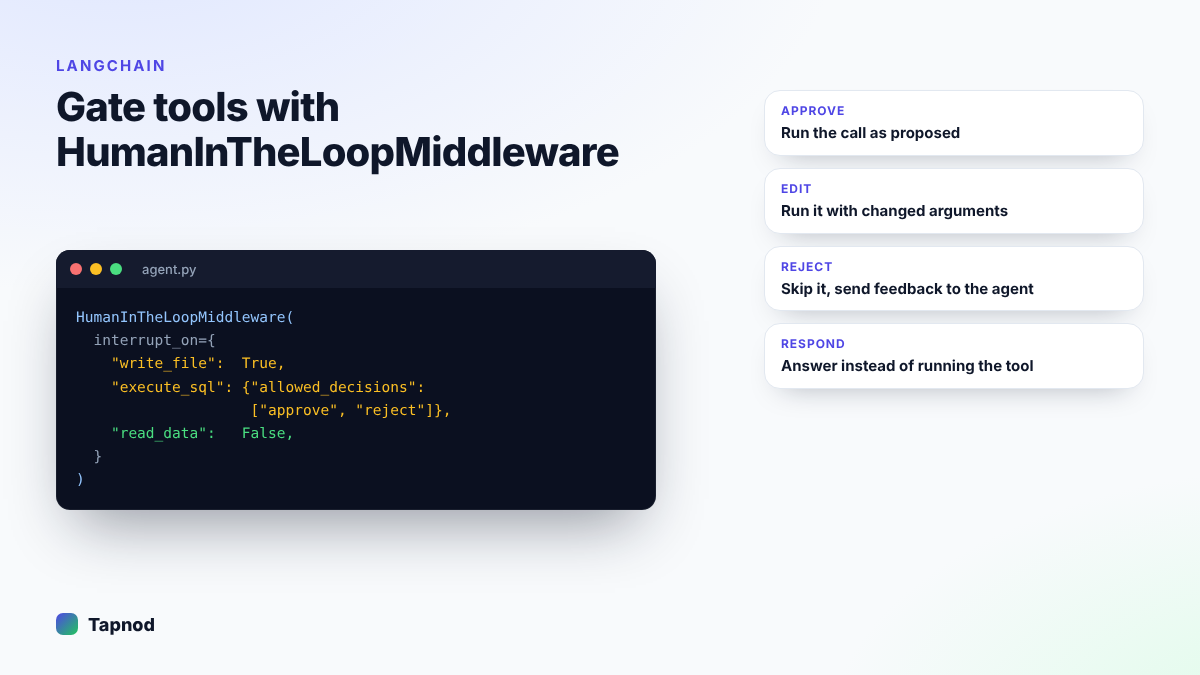
LangChain adds human in the loop to agents built with create_agent through HumanInTheLoopMiddleware. You tell it which tools need review with interrupt_on, and when the agent tries to call one, execution pauses using LangGraph's interrupt mechanism. A person then makes a decision: approve the call as proposed, edit its arguments, reject it with feedback, or respond directly for "ask the user" style tools. You resume by invoking the agent with a Command that carries the decisions, on the same thread.
It needs a checkpointer, and it saves you from writing interrupt logic by hand.
"langchain human in the loop" gets about 50 US searches a month at a keyword difficulty of 42 (Semrush, November 2026), alongside 320 for "langgraph human in the loop". Many developers don't realize LangChain now ships the pattern ready-made.
A minimal setup
from langchain.agents import create_agent
from langchain.agents.middleware import HumanInTheLoopMiddleware
from langgraph.checkpoint.memory import InMemorySaver
from langgraph.types import Command

agent = create_agent(
    model="your-model",
    tools=[read_data, write_file, execute_sql],
    checkpointer=InMemorySaver(),
    middleware=[
        HumanInTheLoopMiddleware(
            interrupt_on={
                "write_file": True,  # all decisions allowed
                "execute_sql": {"allowed_decisions": ["approve", "reject"]},
                "read_data": False,  # never interrupt
            }
        )
    ],
)

config = {"configurable": {"thread_id": "report-77"}}
result = agent.invoke({"messages": [{"role": "user", "content": "Archive last year's rows"}]}, config)
# result["__interrupt__"] holds the pending action requests

agent.invoke(Command(resume={"decisions": [{"type": "approve"}]}), config)
Swap InMemorySaver for a durable checkpointer in production.
The four decisions
| Decision | What happens | Use it for |
|---|---|---|
| approve | The tool runs with the arguments the agent proposed | Correct proposals |
| edit | The tool runs with arguments you changed | Nearly right proposals, such as a wrong recipient |
| reject | The tool doesn't run, and your feedback goes back to the agent | Wrong actions |
| respond | You answer directly instead of running the tool | "Ask the user" tools |
Restrict decisions per tool with allowed_decisions. For SQL against production, approve or reject only is a sensible limit; for email drafts, allowing edits saves round trips.
Conditional interrupts
Sometimes a tool is only risky with certain arguments. Newer versions of the middleware accept a predicate per tool, so you can interrupt only when it matters, for example SQL that isn't a SELECT, or file writes outside a workspace folder. The predicate receives the tool call request and returns whether to pause. Check your installed version supports it before relying on it.
Descriptions reviewers can act on
Each interrupt can carry a description, either a static string or a function that builds one from the call. Use it. "Tool execution requires approval" tells a reviewer nothing; "Delete 1,284 rows from sessions older than 90 days in production" tells them everything. The description is the single biggest factor in whether approvals are read or rubber-stamped.
Batched vs per-call interrupts
By default the middleware batches: if the agent proposes several gated tool calls in one step, they arrive together and you answer them in one resume. A per-call mode pauses once per tool call instead. Batching suits UIs that show a list of pending actions; per-call suits one-card-at-a-time flows, such as a phone inbox.
Gotchas from real use
- Same thread or nothing. Resume with the same
thread_id, or you start a fresh conversation. - Rejections need context. Include a short reason with reject decisions so the agent changes course rather than proposing the same action again.
- Edits can loop. Developers have reported agents re-attempting the original call after an edit. If you see it, tell the agent in the system prompt that edited calls count as completed, and check your LangChain version for fixes.
- Keep reads ungated. Interrupting read-only tools trains reviewers to approve without looking.
Choosing which tools to gate
A simple way to decide is to sort tools by what happens if they go wrong:
| Risk | Examples | Setting |
|---|---|---|
| None | Search, read a file, fetch metrics | False |
| Recoverable | Draft a document, create a branch | Usually False, or a predicate |
| Visible to others | Send an email, post a message, open a ticket | approve, edit, reject |
| Hard to undo | Delete data, run migrations, move money | approve or reject only |
Start strict and relax over time. If a gated tool is approved unchanged dozens of times in a row, it may be safe to ungate, or to gate only certain arguments with a predicate.
Reading the interrupt payload
When the agent pauses, the result holds an interrupt whose value lists the action requests: each with the tool name, the proposed arguments and the description, plus a review config naming the allowed decisions. A UI should render one row per action request with buttons for only the allowed decisions. Showing an Edit button for a tool that doesn't allow edits leads to errors on resume.
The order of decisions you send back must match the order of action requests. With batched interrupts, build the decisions list by walking the requests in order, so a reject for the second request doesn't land on the first.
Middleware vs hand-written interrupts
HumanInTheLoopMiddleware |
Hand-written interrupt() |
|
|---|---|---|
| Setup | Configuration | Code in nodes or tools |
| Decisions | approve, edit, reject, respond | Whatever you design |
| Best for | create_agent agents |
Custom graphs, special flows |
| Flexibility | Moderate | Full |
If you built your agent with create_agent, start with the middleware. If you're writing a custom graph or need unusual flows, see LangGraph interrupt().
Delivering decisions from anywhere
The middleware pauses and resumes; it doesn't decide where reviewers see requests. LangChain's Agent Chat UI and the open-source Agent Inbox render these interrupts for LangGraph deployments. For agents spread across frameworks, or reviewers who live on their phones, a small worker can forward pending interrupts to an external inbox and resume with the answers. See LangGraph Agent Inbox and alternatives.
A worked example
Picture an operations agent with three tools: read metrics, scale a service, and post to the status page. Reads are never interrupted. Scaling allows approve or reject only. Status-page posts allow edits, because wording often needs a tweak. When an alert fires, the agent proposes scaling the API to six instances and a status post. The on-call engineer approves the scaling and edits the post from "major outage" to "degraded performance". Both run, the agent continues, and the thread holds a record of each decision.
Key takeaways
HumanInTheLoopMiddlewareadds review tocreate_agenttools with configuration.- Decisions are approve, edit, reject and respond, limited per tool.
- Write descriptions a reviewer can decide from.
- Resume with a
Commandcarrying decisions on the same thread.
FAQ
How do I add human in the loop to a LangChain agent?
Add HumanInTheLoopMiddleware to create_agent with an interrupt_on map of tools to review, use a checkpointer, then resume with Command(resume={"decisions": [...]}) on the same thread.
What decisions can a reviewer make?
Approve, edit the arguments, reject with feedback, or respond directly for tools that ask the user something.
Does LangChain's middleware need LangGraph?
It uses LangGraph's interrupt mechanism and a checkpointer under the hood, so threads and resuming work the same way.
Can I interrupt only some calls to a tool?
Newer versions support a per-tool predicate that decides whether to interrupt based on the call's arguments.
Where Tapnod fits
Forward your agent's pending decisions to Tapnod and reviewers approve, reject or reply from their phones, next to your other agents. Try it free.