 Tapnod
The short answer
Agent Inbox is LangChain's open-source UI for answering LangGraph interrupts. You point it at a LangGraph deployment, and it lists threads that are paused waiting for a person. Each one shows the interrupt's description and lets you accept, edit, respond or ignore, depending on what the interrupt allows. Your answer resumes the thread.
It works well when your agents run on LangGraph and the reviewers are developers or operators at a desk. It's less of a fit when agents span several frameworks, when reviewers are non-technical, or when answers need to come from a phone.
"langgraph agent inbox" and "agent inbox langchain" each get about 20 US searches a month, and the broader "agent inbox" gets 70 at a keyword difficulty of 47 (Semrush, November 2026). The broad term pulls in people who want the idea, not only LangChain's project.
How Agent Inbox works
- Your graph calls
interrupt()with a payload in the format the inbox expects: an action request (the action and its arguments), a config saying which responses are allowed, and a description. - The thread pauses and is saved by the checkpointer.
- Agent Inbox reads paused threads from your LangGraph deployment and lists them.
- A reviewer opens one, reads the description, and picks a response.
- The inbox resumes the thread with the response, and the graph continues.
The interrupt payload
from langgraph.types import interrupt

def review_email(state):
    response = interrupt([{
        "action_request": {"action": "send_email", "args": state["draft"]},
        "config": {"allow_accept": True, "allow_edit": True,
                   "allow_respond": True, "allow_ignore": True},
        "description": f"Reply to {state['customer']} about a late order. "
                       "Check the refund offer before sending.",
    }])[0]
    if response["type"] == "accept":
        return {"to_send": state["draft"]}
    if response["type"] == "edit":
        return {"to_send": response["args"]["args"]}
    if response["type"] == "response":
        return {"feedback": response["args"]}
    return {"skipped": True}
The four response types map to four outcomes: run as proposed, run with edits, send text back to the agent, or drop it. Field names have shifted between versions, so match the schema to the inbox version you deploy.
Setting it up
| Step | What you do |
|---|---|
| Deploy your graph | Run it on a LangGraph server or LangSmith deployment |
| Use a checkpointer | Paused threads must survive restarts |
| Emit inbox-shaped interrupts | Match the payload schema above |
| Run Agent Inbox | Use the hosted version or run the open-source app |
| Add your deployment | Point the inbox at your graph's URL and ID |
| Authenticate | Provide a key with access to the deployment |
Once connected, every paused thread with a compatible interrupt shows up in the list.
Where it fits well
- LangGraph-only stacks. It speaks LangGraph's interrupt and resume natively.
- Developer and operator reviewers. The interface is built for people who know what the agent is doing.
- Desk-based review. Opening the inbox in a browser tab while working is the expected flow.
Where teams hit limits
| Need | What happens |
|---|---|
| Agents on other frameworks | Claude Code, Codex, CrewAI or n8n pauses don't appear |
| Phone notifications | You'd build your own push layer |
| Non-technical reviewers | The thread and action view can feel technical |
| Several people reviewing | Assignment and team views need extra work |
| Errors and results, not only pauses | The inbox is built around interrupts |
None of these are flaws, since it does what it was built for. They're reasons to look at other options once agents multiply.
Alternatives
| Option | Best for | Trade-off |
|---|---|---|
| Agent Inbox | LangGraph teams at a desk | LangGraph only |
| LangChain Agent Chat UI | Chatting with a graph, including interrupts | One conversation at a time |
| Your own UI | Product-specific review flows | You build and maintain it |
| Slack or Teams messages | Teams that live in chat | Approvals get buried in channels |
| A cross-agent inbox | Many agents, mobile reviewers | Another tool to connect |
For a broader comparison, see agent inbox: one place for every agent's questions and human in the loop tools compared.
Bridging LangGraph to another inbox
If you'd rather answer LangGraph interrupts somewhere else, the bridge is small. A worker polls your deployment for threads with pending interrupts, or listens for them in your app, then posts each one as a card with the description and actions. When someone answers, the worker resumes the thread with Command(resume=...) and the matching response. The thread ID travels with the card, so the answer finds its way back.
Agent Inbox vs Agent Chat UI
LangChain ships two interfaces that can answer interrupts, and they suit different jobs. Agent Chat UI is a chat window for one conversation with a graph, and it renders interrupts inline as you talk. Agent Inbox is a list of many paused threads across a deployment, built for working through a queue. If a person starts the conversation and stays with it, Chat UI fits. If agents start on their own and pile up decisions for later, the inbox fits.
Running it for a team
When more than one person reviews, a few practices keep the inbox from turning into a backlog:
- Split by graph or assistant. Give each reviewer the deployments they own, so nobody scans threads they can't judge.
- Agree on response times. Customer-facing drafts may need an answer within an hour; internal reports can wait a day.
- Use ignore deliberately. Ignored threads stay paused unless you clean them up, so pair ignore with a periodic sweep.
- Watch for repeats. If the same kind of interrupt is accepted unchanged every time, tighten the agent or remove the gate.
Writing descriptions that get answered
The description is the most-read field in any inbox, so write it like a notification:
- Lead with the decision: "Send refund email to Ana Ruiz?"
- Add the one fact that matters: "Offers $35 credit, above the $25 policy."
- Say what happens next: "Sends immediately on accept."
A reviewer should be able to decide without opening the thread.
A worked example
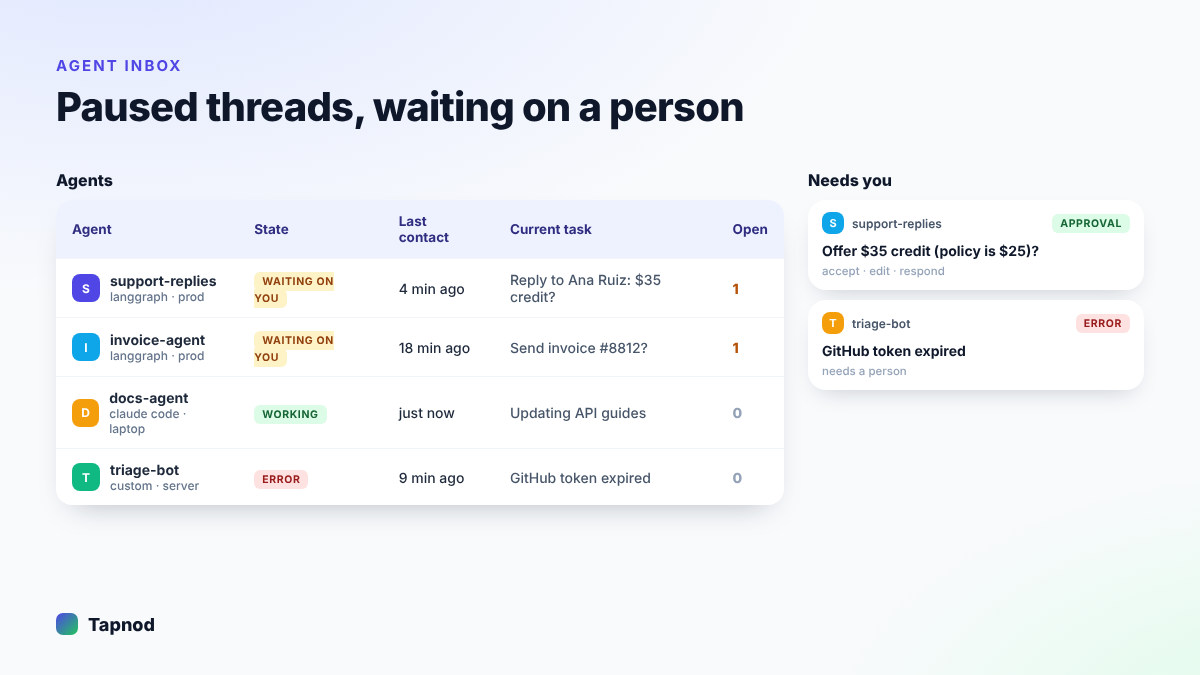
Picture a support team with a LangGraph agent drafting replies and a separate Claude Code agent maintaining the help center. The LangGraph agent's drafts land in Agent Inbox, and the team lead reviews them each morning. The Claude Code agent's questions arrive in the terminal of whoever started it. When the lead starts travelling, they bridge both into one mobile inbox: the LangGraph worker forwards interrupts, Claude Code connects over MCP, and morning review becomes a few minutes on a phone.
Key takeaways
- Agent Inbox lists paused LangGraph threads and resumes them with your response.
- Interrupts need a specific payload with action request, config and description.
- It's a strong fit for LangGraph-only teams reviewing at a desk.
- For mixed frameworks or phone review, bridge interrupts to another inbox.
FAQ
What is LangGraph Agent Inbox?
An open-source UI from LangChain that lists LangGraph threads paused on interrupt() and lets a person accept, edit, respond or ignore, which resumes the thread.
Do I need LangGraph Platform to use Agent Inbox?
You need a LangGraph deployment it can reach, plus a checkpointer so paused threads persist.
Can Agent Inbox show agents from other frameworks?
Not natively. It reads LangGraph threads. Other agents need their own channel or a cross-agent inbox.
Can I answer LangGraph interrupts from my phone?
Agent Inbox is a web app, so a mobile browser works, but there are no push notifications unless you add them. A bridge to a mobile inbox is the usual fix.
Where Tapnod fits
Tapnod collects questions, plans, results and errors from LangGraph and your other agents in one inbox, with phone notifications. Try it free.