 Tapnod
The short answer
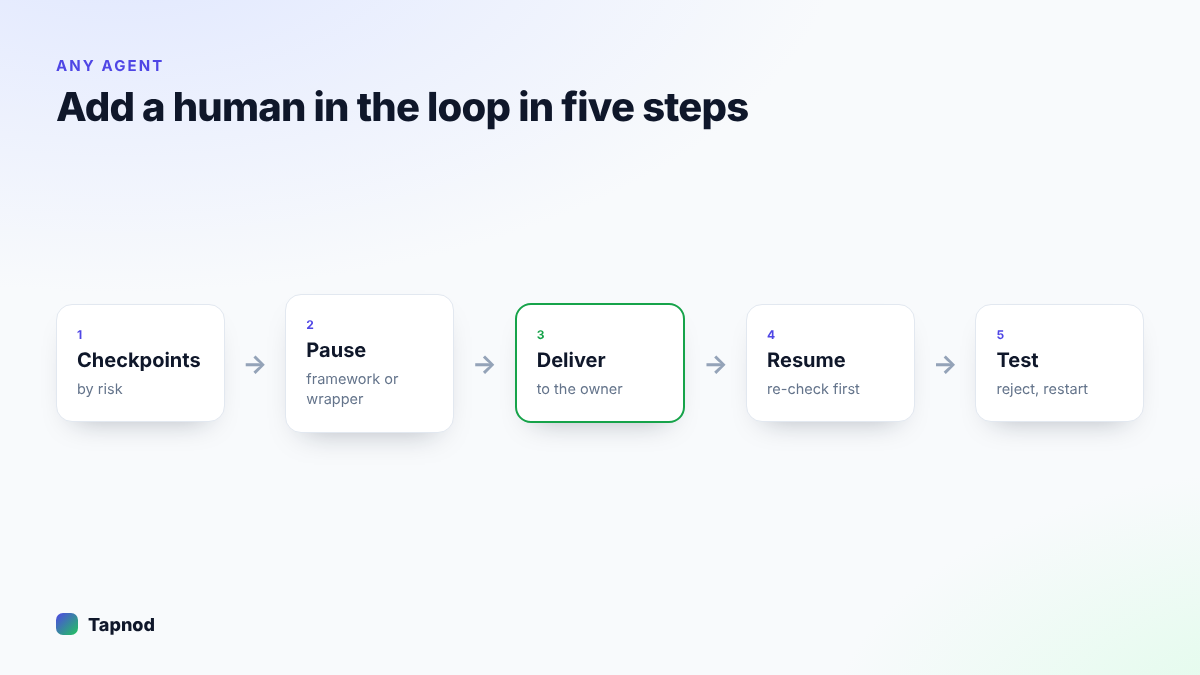
Adding a human in the loop to an AI agent takes five steps:
- Pick checkpoints: the actions and moments where a person must decide.
- Choose a pause mechanism: your framework's interrupt or approval feature, a host permission setting, or an "ask a human" tool.
- Deliver requests: send each pause to the right person, where they'll see it.
- Resume safely: bring the answer back, re-check conditions and continue.
- Test the loop: approve, reject, time out and restart.
You can do the first version in an afternoon. The rest is tuning.
"human in the loop agent" gets about 90 US searches a month at a keyword difficulty of 50 (Semrush, November 2026). The searchers have an agent that works and want it to stop before it does something they'd regret.
Step 1: pick checkpoints
Write down every tool your agent can call and mark each one:
| Tool | Risk | Checkpoint |
|---|---|---|
search_docs |
None | No |
read_file |
None | No |
write_file (workspace) |
Low, reversible | No |
run_shell |
Varies | Ask for anything outside an allow-list |
send_email |
External | Ask |
create_refund |
Money | Ask above $50 |
drop_table |
Irreversible | Ask, two people in production |
Add two non-tool checkpoints: plan approval for long tasks, and error escalation when the agent is stuck.
Step 2: choose a pause mechanism
Use the one closest to how your agent is built:
| Agent built with | Pause mechanism |
|---|---|
| LangGraph | interrupt() in a node or tool |
LangChain create_agent |
HumanInTheLoopMiddleware |
| OpenAI Agents SDK | needs_approval on tools |
| Google ADK | require_confirmation on FunctionTool |
| CrewAI | @human_feedback or webhook HITL |
| Claude Code, Codex | Permission rules plus hooks |
| Any MCP-capable agent | An "ask a human" MCP tool |
| Custom loop | A wrapper around tool calls |
For a custom loop, the wrapper is small:
GATED = {"send_email", "create_refund", "drop_table"}

async def call_tool(name, args, run):
    if name in GATED and needs_review(name, args):
        req = await inbox.create(
            type="approval",
            title=describe(name, args),
            proposal={"tool": name, "args": args},
            options=["approve", "reject"],
            run_id=run.id,
        )
        run.save(waiting_on=req.id)
        return {"status": "pending_approval", "request_id": req.id}
    return await TOOLS[name](**args)
The agent sees a pending result and either waits or moves on to other work.
Step 3: deliver requests
A pause nobody sees is an outage. Decide for each checkpoint:
- Who answers: an owner by role, with a backup.
- Where they see it: phone push for blocking approvals, an inbox for results.
- What they see: a one-line decision, two or three facts, the exact action, the options.
Step 4: resume safely
When the answer arrives:
- Load the saved state for that run.
- Check the answer is for this request and from someone allowed to give it.
- Re-check preconditions: is the order still unrefunded, is the branch still current?
- Act on exactly what was approved, not a regenerated variant.
- Record the request, answer, person and result.
Resume by webhook if you need speed, or by polling every few minutes if simplicity matters more.
Step 5: test the loop
| Test | Expect |
|---|---|
| Approve | Action runs once |
| Reject | Action never runs; agent explains or adjusts |
| Edit, if supported | Edited version runs |
| Timeout | Default applies; someone is told |
| Restart while waiting | Run resumes after the answer |
| Duplicate answer | Second answer is ignored |
The restart test catches the most bugs. Kill the process after the request is sent, answer it, and confirm the run finishes correctly.
Tell the agent about the loop
Agents behave better when they know approvals exist. Add a few lines to the system prompt:
- Some actions need human approval; a pending result means wait or do other work.
- Explain the reason for a risky action before requesting it.
- If rejected, don't retry the same action; propose an alternative or ask a question.
Choosing what the agent does while it waits
An agent waiting on approval doesn't have to sit idle. Three options, from simplest to most capable:
- Stop and wait. The run ends with a pending status and resumes when the answer arrives. Best for short tasks with one gated action.
- Continue other work. The agent marks the gated step as pending and moves on to independent steps, coming back when the answer arrives. Best for long tasks.
- Prepare both paths. For a deployment, the agent can prepare the rollout and the rollback while waiting, so either answer is acted on quickly.
Tell the agent which option you expect in its instructions, or it will guess.
Coding agents
For Claude Code, Codex and similar tools, you don't write the pause yourself. Use their permission settings to decide what runs freely and what asks, then use hooks or MCP to send the questions to you when you're away from the terminal. See Claude Code approval from anywhere and Codex notifications.
Going live
Turn the loop on for a small slice first: one agent, one environment, a handful of gated actions. Watch the first twenty requests closely. Check that each one reached the right person quickly, read clearly, and resumed correctly. Fix the request wording before widening the rollout.
Mistakes to avoid
- Gating reads. Adds friction, no safety.
- Blocking a process for hours. Save state instead.
- Vague requests. "Approve tool call?" gets rubber-stamped.
- No rejection path. The agent retries the same action forever.
- Relying only on the prompt. Enforce gates in code, not by asking the model nicely.
Growing past one agent
Once the first agent works, the second and third usually come from different frameworks. Keep each one's native pause, but point all requests at the same inbox with the same format. People learn one place and one shape of request, and adding an agent becomes a connection rather than a project.
A worked example
Picture a solo founder with a support agent built on the OpenAI Agents SDK. She marks create_refund with a conditional needs_approval above $50, and send_email to always ask. Pending approvals are posted to her phone inbox with the order and the draft. Run state is saved as JSON in her database. A webhook resumes the run when she answers. She tests approve, reject and a restart before going live. First week: 23 approvals, median answer time six minutes, two rejections that caught wrong refund amounts.
Key takeaways
- Choose checkpoints by risk: external, costly and irreversible actions.
- Use your framework's pause, or wrap tool calls yourself.
- Deliver requests to owners where they'll see them, and resume safely.
- Test approve, reject, timeout, restart and duplicates.
FAQ
How do I add human approval to an AI agent?
Gate risky tools with your framework's approval feature or a wrapper, send each request to a person, save the agent's state, and resume with their answer.
Do I need a special framework for human in the loop?
No. Most frameworks have a built-in pause, and a small wrapper around tool calls works for custom agents.
Can the agent keep working while waiting for approval?
Yes, if your design returns a pending result instead of blocking, and the agent has other work to do.
How do I stop the agent from retrying a rejected action?
Return a clear rejection message, tell the agent in its instructions not to retry rejected actions, and track rejected proposals in state.
Where Tapnod fits
Point your agent's approval requests at Tapnod over MCP, webhooks or polling, and answer them from your phone. Free for 2 active agents. Start free.