 Tapnod
The short answer
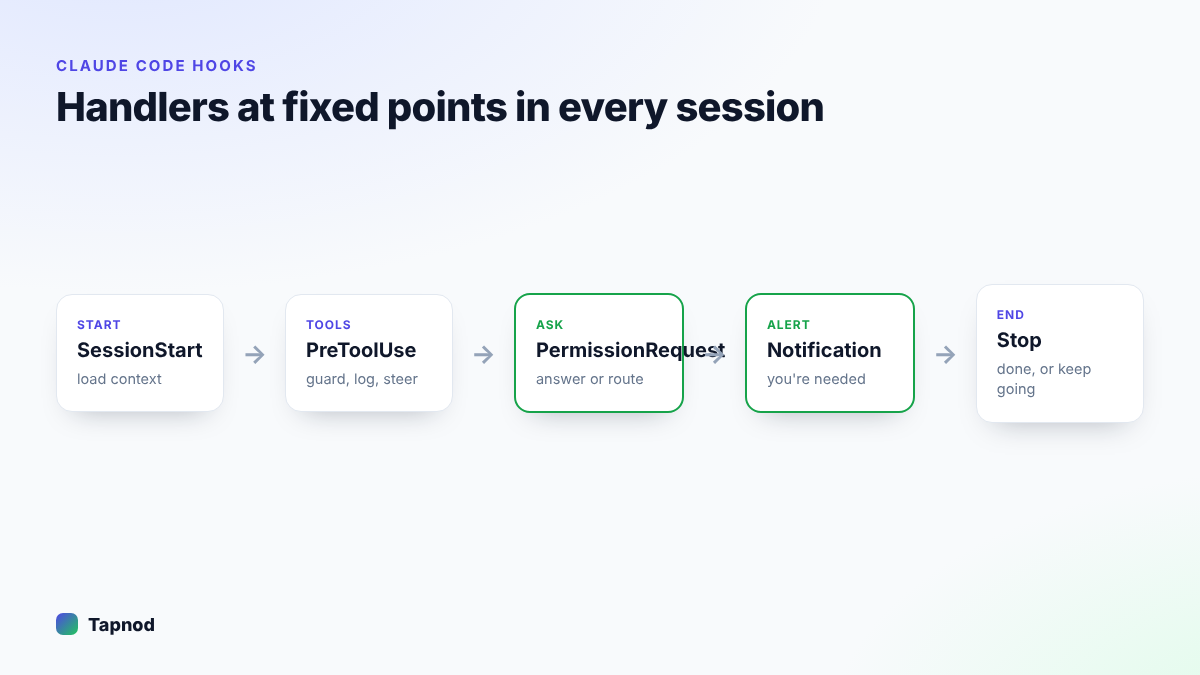
Claude Code hooks are handlers that Claude Code runs at fixed points in a session: before and after tool calls, when it asks for permission, when it needs your attention, when a turn ends, when a session starts. Because they run every time, they give you deterministic control that a prompt can't: certain checks always happen, rather than relying on the model to remember.
For people running agents unattended, hooks do two jobs above all: tell you when Claude needs you, and decide or route permission requests so a prompt doesn't stall a session for hours.
"claude code hooks" gets about 2,900 US searches a month at a keyword difficulty of 47 (Semrush, November 2026). It's one of the most searched Claude Code features after the core commands, and for good reason: hooks are how you shape Claude Code to your workflow.
The events that matter most
Claude Code exposes many events. These cover most real use:
| Event | Fires | Can block? | Typical use |
|---|---|---|---|
SessionStart |
Session starts or resumes, including after compaction | No | Load context, set env |
UserPromptSubmit |
You submit a prompt | Yes | Add context, block secrets in prompts |
PreToolUse |
Before a tool runs | Yes | Guard files, log commands, steer |
PermissionRequest |
Claude is about to ask you for permission | Yes | Auto-answer narrow cases, route elsewhere |
PostToolUse |
After a tool succeeds | Feedback only | Format, lint, record |
Notification |
Claude wants your attention | No | Desktop, phone and webhook alerts |
Stop |
Claude finishes responding | Yes, can keep it working | Done alerts, quality gates |
SubagentStop |
A subagent finishes | Yes | Validate subagent output |
Others handle compaction, worktrees, config changes, file changes and more. MCP tools appear as regular tools in tool events, so you can match them by name.
Four kinds of handler
| Type | What runs | Good for |
|---|---|---|
command |
A shell command or script | Most hooks |
http |
A POST of the event JSON to a URL | Central logging, team services |
prompt |
A Claude model evaluates a condition | Judgment calls a regex can't make |
agent |
An agent with tools checks something | Deeper verification |
Command hooks talk back through exit codes: 0 means no decision, 2 blocks the action and sends stderr back, anything else is a non-blocking error. For finer control, print JSON. Default timeouts are 600 seconds for command and HTTP hooks, 30 for prompt hooks and 60 for agent hooks, and you can set async: true to run a command hook in the background without blocking.
Job 1: tell you when Claude needs you
A session waiting on a permission prompt looks exactly like a session that's working, until you check. The Notification hook ends that. Its matchers include permission_prompt (a prompt has waited about six seconds), idle_prompt (finished about a minute ago and you haven't typed), elicitation_dialog (an MCP form is open) and agent_needs_input for background sessions.
{
  "hooks": {
    "Notification": [
      {
        "matcher": "permission_prompt",
        "hooks": [ { "type": "command", "command": "~/.claude/hooks/notify.sh" } ]
      }
    ],
    "Stop": [
      { "hooks": [ { "type": "command", "command": "~/.claude/hooks/stop-notify.sh" } ] }
    ]
  }
}
Step-by-step scripts are in the Notification hook guide and the Stop hook guide.
Job 2: decide or route permission requests
PermissionRequest runs when Claude Code is about to ask you for permission. If your hook prints a decision with "behavior": "allow", Claude Code answers for you, and the transcript shows "Allowed by PermissionRequest hook". The decision can also change the session's mode, for example switching to acceptEdits.
This is powerful in both directions. A hook scoped to ExitPlanMode saves a click every time you leave plan mode. A hook with an empty matcher that always allows is bypass mode in disguise, approving every file write and shell command. Keep the matcher as narrow as the job.
PreToolUse is the other lever. It can deny a tool call with a reason, ask, or allow, and when several hooks answer, the most restrictive answer wins in the order deny, defer, ask, allow.
Where hooks live
| File | Scope |
|---|---|
~/.claude/settings.json |
All your projects |
.claude/settings.json |
This project, shared through git |
.claude/settings.local.json |
This project, only you |
| Managed settings | Your organization, can't be overridden |
| Plugin and skill frontmatter | Wherever the plugin or skill is used |
Use $CLAUDE_PROJECT_DIR to reference scripts in project hooks, so they work from any subdirectory. Type /hooks to see what's registered.
Hooks for teams
Hooks shine when a team checks them into the repository. A shared .claude/settings.json can format every edit, protect .env and migration files, log every shell command to a central HTTP endpoint, and send permission prompts to the person who started the session. New developers get the same guardrails on day one, without reading a wiki page.
Keep secrets out of committed hook configs. HTTP hook headers can read environment variables, but only the ones you list in allowedEnvVars.
A worked example: unattended runs that still check in
Picture an indie developer who leaves Claude Code running on a home server during the day. Their hooks:
SessionStartwith thecompactmatcher re-injects "use pnpm, keep changes insideapps/web".PreToolUseonBashlogs every command, and a second script denies anything touchinginfra/.PermissionRequestallows onlyExitPlanMode.Notificationwithpermission_promptsends the prompt text to their phone.Stopruns the type checker and blocks with the errors if it fails, up to three times.
At lunch they get two prompts on the phone, approve one and reject one with a short reason, and come home to a finished task with a clean type check and a command log explaining every step.
Prompt and agent hooks for judgment calls
Shell scripts are great for rules you can express exactly: "block edits to .env", "run Prettier after writes". Some checks need judgment instead, such as "did Claude actually finish what the user asked?" For those, a prompt hook asks a Claude model to evaluate the situation, and an agent hook gives that model tools to check things itself, like reading files or running tests. They're slower and cost tokens, so use them at a few high-value points, such as a Stop hook that verifies the task is complete before the turn ends.
Common mistakes
- Scripts that aren't executable, so Claude Code can't run them.
- Relative paths that break when Claude changes directory.
- Wide matchers on slow hooks, which drag every tool call.
- Debug output on stdout, which some events add to Claude's context.
- Prompt-only safety. "Never edit migrations" in
CLAUDE.mdis advice; aPreToolUsehook that exits 2 is a rule.
More copy-paste examples are in 12 Claude Code hooks examples.
FAQ
What are Claude Code hooks?
Handlers, such as shell commands, HTTP calls or model checks, that Claude Code runs automatically at lifecycle events like before a tool call, when it needs attention, or when a turn ends.
How do I add a hook in Claude Code?
Add a hooks block to a settings file, such as ~/.claude/settings.json, keyed by event name, with an optional matcher and a list of handlers. Check it with /hooks.
Can hooks approve permission prompts?
Yes, a PermissionRequest hook can return allow. Scope its matcher to specific tools so you don't approve everything.
Can hooks send notifications to my phone?
Yes. A Notification or Stop hook can call a push service, a webhook, or an inbox your phone watches.
Where Tapnod fits
Hooks tell you something happened. Tapnod lets Claude Code and your other agents send the actual question or approval to your phone as a card you can answer. Connect an agent free.