 Tapnod
The short answer
A Claude Code subagent is a specialized helper the main agent can hand work to. Each subagent has its own instructions, its own context window and, optionally, its own restricted set of tools and its own model. You define them as Markdown files with YAML frontmatter in .claude/agents/ for a project or ~/.claude/agents/ for yourself, and manage them with /agents.
Delegation keeps the main conversation focused and lets you give risky jobs narrow tools. Control comes from three places: the tools you grant each subagent, the permission mode they inherit, and a SubagentStop hook that checks their output before the main agent uses it.
"claude code subagents" gets about 1,900 US searches a month at a keyword difficulty of 50 (Semrush, November 2026). It's one of the features people adopt once their sessions get long and messy.
Why use subagents
| Problem | How a subagent helps |
|---|---|
| Long sessions fill the context with search noise | The subagent searches in its own context and returns a summary |
| One agent has too many tools | Each subagent gets only what its job needs |
| Repeated tasks need the same instructions | The subagent's prompt holds them, every time |
| Some work should use a cheaper or faster model | Set the model per subagent |
| Parallel work | Several subagents can run while the main agent continues |
Define one
A subagent is a Markdown file. The frontmatter sets its name, when to use it, and what it may touch; the body is its system prompt.
---
name: test-writer
description: Writes and fixes unit tests for existing code. Use after a feature is implemented.
tools: Read, Grep, Glob, Edit, Bash
model: sonnet
---
You write focused unit tests for the code you're pointed at.
Only create or edit files ending in .test.ts.
Never change application code. If a test can't pass without an app change,
stop and report what change is needed and why.
Finish with a list of tests added and their pass/fail status.
Save it as .claude/agents/test-writer.md. The description matters: it's how the main agent decides when to delegate, so write it like an instruction, not a label.
Limit tools per subagent
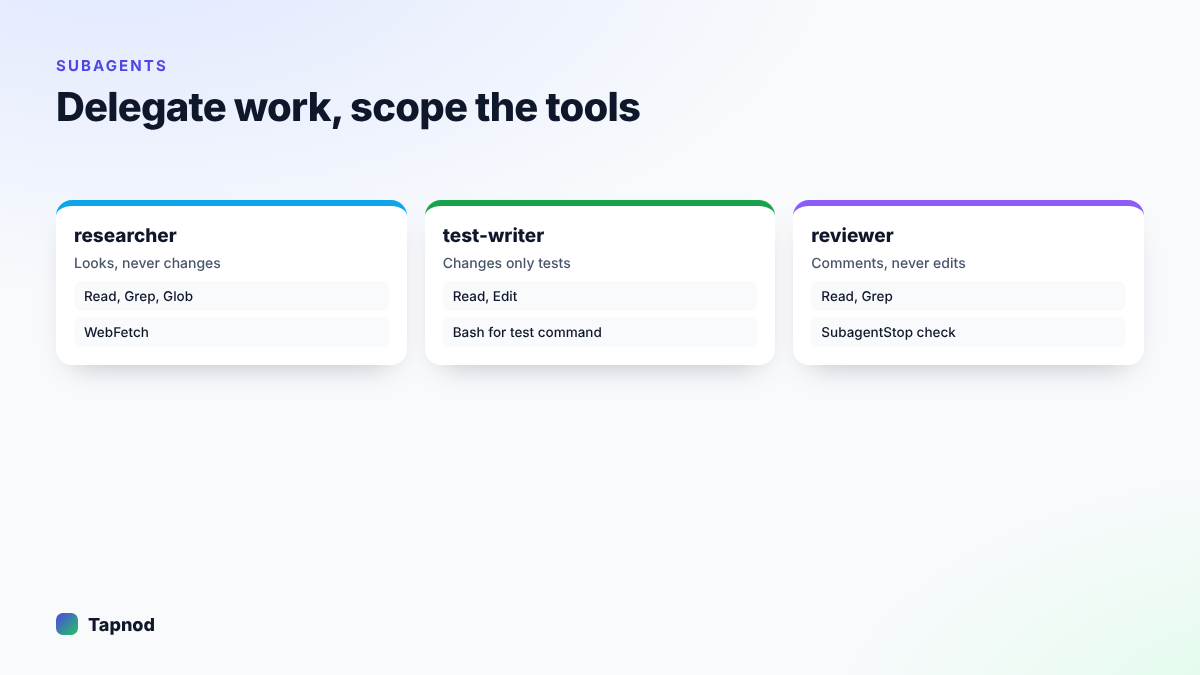
Tool scoping is the most useful control you have. The tools field takes tool names; narrower limits, such as "only the test command", come from your permission rules, like an allow rule for Bash(npm run test *) and an ask rule for other commands. A research subagent needs Read, Grep, Glob and maybe WebFetch, and nothing that writes. A test writer needs Edit but only for test files, which you enforce in its prompt and back up with a hook. A deploy helper probably shouldn't exist as a subagent at all.
| Subagent | Tools | Why |
|---|---|---|
| researcher | Read, Grep, Glob, WebFetch | Can look, can't change |
| test-writer | Read, Edit, Bash for the test command | Changes only tests |
| reviewer | Read, Grep | Comments, never edits |
| migrator | Read, Edit, specific scripts | Narrow, repeatable changes |
Permission modes carry over
Subagents inherit the session's permission mode in important cases. If the main session is in plan mode, subagents stay in plan mode, so delegating can't be used to skip reviewing the plan. If the main session runs in bypassPermissions, subagents get the same full access, which is one more reason to keep bypass for sandboxes. Your allow, ask and deny rules apply to subagent tool calls too.
Check their work before it's used
SubagentStop fires when a subagent finishes and supports the same decision control as Stop: block with a reason, and the subagent keeps working. Use it for cheap, mechanical checks:
- The researcher's summary must include at least one source path.
- The test writer's tests must pass.
- The migrator must not have touched files outside its folder, checked with
git diff --name-only.
A failed check returns a specific reason, and the subagent fixes it before the main agent ever sees the result. See the Claude Code Stop hook for the decision format and loop-prevention tips.
Foreground and background
Subagents can run in the foreground, where the main agent waits for them, or in the background while the main agent carries on. Background subagents suit independent work such as writing tests while the main agent continues a refactor. Ctrl+X Ctrl+K stops all running background subagents in the session if something goes sideways.
Subagents live inside one conversation and report back to it. For fully separate conversations running in parallel, use background sessions and agent view instead; we compare them in running Claude Code agents in parallel.
Patterns that work
- Research, then act. A read-only researcher explores the codebase and returns a short brief; the main agent plans from the brief.
- Implement, then test. The main agent writes the feature; the test writer adds tests in its own context.
- Write, then review. A reviewer subagent with read-only tools critiques the diff before you see it.
- Fan out a mechanical change. Several migrator subagents each take one package.
Choosing models per subagent
The model field lets each subagent use a different model. A reasonable split: a fast, cheaper model for searching and summarizing, and a stronger one for code that needs judgment. Reviewers benefit from a strong model too, since spotting subtle bugs is harder than writing plausible code. Check /usage or the statusline after a few sessions to see whether the split actually saves money.
Mistakes to avoid
- Vague descriptions, so the main agent never delegates, or delegates the wrong work.
- Giving every subagent every tool, which throws away the main benefit.
- No output contract. Tell the subagent exactly what to return, or you'll get a wall of text.
- Trusting "done". A subagent that says tests pass should be checked by a hook.
A worked example
Picture adding a CSV export feature. The main agent delegates to the researcher: "find how existing exports are built and list the files involved". It returns six paths and a pattern. The main agent implements the feature, then delegates to the test writer, which adds four tests. A SubagentStop hook runs them, two fail, the hook blocks with the failure output, and the test writer fixes a date-format assumption. Finally the reviewer flags a missing permission check. The main agent fixes it, and you review one tidy diff instead of a sprawling session.
Key takeaways
- Subagents are Markdown files with frontmatter in
.claude/agents/or~/.claude/agents/. - Scope tools per subagent; it's the strongest control you have.
- Plan mode and bypass mode carry over to subagents.
- Use
SubagentStophooks to check output before the main agent uses it.
FAQ
What are Claude Code subagents?
Specialized helpers with their own prompt, context window, tools and model, which the main Claude Code agent can delegate tasks to.
Where do I put subagent files?
In .claude/agents/ for a project, shared through git, or ~/.claude/agents/ for all your projects. Manage them with /agents.
Can I restrict what a subagent can do?
Yes. List only the needed tools in its frontmatter, keep your permission rules in place, and add hooks for checks that must always run.
Do subagents run in parallel?
They can run in the background while the main agent continues. For separate parallel conversations, use background sessions in agent view.
Where Tapnod fits
When subagents or parallel sessions need a decision, Tapnod puts the question on your phone next to your other agents. See how it works.