 Tapnod
The short answer
Google's Agent Development Kit (ADK) handles human in the loop through tool confirmation. Wrap a function in FunctionTool with require_confirmation=True, or pass a function that decides per call, and ADK pauses before running the tool. It emits a confirmation request event, adk_request_confirmation, that a person answers with yes or no, or with structured data in the advanced mode. The adk web dev UI shows a dialog; in production you answer through the API.
ADK's docs list tool confirmation as supported in Python from v1.14.0 and mark it experimental, so pin your version and test upgrades.
"google adk human in the loop" gets about 40 US searches a month at a keyword difficulty of 32 (Semrush, November 2026). A small, technical audience, mostly teams moving an ADK prototype toward production.
Boolean confirmation
The simplest form gates a tool every time it's called:
from google.adk.agents import Agent
from google.adk.tools import FunctionTool

def delete_bucket(bucket_name: str) -> dict:
    """Delete a storage bucket and everything in it."""
    storage.delete(bucket_name)
    return {"status": "deleted", "bucket": bucket_name}

agent = Agent(
    name="infra_helper",
    model="gemini-flash-latest",
    instruction="Help manage cloud storage. Explain what you plan to do first.",
    tools=[FunctionTool(delete_bucket, require_confirmation=True)],
)
When the model decides to call delete_bucket, ADK stops and asks. The tool body only runs after a yes.
Conditional confirmation
Gating every call trains people to click yes without reading. Pass a function instead, and ADK asks only when it returns true:
def needs_review(bucket_name: str, tool_context=None) -> bool:
    return not bucket_name.startswith("tmp-")

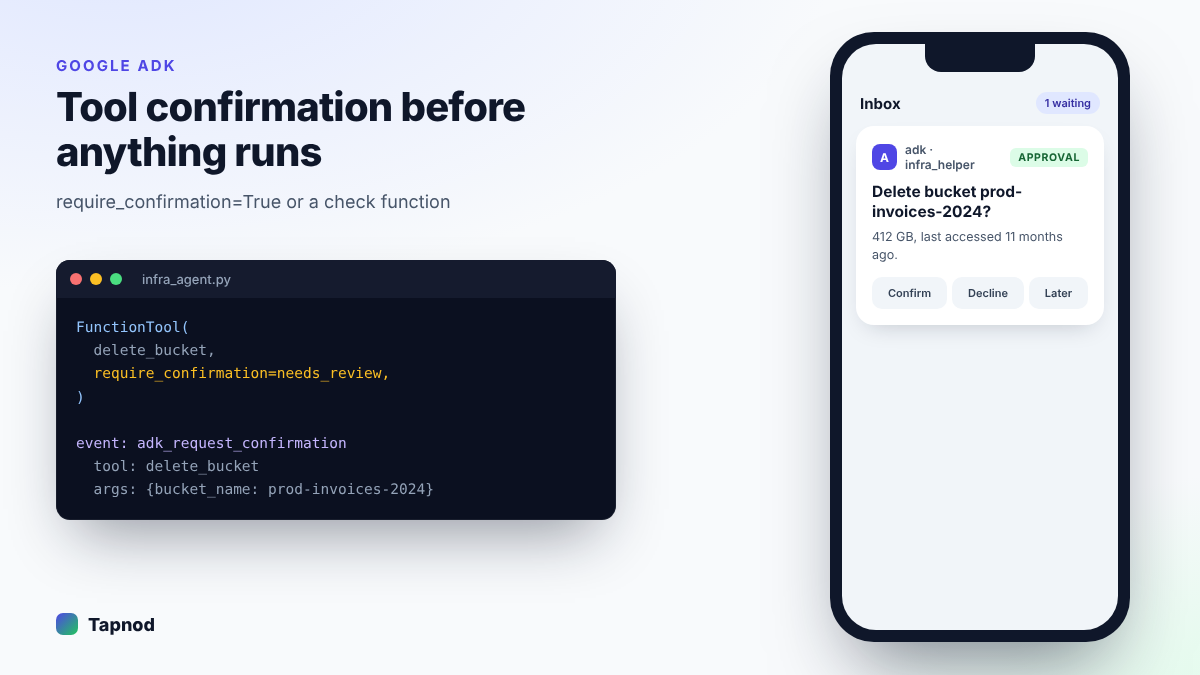
FunctionTool(delete_bucket, require_confirmation=needs_review)
Temporary buckets go through; anything else waits for a person. Good conditions are about blast radius: environment, amount, record count, or whether a recipient is outside your domain.
Advanced confirmation with structured input
Sometimes yes or no isn't enough. ADK's advanced confirmation lets the tool request a structured answer, such as an approved amount or a reason, through the tool context. The tool asks for confirmation with a hint and a payload shape, the run pauses, and when the person responds, the tool reads their answer and continues. Use it for cases like "approve the refund, but cap it at $50", where the reviewer's input changes what the tool does.
How a confirmation travels
- The model calls a gated tool.
- ADK emits an event carrying an
adk_request_confirmationfunction call with the original tool name, arguments and hint. - Your client shows it to a person: the
adk webdialog during development, or your own UI. - The client sends back a function response for that confirmation with
confirmedtrue or false, plus any payload. - ADK runs the tool, or returns a rejection to the model, and the agent continues.
Answering from outside the dev UI
adk web is fine at your desk. For agents that run on a server, you answer through ADK's API: find the pending confirmation event in the session, then post a new message containing the function response for that confirmation ID. That's what makes remote approval possible: a small worker can watch sessions for confirmation requests, push them to wherever reviewers are, and post the answer back when they decide.
# sketch: send a confirmation answer back into the session
response = types.Part(function_response=types.FunctionResponse(
    id=confirmation_call_id,
    name="adk_request_confirmation",
    response={"confirmed": True},
))
runner.run(user_id=user_id, session_id=session_id,
           new_message=types.Content(role="user", parts=[response]))
Check field names against your ADK version, since the feature is experimental.
Limits to know
| Limit | What it means |
|---|---|
| Experimental | APIs may change between releases; pin versions |
| Python first | ADK's docs say the TypeScript side needs more manual handling |
| Session services | Some session backends are noted as unsupported for confirmation; check the docs for yours |
| Long waits | Your session store must keep the paused session until someone answers |
Writing hints people can act on
The hint is the line a reviewer reads. "Confirm tool call" is useless. "Delete bucket prod-invoices-2024 (412 GB, 1.2M objects)" is a decision someone can make in five seconds from a phone. Build the hint from the arguments and a quick lookup when the tool is called.
Picking what to gate in an ADK agent
| Tool type | Confirmation |
|---|---|
| Reads, searches, summaries | None |
| Drafts saved for later | None or conditional |
| Messages to customers or channels | Conditional, e.g. external recipients |
| Infrastructure changes | Conditional on environment |
| Deletes, payments, permission changes | Always, with structured input if amounts vary |
Testing confirmation flows
Write tests for three paths before you ship. First, the gated call pauses and produces a confirmation request with the right hint. Second, a yes runs the tool exactly once. Third, a no leaves the system unchanged and the model gets a rejection it can explain to the user. Run the second test against a persistent session service, restarting the process between the request and the answer, since that's what a real overnight approval looks like.
Common mistakes
- Confirming reads. It adds friction without reducing risk.
- Vague hints. Reviewers can't judge what they can't see.
- No plan for silence. Decide whether an unanswered confirmation expires, escalates or stays open.
- Assuming state survives. In-memory sessions lose pending confirmations on restart; use a persistent session service.
A worked example
Picture an ADK agent that manages a team's cloud storage. It lists buckets and reports usage freely. Deletion is gated with a condition: buckets prefixed tmp- are deleted without asking, anything else needs a yes. Overnight, the agent finds a 400 GB bucket untouched for a year and proposes deleting it. A confirmation request goes to the platform lead's phone with the bucket name, size and last-access date. She declines with a note to archive it instead, and the agent switches to moving the bucket to cold storage, which isn't gated.
ADK compared with other frameworks
ADK's approach sits close to the OpenAI Agents SDK's needs_approval: approval is attached to a tool, not to a point in a graph. LangGraph, by contrast, lets you pause anywhere with interrupt(). Tool-level gating is easier to reason about; graph-level pausing is more flexible. See OpenAI Agents SDK human in the loop and LangGraph interrupt() for the details, or the framework-neutral human in the loop architecture guide.
Key takeaways
- Use
FunctionTool(fn, require_confirmation=...)to gate tools in ADK. - Prefer a condition function over always confirming.
- Advanced confirmation collects structured input, not only yes or no.
- Answer remotely by sending a function response for the confirmation back into the session.
FAQ
Does Google ADK support human in the loop?
Yes. ADK's tool confirmation pauses before a tool runs and waits for a person to confirm, either always or based on a condition you define.
Which ADK version supports tool confirmation?
ADK's docs list Python v1.14.0 and later, and mark the feature as experimental.
Can I approve ADK actions outside adk web?
Yes. Send the confirmation response through the API into the same session, which lets you build approvals into your own app or route them to an inbox.
Can a reviewer change the action, not only approve it?
With advanced confirmation, the tool can request structured input, such as a capped amount, and use it when it runs.
Where Tapnod fits
Forward ADK confirmation requests to Tapnod and reviewers answer from their phones, while a small worker posts the response back into the session. Start free.