 Tapnod
The short answer
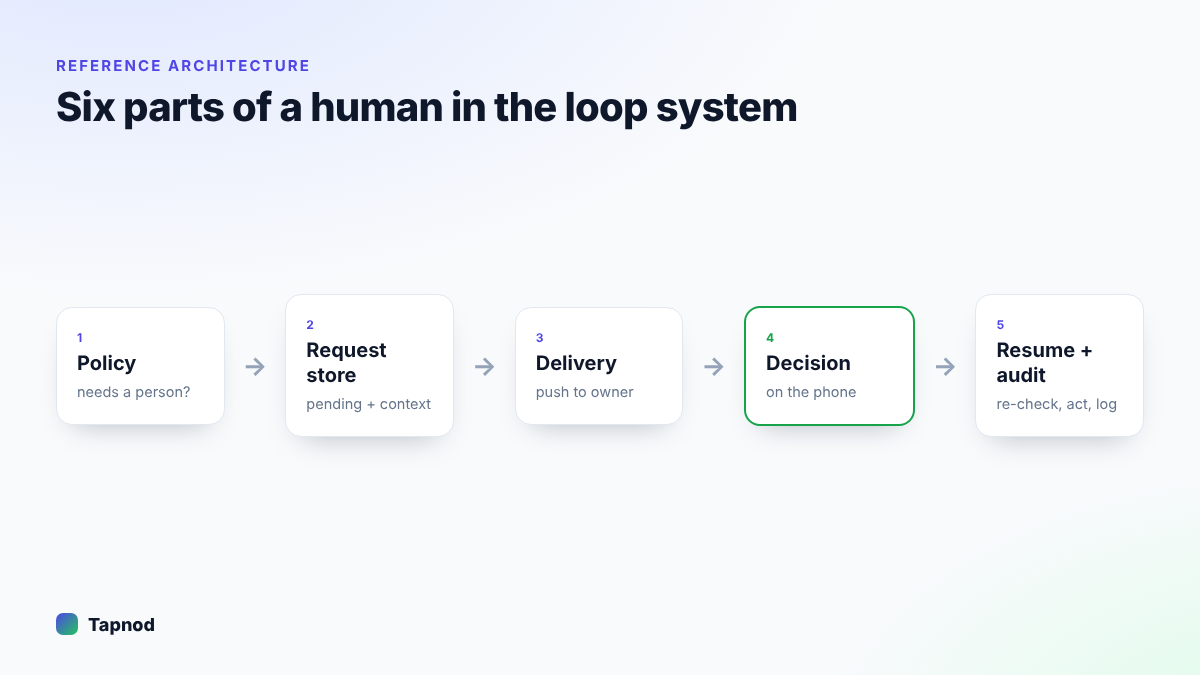
A human in the loop architecture for AI agents has six parts:
- Policy: decides when a person is needed.
- Request store: holds each pending question or approval with its context and status.
- Delivery: gets requests to people through push, chat, email or an inbox.
- State: saves the agent's progress so it can wait.
- Resume: brings the answer back and continues the agent.
- Audit: records who decided what, when and why.
The main design choice is synchronous vs asynchronous: does the agent block while it waits, or save state and continue later? For anything longer than a minute, asynchronous wins.
"human in the loop architecture" gets about 30 US searches a month (Semrush, November 2026). Small volume, but the people searching are building systems that many others will use.
The components
| Component | Responsibility | Typical implementation |
|---|---|---|
| Policy | Decide if an action needs a person | Permission rules, tool flags, predicates |
| Request store | Persist requests and status | Database table or a hosted inbox |
| Delivery | Notify the right person | Push, Slack, email, webhooks |
| State | Save agent progress | Framework checkpointer, serialized run state |
| Resume | Continue with the answer | Callback, polling, resume API |
| Audit | Keep the record | Append-only log linked to runs |
Where policy lives
Policy can sit in three places, and many systems use more than one:
- In the agent framework: tool flags like
needs_approvalorrequire_confirmation, or interrupt calls in graph nodes. - In the host: permission rules in tools like Claude Code that allow, ask or deny per command or MCP tool.
- In a gateway: a proxy in front of tools or APIs that holds calls until approved.
Framework policy is easiest to write. Host policy protects you even if the agent misbehaves. Gateway policy covers agents you didn't build.
Synchronous vs asynchronous
| Synchronous | Asynchronous | |
|---|---|---|
| Agent while waiting | Blocked | Saved; process can exit |
| Survives restarts | No | Yes |
| Wait time | Seconds to minutes | Minutes to days |
| Complexity | Low | Higher |
| Fits | Interactive sessions | Background and team agents |
A sync design is a tool call that waits on a response. An async design returns a request ID, saves state, and resumes when the answer arrives.
The async flow
1. agent      -> policy.check(action)              => needs_human
2. agent      -> store.create(request)              => req_9012 (pending)
3. agent      -> state.save(run_id)                 ; process may exit
4. store      -> delivery.notify(owner, req_9012)   ; push + inbox card
5. person     -> store.answer(req_9012, "approve", comment)
6. store      -> resume(run_id, answer)             ; webhook or next poll
7. agent      -> state.load(run_id); re-check preconditions; act
8. agent      -> audit.append(run_id, req_9012, answer, result)
Step 7 matters: the world may have changed while the agent waited, so re-check before acting.
Delivery design
Delivery is where most human in the loop systems quietly fail. The request exists, but the person who should answer it doesn't see it for hours. Design delivery around the person, not the agent:
- Route by ownership. Each request has an assignee or a team queue, chosen by the agent, the repository, the customer or the action type.
- Pick the channel by urgency. Approvals that block work deserve a push notification. Results can wait for the next time someone opens the inbox.
- Group related requests. Three approvals from one agent in two minutes should arrive as one notification, not three.
- Respect quiet hours, but let truly urgent items through with a separate setting.
- Make answering possible from the notification's destination. If people read on their phones, they must be able to approve on their phones.
A good test: pick a random request from last week and ask how long it took from creation to the first time a person saw it. If you can't answer, add that timestamp to the record.
The request record
{
  "id": "req_9012",
  "run_id": "run_5531",
  "agent": "deploy-bot",
  "type": "approval",
  "title": "Deploy api v2.14.0 to production?",
  "context": ["12 commits", "All checks passed", "Migration: none"],
  "proposal": "kubectl rollout ... api:v2.14.0",
  "options": ["approve", "reject"],
  "assignee": "oncall-platform",
  "status": "pending",
  "created_at": "2026-11-26T09:02:00Z",
  "expires_at": "2026-11-26T13:02:00Z",
  "on_expiry": "reject"
}
Keep the record small and human-readable. Link to large artifacts like diffs instead of embedding them.
Resume: push or pull
| Method | How it works | Trade-off |
|---|---|---|
| Webhook | The store calls your endpoint with the answer | Fast; needs a reachable, signed endpoint |
| Polling | The agent checks the store on a schedule | Simple; adds delay equal to the interval |
| Long-lived connection | The agent holds a stream open | Fast; fragile for long waits |
Polling every few minutes is often good enough for approvals. Use signed webhooks when seconds matter, and verify signatures before acting on them.
Failure handling
| Failure | Handling |
|---|---|
| Nobody answers | Expire with a defined default; remind and escalate first |
| Answer arrives twice | Make resume idempotent by request ID |
| Agent code changed while waiting | Version state; refuse to resume mismatched versions |
| Preconditions changed | Re-check on resume; ask again if needed |
| Delivery fails | Retry, then fall back to another channel |
| Approver lacks authority | Check roles when the answer arrives, not only when sending |
Security
- Authenticate answers: only the assigned person or role can approve.
- Bind answers to proposals: an approval covers the exact action shown, not a later variant.
- Sign webhooks and verify them.
- Keep secrets out of requests: show what's needed to decide, nothing more.
- Protect the audit log from edits.
Scaling to many agents
With dozens of agents across frameworks, centralize the request store and delivery, even if policy stays in each framework. People then check one queue, routing rules apply consistently, and monitoring can show which agents are waiting, working or silent. See AI agent orchestration and agent control plane.
Observability for the loop itself
Treat the human loop as a system you monitor. Useful signals: pending requests by age, median time to first view and to answer, requests that expired, agents waiting the longest, and approval outcomes by action type. A dashboard with these numbers shows where people are a bottleneck and where checkpoints can be relaxed.
Build or buy
| Build | Buy |
|---|---|
| Full control of data and UI | Faster to start |
| Fits unusual workflows | Mobile apps and notifications included |
| You maintain delivery and mobile | Less custom |
Many teams keep policy and state in their own code, and use a hosted inbox for the request store and delivery.
Key takeaways
- Six components: policy, request store, delivery, state, resume and audit.
- Prefer asynchronous designs for any wait longer than a minute.
- Re-check preconditions on resume, and make resume idempotent.
- Centralize requests and delivery when agents multiply.
FAQ
What is a human in the loop architecture?
The set of components that let an automated system pause for a person, deliver the request, wait safely, resume with the answer and record the decision.
Should agents block while waiting for a human?
Only for short interactive waits. For longer waits, save state and resume asynchronously.
Webhooks or polling for approvals?
Webhooks for speed, polling for simplicity. Polling every few minutes suits most approvals.
Where should approval policy live?
In the framework for convenience, in the host or a gateway for protection that doesn't depend on the agent behaving.
Where Tapnod fits
Tapnod can be your request store and delivery layer: agents connect over MCP, signed webhooks or polling, and people answer from their phones. Start free.