 Tapnod
The short answer
An agent inbox is one place where all your AI agents send the things that need a person: questions, approvals, plans, results and errors. You work through it like email triage. Each item is a card, and you approve, reply, comment, reject or push it to later. The agent gets your answer and carries on.
The idea took off once people started running more than one agent. With one agent, a terminal prompt is fine. With six, spread across a laptop, a VPS and two SaaS tools, the questions get lost.
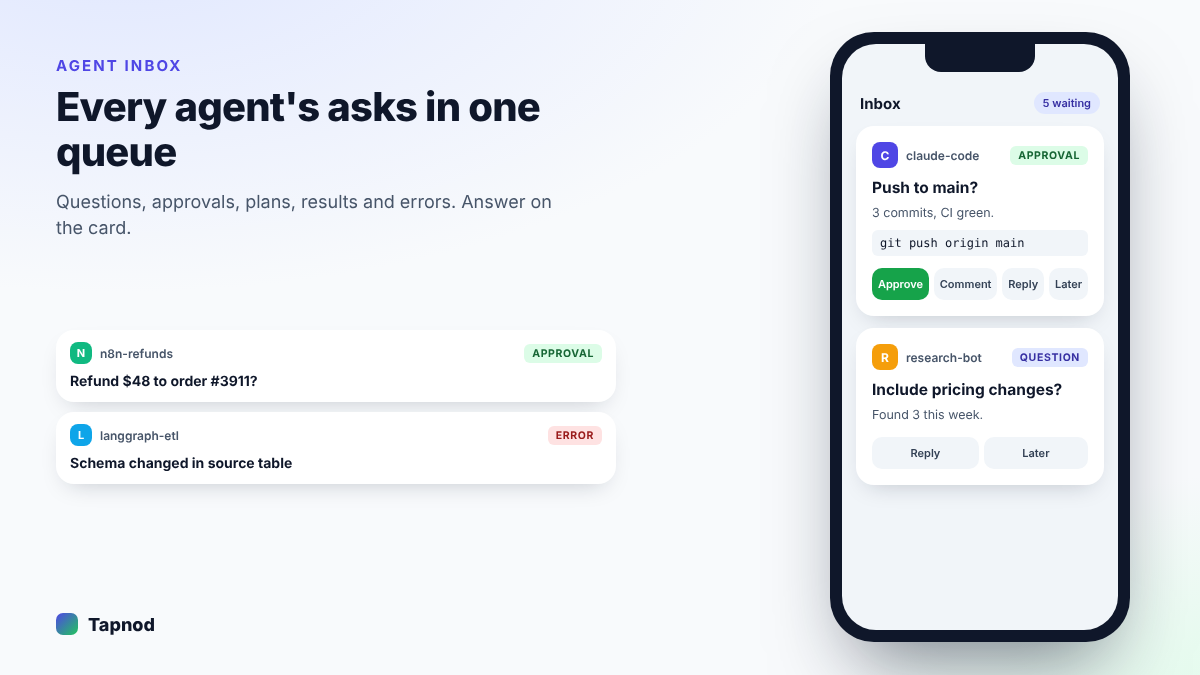
The term is still new. "agent inbox" gets about 70 US searches a month and "ai agent inbox" about 20 (Semrush, November 2026), but advertisers already pay over $26 a click for the first one. That gap between low volume and high price usually means a category is forming.
Where the idea comes from
LangChain popularized the phrase when it introduced ambient agents, agents that work in the background responding to events rather than chat prompts. It described its Agent Inbox as modeled on a mix of an email inbox and a support ticketing system, showing every open line of communication between you and an agent. It also released an open-source Agent Inbox UI for LangGraph interrupts.
The pattern has since spread beyond LangGraph, because the problem isn't framework-specific. Any agent that runs while you're not watching needs a way to reach you.
The problem it solves
Here's a normal Tuesday for someone running a few agents:
- Claude Code is waiting on a permission prompt in a terminal tab you closed an hour ago.
- An n8n workflow posted an approval request in a Slack channel, now 40 messages up.
- A research bot emailed a summary that needs a yes before it goes to the team.
- A LangGraph agent hit an error and logged it to a file nobody reads.
Nothing is broken, yet nothing is moving. Every agent did the right thing: it asked. The asks landed in four places, each with its own rules for notifications and "seen".
What makes a good agent inbox
| Feature | Why it matters |
|---|---|
| One queue for every agent | You check one place, not five |
| Typed cards | A question reads differently from an error or a finished result |
| Actions on the card | Approve, reply or reject without opening another tool |
| "Later" as a real option | Snoozing beats a rushed yes |
| Mobile first | Most blocking decisions happen away from the desk |
| The answer goes back to the agent | Otherwise it's a notification feed, not an inbox |
| Agent status nearby | You see which agents are alive and which went quiet |
The card types
Most agent traffic fits in five or six kinds of card. Keeping them distinct helps you triage fast.
| Card | The agent is saying | Your usual action |
|---|---|---|
| Question | "I need a fact or a choice" | Reply |
| Approval | "May I do this exact thing?" | Approve or reject |
| Plan | "Here's how I'll tackle it" | Approve, or comment with changes |
| Result | "Done, here's what happened" | Read, comment, or archive |
| Info | "FYI, no action needed" | Glance and move on |
| Error | "Something broke" | Decide: retry, fix, or stop |
Swipe or list
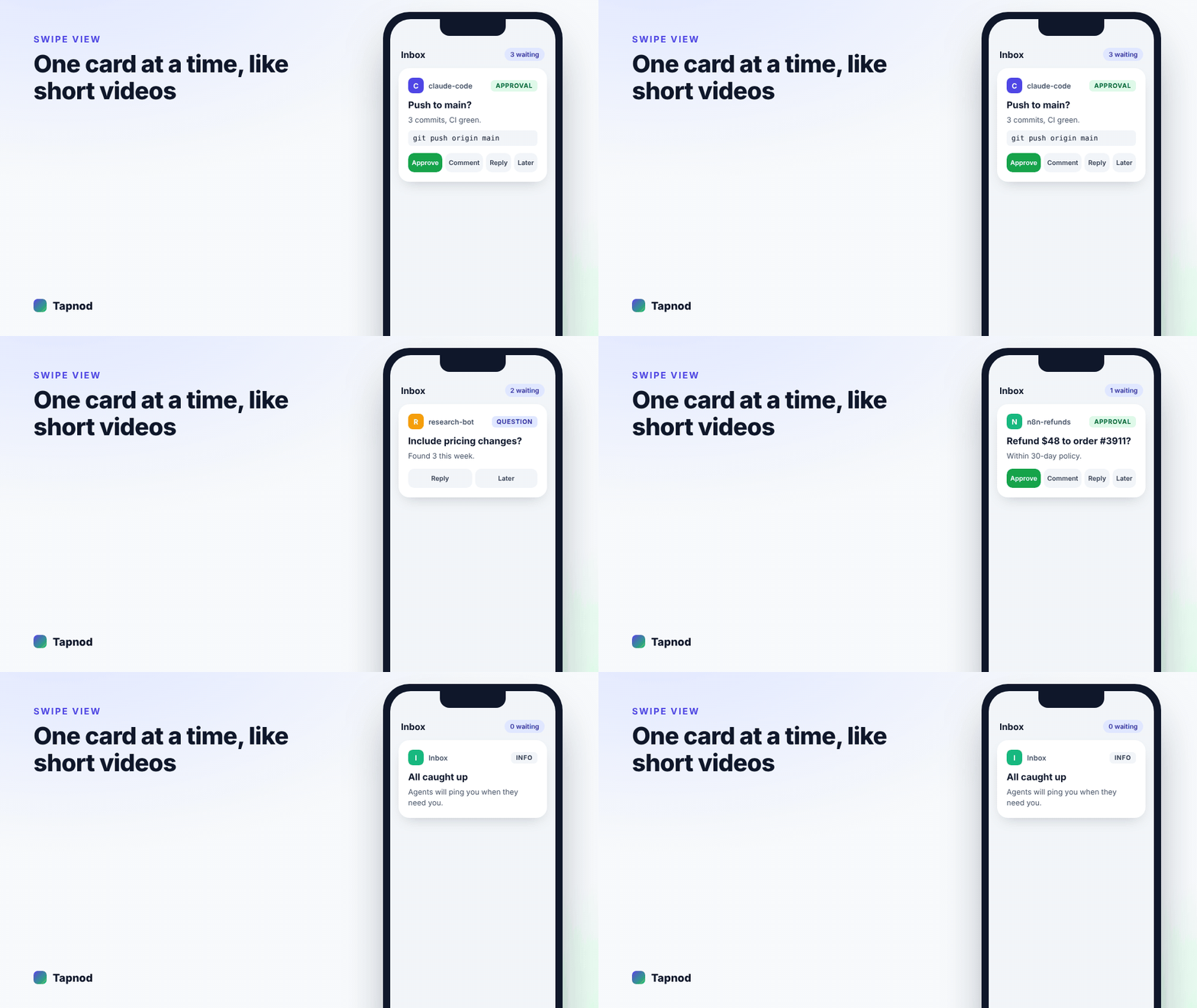
Two views cover most working styles. A swipe view shows one card at a time, like short videos, which is fast for clearing a backlog on your phone. A task view groups items into your tasks, items by agent, and done, which suits a desk session where you want the full picture.
Neither is better. People tend to swipe in the morning and use the list when they're planning.
How agents connect
An inbox is only useful if connecting an agent takes minutes. There are three common ways, and a good inbox supports all of them:
- MCP. The agent gets tools for sending a card and reading the answer. Works well for Claude Code, Cursor and other MCP clients.
- Signed webhooks. The inbox calls your agent's endpoint when you answer. Good for services and workflows like n8n.
- Polling. The agent checks for answers on a schedule, such as every 10 minutes. The simplest option for scripts and cron jobs, and it needs no public URL.
Many agents can be connected with a plain-language instruction in their prompt. Something along these lines:
When you need a human decision, do not wait in the terminal.
Send a card with: type (question, approval, plan, result, error),
a one-line title, the exact action or payload, and what happens
if nobody answers. Then continue with other work and check for the
reply before you take that action.
Agent inbox vs the alternatives
| Terminal prompts | Slack or email | Framework UI | Agent inbox | |
|---|---|---|---|---|
| Works across agents | No | Yes | Usually one framework | Yes |
| Structured actions | Yes, one at a time | Partly | Yes | Yes |
| Answer from phone | Sometimes | Yes | Rarely | Yes |
| Easy to miss | Very | Yes, buried in chat | Moderate | Designed not to be |
| Shows agent health | No | No | Partly | Usually |
Slack is the most common substitute, and it works for a while. It breaks down when approvals mix with human conversation and nobody can tell which messages are still open. We compare them directly in Slack approval workflows for AI agents.
Setting one up in an afternoon
- List your agents and where they run.
- Pick the decisions that should go to the inbox. Start with approvals for irreversible actions and errors.
- Connect the easiest agent first, often one that supports MCP.
- Write a timeout default for every approval type: what happens if nobody answers.
- Invite one teammate if decisions sometimes need a second person.
- Review after a week. Approvals you always accept can move to "notify only".
For framework-specific wiring, see LangGraph human in the loop and n8n human in the loop. For the broader design questions, start with human-in-the-loop AI agents.
What to measure once it's running
An inbox gives you data you didn't have before, because every decision now goes through one place. Four numbers are worth a glance each week:
| Metric | What it tells you | Healthy sign |
|---|---|---|
| Median time to decision | How long agents wait on you | Minutes for routine items |
| Approved without changes | Which approvals are pure friction | Over 95% means move it to "notify" |
| Items older than a day | Decisions you're avoiding | Close to zero |
| Agents with no contact today | Agents that died quietly | Only the ones you paused |
The second number is the most useful. When a type of approval is accepted unchanged almost every time, it's costing attention and adding no safety. Loosen it, and keep your attention for the cards that actually change outcomes.
FAQ
What is an agent inbox?
A single queue where AI agents send questions, approvals, plans, results and errors, and where a person answers them with actions like approve, reply, reject or later. The answer goes back to the agent.
Is the agent inbox only for LangGraph?
No. LangChain released an open-source Agent Inbox for LangGraph interrupts, but the pattern works for any agent that can call MCP tools, receive webhooks or poll an API.
How is an agent inbox different from notifications?
Notifications tell you something happened. An inbox lets you act on it and sends your decision back to the agent, so the work continues.
Can a team share an agent inbox?
Yes. Shared workspaces let teammates see and answer each other's agent requests, which helps when the person who started an agent is offline.
Where Tapnod fits
Tapnod is an agent inbox: decision cards from any agent, a swipe view and a tasks view, agent status, and answers that flow back over MCP, webhooks or polling. Start free with two agents.