 Tapnod
The short answer
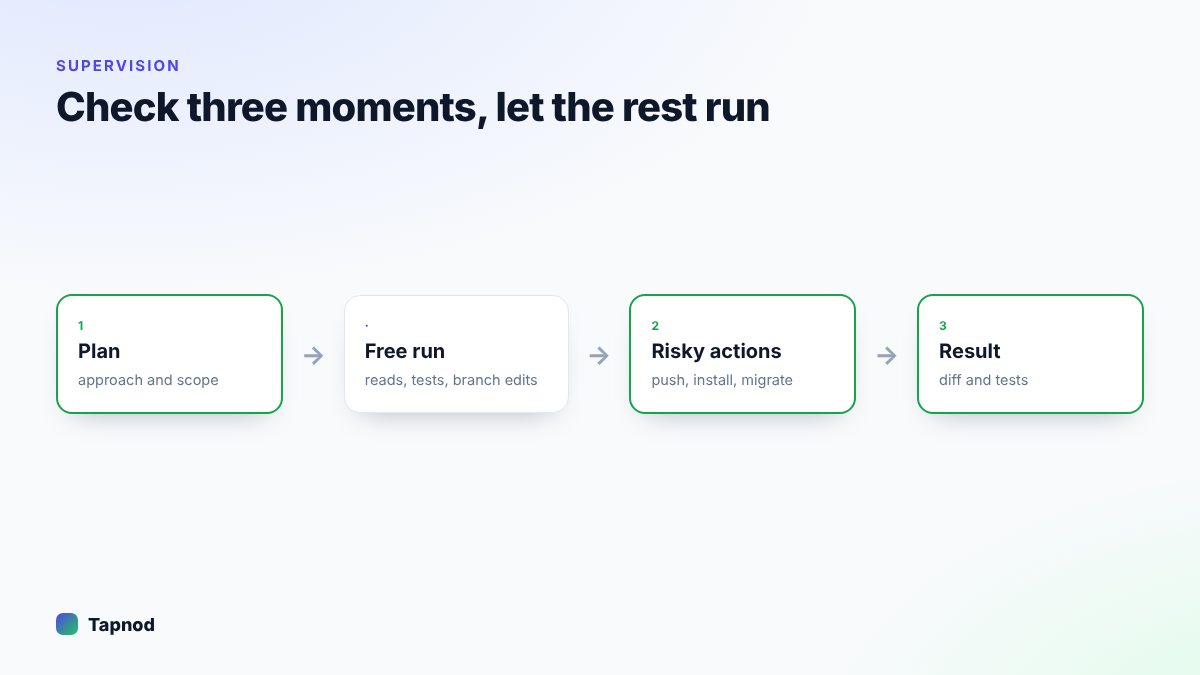
You supervise an AI coding agent well by checking a few moments that matter, not every step. Approve the plan before work starts, gate the actions you can't undo, review the result before it merges, and let everything in between run. Make those checkpoints reachable from your phone, so supervision costs seconds instead of time at the desk.
Most slowdowns come from the opposite approach: approving every file write and test run, which trains people to click yes without reading.
"ai coding agent" gets about 2,400 US searches a month at a keyword difficulty of 39 (Semrush, November 2026). Behind those searches is a shift in how people work: from typing code with help to handing off tasks and supervising the result.
Three checkpoints that matter
| Checkpoint | What you check | Why here |
|---|---|---|
| Plan | Approach, files involved, scope | Cheapest moment to change direction |
| Risky actions | Pushes, installs, migrations, deploys, external calls | Hard or impossible to undo |
| Result | The diff, the tests, the summary | Last chance before it ships |
Everything else, such as reading files, running tests and editing on a branch, can run without you. That's where agents save the most time.
Permission tiers for coding agents
Most coding agents let you decide what runs automatically. Whatever the tool calls it, sort actions into three tiers:
- Runs freely: reading code, searching, running tests and linters, editing files on a feature branch.
- Runs and reports: creating branches, committing, opening draft PRs.
- Asks first: pushing to shared branches, installing packages, database migrations, deploys, anything that calls an external service with side effects.
In Claude Code that maps to allow rules, acceptEdits mode and ask rules; Codex has approval policies and sandbox modes; Cursor has settings for running agent terminal commands automatically. The labels differ, the idea is the same.
Make the agent prove its work
Supervision gets lighter when the agent does the checking. Ask for proof in the task itself:
Fix the rounding bug in invoice totals.
1. First, write a test that reproduces the bug and show it failing.
2. Then fix the code so the test passes without changing the test.
3. Run the full billing test suite.
4. Summarize: root cause, files changed, tests added, anything you're unsure about.
A failing-then-passing test is worth more than any amount of "I fixed it". The last line matters too: agents that are asked to name their uncertainty usually do.
Reviewing agent diffs quickly
Agent diffs can be large. A fast review order:
- Read the summary. Check it matches what you asked.
- Scan the file list. Flag anything outside the expected area.
- Read the tests first. They tell you what the agent thinks the behavior is.
- Then the code, focusing on boundaries: error handling, auth, data writes.
- Run it if it touches UI or anything user-facing.
If a diff is too big to review, the task was too big. Split it next time.
Alerts, not watching
Watching an agent work is the slowest form of supervision. Let it tell you when it needs you instead:
- Needs approval: a permission prompt or question has been waiting a few seconds.
- Finished: the turn or task ended, with a summary.
- Failed: an error stopped it.
Route the first one to your phone with the details needed to decide, and the others to a place you check a few times a day. Every major coding agent now supports some version of this: Claude Code hooks and Remote Control push, Codex notify and the ChatGPT app, Cursor's Slack notifications.
What to put in project instructions
Most coding agents read a project instruction file, such as CLAUDE.md for Claude Code or AGENTS.md for Codex. Supervision gets lighter when that file answers the questions you'd otherwise answer by hand:
- How to run tests, lint and type checks.
- Which folders are off limits, and which files are generated.
- What "done" means: tests pass, types check, no new warnings.
- When to stop and ask instead of guessing.
Every time you correct an agent the same way twice, that correction belongs in the file. Over a few weeks the agent needs fewer interventions, and the ones that remain are real decisions rather than reminders.
Measuring whether supervision works
Two numbers tell you if your setup is healthy: the share of agent PRs merged without major rework, and the median time an approval waits. If rework is high, checkpoints are too late or tasks too big. If waits are long, approvals aren't reaching you fast enough.
A weekly tuning loop
Supervision should get lighter over time. Once a week, look at what you approved:
| Observation | Change |
|---|---|
| You approved the same command every time without edits | Move it to runs freely |
| An action surprised you | Move it to asks first |
| Reviews keep finding the same mistake | Add it to the project instructions or a hook |
| Prompts waited hours | Route them somewhere you'll see sooner |
Agents get better at your codebase when your instructions do. Most of that improvement comes from this loop, not from model upgrades.
Supervising several agents
Running more than one coding agent multiplies the alerts. Two rules keep it sane: one branch or worktree per agent, and one place where all "needs you" moments land, so you're not checking three apps. See background agents explained for how the major tools differ, and the agent inbox for the single-queue pattern.
A worked example
Picture a developer handing a coding agent a bug fix before a meeting. The agent proposes a plan in plan mode: reproduce with a test, fix the rounding function, run billing tests. They approve the plan from their phone in ten seconds. During the meeting, the agent asks to install a decimal library. They check the package name and approve. After the meeting, a "finished" summary is waiting: test added, fix applied, suite passing, one uncertainty about currency edge cases. They review the diff in five minutes, ask for one extra test on that edge case, and merge after lunch. Total supervision time: under ten minutes for an hour of work.
Key takeaways
- Check the plan, risky actions and the result; let the rest run.
- Sort actions into runs freely, runs and reports, and asks first.
- Ask agents to prove fixes with tests that fail before and pass after.
- Get alerts instead of watching, and tune your tiers weekly.
FAQ
How do I supervise an AI coding agent?
Approve its plan, gate irreversible actions, and review the final diff. Let routine actions like reading, testing and branch edits run without approval.
Does supervising agents slow them down?
Only if you approve every step. With a few well-placed checkpoints and approvals from your phone, supervision adds minutes, not hours.
What actions should always need approval?
Pushes to shared branches, package installs, database migrations, deploys and anything with external side effects.
How do I supervise several coding agents at once?
Give each its own branch or worktree, and send all approval requests and questions to one place. Compare tools in best AI coding agents.
Where Tapnod fits
Tapnod is where those checkpoints land: plans, approvals and results from your coding agents, answered from your phone. Try it free.