 Tapnod
The short answer
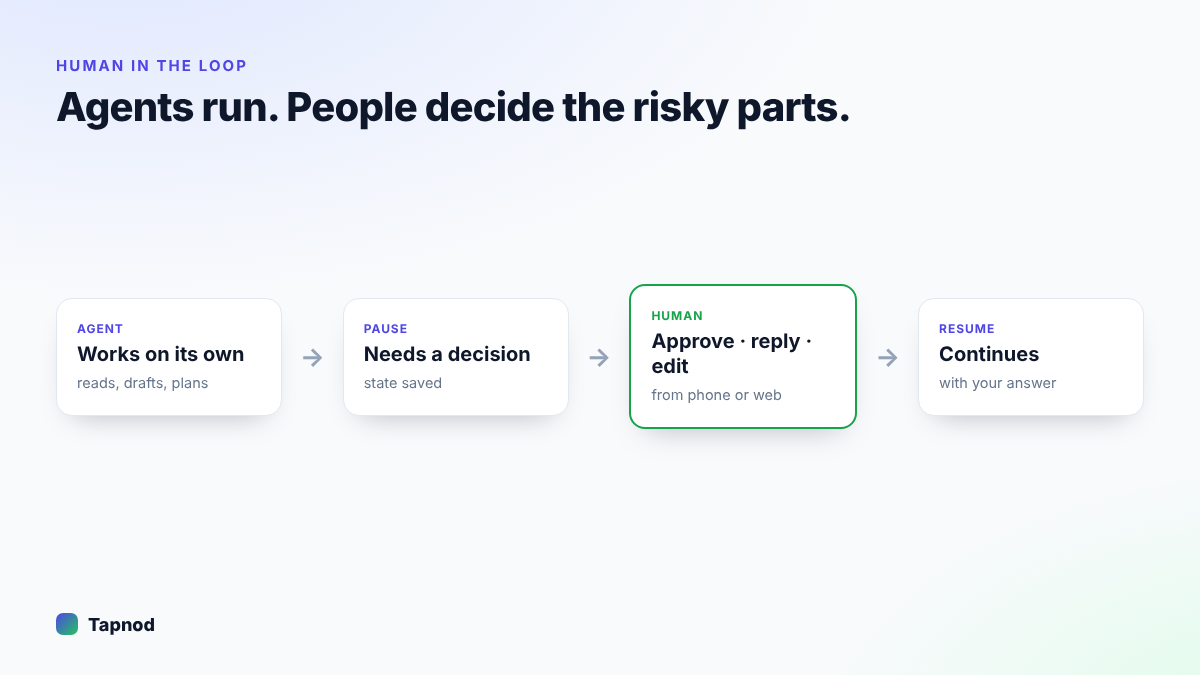
A human-in-the-loop AI agent pauses at chosen points and waits for a person before it continues. The person might approve an action, answer a question, edit a draft or decide what to do about an error. Everything else the agent does on its own.
The skill is in choosing those points. Ask too often and people rubber-stamp everything. Ask too rarely and the agent deletes the wrong table at 2 a.m. The rest of this guide is about getting that balance right in practice.
This is still a young topic in search. "human in the loop ai agents" gets about 260 US searches a month with a keyword difficulty of 8, while the broader "human in the loop" sits at 5,400 (Semrush, November 2026). Plenty of people know the phrase; far fewer have found a concrete playbook for agents.
Why agents need a human at all
Models are good at drafting, searching and editing. They're weaker at knowing when something is a bad idea in your specific context. They don't know that the "old" bucket holds the only copy of last year's invoices, or that a customer asked not to be emailed until March.
Three kinds of risk push you toward a human checkpoint:
- Irreversible actions: deleting data, sending email, paying money, pushing to production.
- Ambiguous intent: the request could mean two things and guessing wrong costs time.
- Reputation: anything a customer, investor or the public will see in your name.
If an action is reversible, private and cheap to redo, let the agent run.
The four HITL patterns
| Pattern | The agent asks | Example | You answer with |
|---|---|---|---|
| Approval gate | "May I do this exact thing?" | Run a migration, send 400 emails | Approve or reject |
| Input request | "I need a fact or a choice" | Which environment? Which tone? | A short reply |
| Review and edit | "Here's my draft" | Release notes, a refund message | Edits or a comment |
| Escalation | "I'm stuck or something broke" | Tests fail three times, API down | A decision or a fix |
Most real agents need all four. A coding agent asks for approval before git push, asks which branch to target, shows a plan for review, and escalates when the build breaks.
Decide what needs approval with tiers
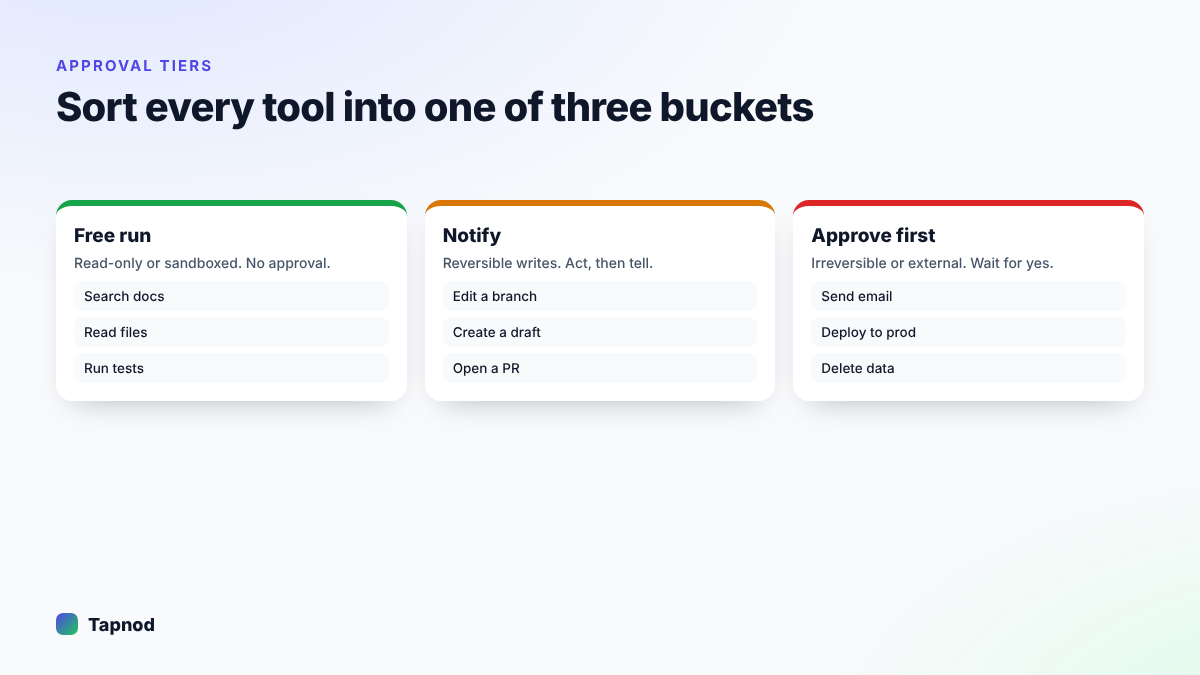
A simple tier model beats a long policy document. Sort every tool the agent can use into one of three buckets:
- Free run: read-only actions and work in a sandbox. No approval.
- Notify: reversible writes, such as editing files in a branch or creating a draft. The agent acts and tells you.
- Approve first: irreversible or external actions. The agent waits for a yes.
Review the tiers after a week. If a tool sits in "approve first" and you approved it 50 times without a single change, move it down. If something in "notify" ever surprised you, move it up. We expand this in the approval-tier model for AI agent oversight.
Synchronous vs asynchronous waiting
The biggest design choice is what the agent does while it waits.
| Synchronous | Asynchronous | |
|---|---|---|
| Agent while waiting | Blocks on the question | Saves state, frees the process |
| Works for | Short sessions with you watching | Long runs, overnight jobs, many agents |
| Risk | A terminal stuck for hours | You need persistence and a resume step |
| Typical tools | A CLI prompt, an IDE dialog | Checkpointers, webhooks, polling |
Synchronous is fine when you're at the keyboard. Once agents run while you sleep, you want asynchronous waits. Frameworks support this directly. In LangGraph, for example, interrupt() saves the graph state through a checkpointer and the run resumes later with Command(resume=...):
from langgraph.types import interrupt, Command

def send_campaign(state):
    answer = interrupt({
        "question": "Send the March campaign?",
        "recipients": len(state["recipients"]),
        "subject": state["subject"],
    })
    if answer != "approve":
        return {"status": "skipped"}
    return {"status": send(state)}

# later, after a human decides:
graph.invoke(Command(resume="approve"), config={"configurable": {"thread_id": "march-campaign"}})
The full walkthrough is in LangGraph human in the loop.
What a good approval request contains
An approval is only as good as the context the human sees. If the card says "Approve tool call?", people will click yes without reading. Include:
- The action in plain words: "Delete 1,284 rows from
sessionsolder than 90 days". - The exact payload: the command, the SQL, the recipient list count.
- Why the agent wants it: one sentence tied to the original task.
- The blast radius: reversible or not, which environment, how many records.
- A safe default: what happens if nobody answers.
Timeouts and defaults
Every wait needs an answer to "what if nobody responds?". Pick it per action, not per agent.
| Action type | Sensible default on timeout |
|---|---|
| Destructive or external | Do nothing, report back |
| Routine but noisy | Proceed with the conservative option |
| Blocking a teammate | Escalate to a second person |
| Time-sensitive alert | Re-notify once, then pause the agent |
Write the default into the request itself so the reviewer knows the consequence of ignoring it.
Keep it fast enough to use
Human review fails when it's slow or annoying. The fixes are boring but they work:
- Batch small questions. Ten tiny confirmations become one summary with a single approve.
- Let people answer from their phone. Most decisions take seconds if the context is clear.
- Allow "later". A snoozed decision is better than a hasty yes.
- Track time to decision. If it creeps past an hour for routine items, your tiers are too strict.
- Feed comments back. When someone rejects with a reason, pass the reason to the agent so the next attempt improves.
Common mistakes
- Approving tool calls instead of outcomes. Twenty approvals for twenty file writes is worse than one approval for the plan.
- No record of who decided. Keep an audit trail of the request, the answer, the person and the time.
- One channel for everything. Agent approvals buried in a busy Slack channel get missed. We compare options in Slack approval workflows for AI agents.
- Prompt-only safeguards. "Always ask before deleting" in a system prompt is a suggestion. Put the gate in code or in the tool layer.
FAQ
What does human in the loop mean for AI agents?
It means the agent pauses at defined points and waits for a person to approve, answer, edit or decide before it continues. The person stays responsible for the actions that matter, while the agent handles the routine work.
Which agent actions should require human approval?
Irreversible actions, anything external such as sending messages or payments, production changes, and anything that affects customers. Read-only and sandboxed work usually doesn't need approval.
Doesn't human approval slow agents down?
Only for the steps you gate. With asynchronous waits, the agent saves its state and you answer when you can, often in seconds from a phone. The cost is far lower than undoing a bad action.
How is human in the loop different from human on the loop?
In the loop, the agent waits for you before acting. On the loop, it acts and you monitor and can step in. Most teams use both. See human in the loop vs human on the loop.
Where Tapnod fits
Tapnod is a shared inbox for these moments: your agents send questions, plans, results and errors, and you approve, reply, comment or choose later from the web or your phone. Try it free with two agents.