 Tapnod
The short answer
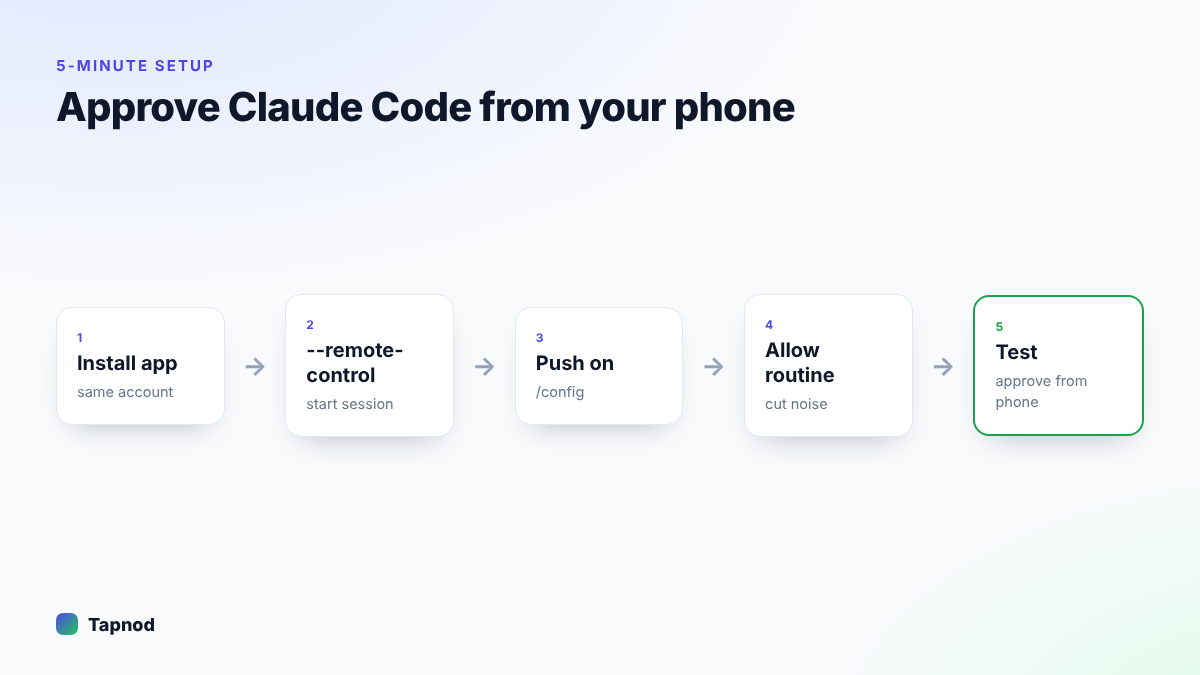
The fastest way to approve Claude Code from your phone takes about five minutes on a claude.ai plan:
- Install the Claude app and sign in with the same account.
- Start your session with
claude --remote-control. - Run
/configand turn on Push when actions required. - Add allow rules for routine commands so only meaningful prompts reach you.
- Trigger a test prompt and approve it from the phone.
If you use an API key, a gateway or a cloud provider, Remote Control won't work there; use the hook fallback below instead.
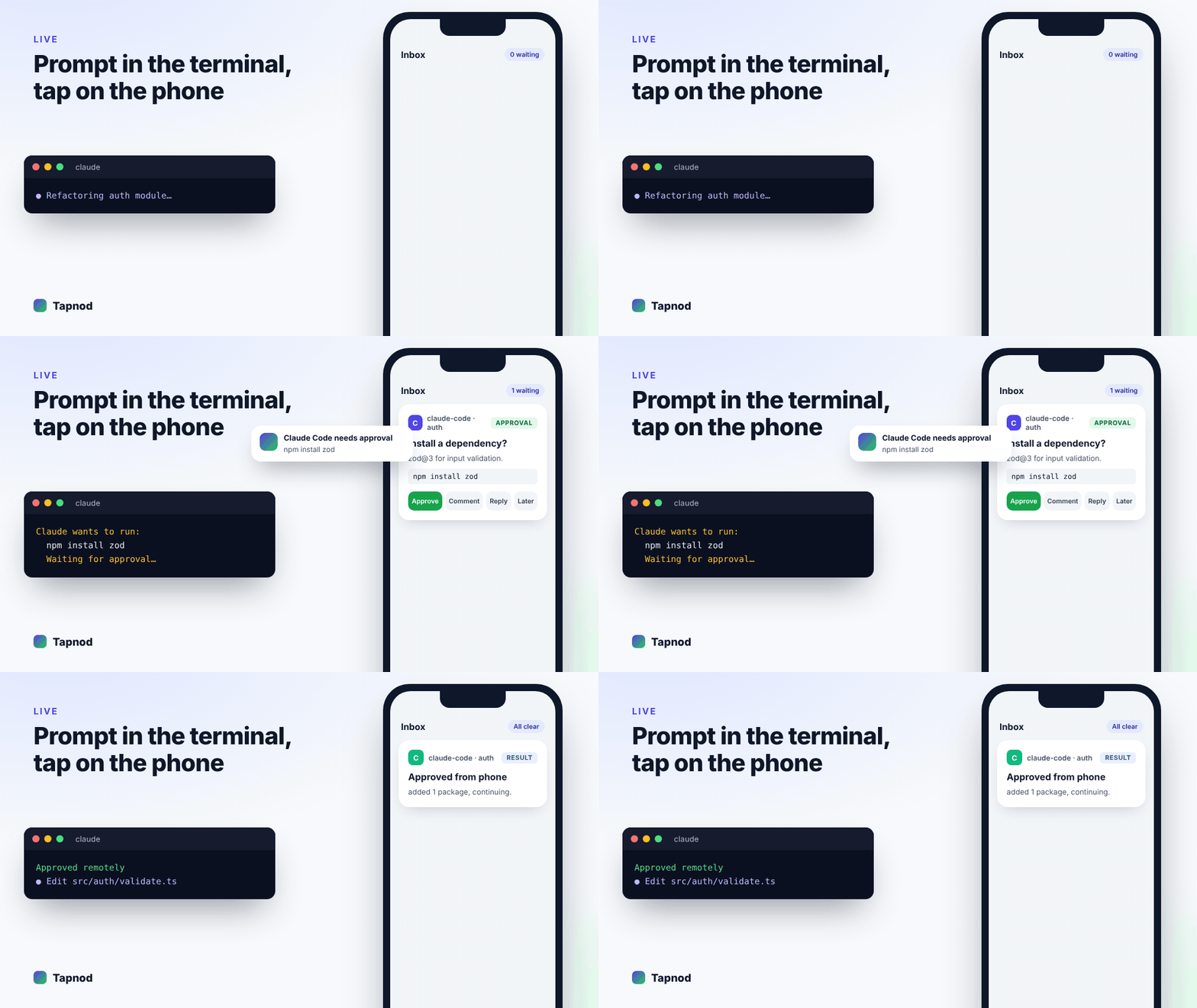
"claude code on phone" gets about 260 US searches a month (Semrush, November 2026), part of a mobile cluster led by "claude code mobile" at 880. This is the hands-on version: no theory, just the setup.
Minute 1: install the app
Install the Claude app on iPhone or Android and sign in with the account and organization you use for Claude Code. If you don't have it, run /mobile in Claude Code to get a QR code that opens the right app store. Allow notifications when the phone asks.
Minute 2: start with Remote Control
In your project folder:
claude --remote-control "billing refactor"
This is a normal interactive session that you can also reach from the app. If a session is already running, type /remote-control instead. Scan the QR code from /remote-control's status panel, or open the session in the app's list.
Minute 3: turn on push
Run /config and enable Push when actions required. That sends a push when Claude needs permission or asks a question. Optionally enable Push when Claude decides too, which Claude typically uses when a long task finishes.
On iPhone, check that Focus modes and notification summaries aren't holding back Claude's notifications.
Minute 4: cut the noise
If every test run asks for approval, you'll start ignoring your phone by lunchtime. Add allow rules for routine work in .claude/settings.json, or with /permissions:
{
  "permissions": {
    "allow": ["Bash(npm run test *)", "Bash(npm run lint *)", "Bash(git status)", "Bash(git diff *)"],
    "ask": ["Bash(git push *)", "Bash(npm install *)"]
  }
}
Switch to acceptEdits mode with Shift+Tab if you're on a feature branch and plan to review the diff later. Now your phone only hears about pushes, installs and anything unusual.
Minute 5: test it
Ask Claude to do something that needs approval, like "install the zod package". Put the phone down, wait for the push, open it, read the command, approve. Check the terminal: the install ran. You're set.
The fallback for any login: hooks
If Remote Control isn't available, for example with an API key or a gateway, send permission prompts to your phone with a Notification hook:
- Create a script that reads the hook's JSON and posts the
messageto a push service or webhook with the project name in the title. - Register it under
Notificationwith thepermission_promptmatcher. - When the push arrives, answer the prompt via SSH, or through an inbox that relays your decision with a
PermissionRequesthook.
The full script is in the Claude Code Notification hook guide, and the relay pattern in approving Claude Code actions remotely.
Approving well from a small screen
Speed is the point, but don't trade away judgment. A few habits:
| Situation | Habit |
|---|---|
| Command you recognize | Approve |
| Package install | Check the name is spelled right and is the package you expect |
| Anything touching production | Ask Claude for a two-line summary first, then decide |
| Long diff behind the request | Defer until you're at a screen |
| Not sure | Reply with a question instead of approving |
"Not now" is a legitimate answer. A prompt that waits an hour costs less than an approval you regret.
Troubleshooting the five-minute setup
| Symptom | Likely cause | Fix |
|---|---|---|
| "Remote Control requires a claude.ai subscription" | Signed out, or an API key is set | /login with claude.ai; unset ANTHROPIC_API_KEY |
| Session missing from the app | Different account or organization | Run /status and sign in with the same account on both |
| No push arrives | Push not enabled, or phone settings | Enable in /config; check Focus modes and battery settings |
| Every command prompts | No allow rules yet | Add allow rules for routine commands |
| Session disconnects | Laptop slept | Keep the machine awake while tasks run |
| Disabled by organization | Team or Enterprise setting | Ask an Owner to enable Remote Control |
Most problems in the first week are one of the first three rows. If something else appears, the Remote Control troubleshooting guide covers every error message.
Make it automatic
Once it works, stop typing the flag. Set remoteControlAtStartup to true in ~/.claude/settings.json, or turn on Enable Remote Control for all sessions in /config. Every interactive session then connects on its own, so you never start a long task and realize halfway that your phone can't see it.
What else you can do from the phone
Once connected, you're not limited to approvals. You can send instructions, attach a photo or file, and run commands like /model sonnet or /effort high by passing the value. Local-only commands such as /plugin and /resume still need the terminal. More in Claude Code on mobile.
A worked example
Picture a developer heading to the gym after starting a refactor. Routine commands are allowed and pushes ask. Twenty minutes in, the phone buzzes: Claude wants to install a validation library. They glance at the package name between sets and approve. Thirty minutes later another push: Claude asks whether to keep a deprecated function for backward compatibility. They reply "keep it, mark deprecated, add a TODO". By the time they're home, the refactor is done and waiting for review.
Key takeaways
- Remote Control plus Push when actions required puts prompts on your phone in minutes.
- Allow routine commands so only meaningful prompts reach you.
- Hooks provide a fallback for API keys, gateways and servers.
- Defer anything you can't judge on a small screen.
Related guides
- Claude Code Remote Control: every flag, limit and setting for steering a local session from the Claude app.
- The Notification hook, step by step: one script for desktop, phone and webhook alerts with any login.
- How to make Claude Code stop asking for permission: the rules and modes that keep phone prompts rare.
- Claude Code on Android: notification settings that stop alerts arriving late.
FAQ
Can I approve Claude Code permission prompts from my phone?
Yes. With Remote Control, prompts are forwarded to the Claude app and stay open until you answer. Turn on Push when actions required to get notified.
Do I need a paid plan?
Remote Control needs a Pro, Max, Team or Enterprise plan. With other setups, use hooks to forward prompts to your phone.
Why am I not getting push notifications?
Check that you're signed in with the same account on both devices, that push is enabled in /config, and that your phone's Focus or notification settings aren't blocking Claude.
Can I approve from Android?
Yes. The Claude app works on Android, and hook-based alerts work with any Android push app. See Claude Code on Android.
Where Tapnod fits
If you run more than Claude Code, Tapnod puts every agent's approvals in one phone inbox with approve, reply and later on each card. Try it free.